
Guide · X (Twitter) · Make.com

Make.com and X (Twitter): the X app is gone. Here's how to post to X anyway

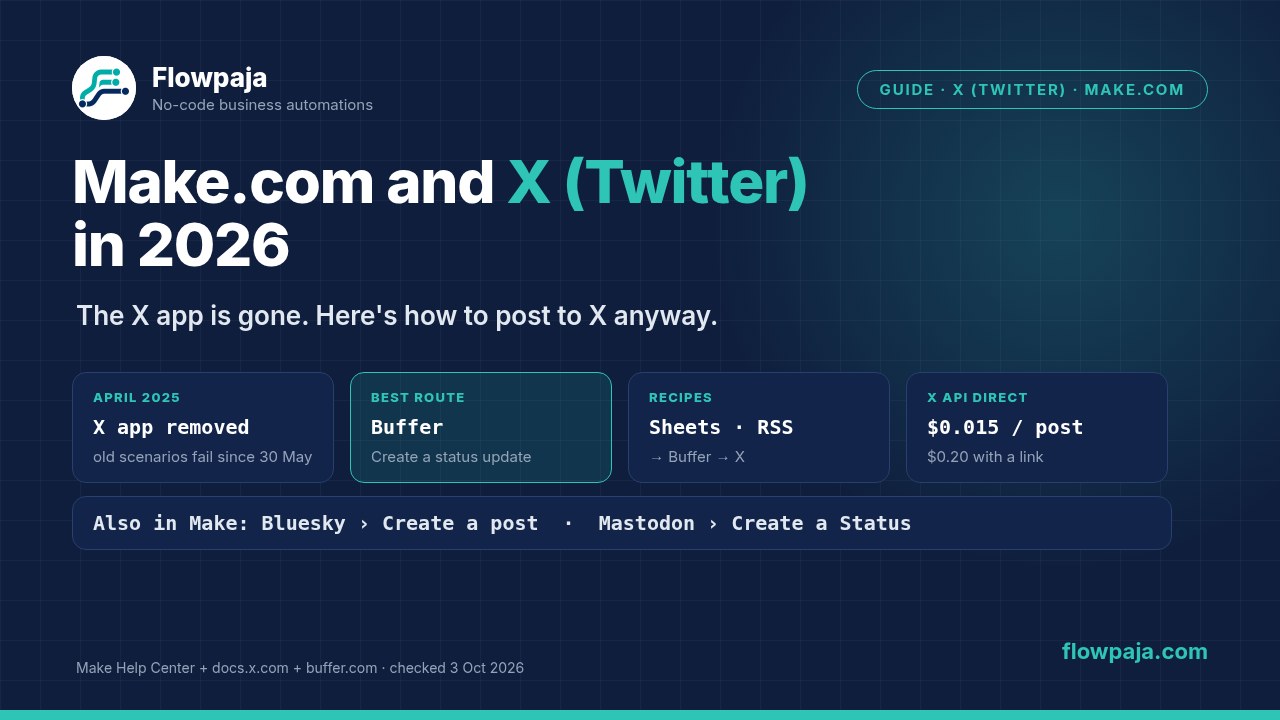
Short answer: Make removed its X (formerly Twitter) app in 2025. You can't create new scenarios with the X app, and old ones have failed since 30 May 2025. Make blamed X's API policy and pricing.

The simplest way to post to X from Make today is Buffer:

  1. Connect your X account in Buffer.
  2. In Make, use Buffer's Create a status update module.

Buffer's Free plan covers 3 channels. Calling X's own API from Make is possible in theory, but it's pay-per-use: $0.015 per post and $0.20 per post with a link. It also needs your own developer app, and it's awkward to connect.

By Flowpaja · Published · Facts checked

This guide contains an affiliate link, marked “affiliate link”.

Make.com and X: the native X app was removed in 2025, and posts now go from Google Sheets or RSS through Buffer to X, with optional cross-posting to Bluesky
No X app in Make any more: Buffer posts for you, and Bluesky and Mastodon have their own Make apps.
Checked on 3 October 2026: sources:
  • Make's Help Center article on the X app's discontinuation, and Make's release notes (2025.03)
  • Make's app docs for Buffer, HTTP and OAuth 2.0, and its integration pages
  • X's developer docs (pay-per-use pricing, changelog, rate limits, character counting)
  • Buffer's pricing page
X and Buffer prices are in US dollars as shown on 3 October 2026. X changes its API pricing often, so check the current page before you rely on a number. We haven't published an X template, so the credit counts below are derived from Make's credit rule, not measured. We earn affiliate commissions from Make. We have no affiliate relationship with Buffer or X.

What happened to Make's X (Twitter) app

DateWhat changed
3 April 2025The X app disappeared from Make's app search. No new scenarios with X modules could be created.
30 May 2025Existing scenarios with X modules stopped working.
Since thenYou can still open old X scenarios, but they fail with an error when they run.

Source: Make Help Center, "X (formerly Twitter) app integration discontinued", and Make release notes 2025.03, both checked 3 October 2026. Make's reason, in its own words: "X's API policy requirements and pricing that prevent us from providing a reasonable integration to our customers." Make's xAI (Grok) app isn't affected.

If you still have an old Twitter or X scenario:

  • It won't come back.
  • Replace the X module with Buffer's Create a status update (below), or with a Bluesky or Mastodon module. Then turn the scenario on again.
  • Old X connections in your Connections list don't do anything any more, so you can delete them.
  • Searches like "integromat twitter" lead to old tutorials. Integromat became Make, and those modules no longer exist.

Your options for posting to X from Make in 2026

RouteWhat you needCost (US, 3 Oct 2026)Our take
Buffer app in MakeA Buffer account with your X account connected. Make's Buffer app is verified and maintained by Make, and you connect with a normal sign-in.Buffer Free: $0 for up to 3 channels, with 10 scheduled posts per channel at a time. Essentials from $6 per channel per month ($5 billed yearly).Best for most. No X developer account, and Buffer handles X's API.
Other scheduling tools in Make's directoryHootsuite (maintained by Make; its Make docs are AI-generated and need your own Hootsuite OAuth credentials) or Metricool (maintained by the vendor)Each tool's own planFine if you already pay for one. Check that it supports X on your plan.
X API directly (HTTP module)Your own X developer app, prepaid X API credits, and an OAuth 2.0 user connection$0.015 per post; $0.20 per post that contains a URLOnly for developers. Make's OAuth 2.0 docs don't mention PKCE, which X requires, so it may not connect. Untested.
Third-party "X API" appsFor example XTweetAPI.com, an app in Make's directory that Make labels verified and maintained by the vendorThe vendor's pricingMake's docs for it say there's "limited documentation". Check how it accesses X and whether that fits X's rules before you connect your account.
Post elsewhere tooMake's Bluesky (Create a post) and Mastodon (Create a Status) apps, both free to connectFreeMake's own suggested alternatives, and good for cross-posting.

Sources: Make integration pages for Buffer, Hootsuite, Metricool, XTweetAPI.com, Bluesky and Mastodon (maintainer labels); Make's Buffer, HTTP and OAuth 2.0 app docs; buffer.com/pricing; docs.x.com pay-per-use pricing and changelog. All checked 3 October 2026.

What you need for the recipes:

  • A Make account. All of this works on the Free plan. If you don't have one yet, create a free Make account (affiliate link).
  • A Buffer account with your X profile connected.
  • A Google Sheet, or your blog's RSS feed.

Affiliate disclosure: the link marked "affiliate link" includes our partner code. If you sign up or later buy a paid plan through it, Flowpaja may earn a commission at no extra cost to you. More on the tools we use: best tools for Make automation.

Set up Buffer for X in Make

  1. In Buffer, connect your X account as a channel. Buffer's Free plan includes 3 channels and lists Make among its integrations on every plan.
  2. In Make, add Buffer › Create a status update and click Create a connection. Make's docs say your own Buffer client credentials are optional, under advanced settings. The normal route is just signing in to Buffer.
  3. Fill in the module. Make's Buffer docs list these fields:
    • Profiles: pick your X profile, plus others if you want.
    • Text
    • Publication: post immediately, add to the top of the queue, or schedule for a date and time.
    • Optional: media (a link or an image URL), and whether to shorten or attach links.
  4. Run it once with a test text scheduled a day ahead. Check it appears in Buffer's queue, then delete it there. Buffer's Delete a status update and Update a status update modules only work on posts that haven't gone out yet.

Keep it within X's rules:

  • Length. A post can have up to 280 characters, and every link counts as 23 (X's character-counting docs). Longer posts depend on the account's X subscription, so don't count on them in automation.
  • Buffer Free limit. Only 10 posts per channel can be scheduled at a time. A scenario that queues more will hit that limit. Space your posts out, or use a paid Buffer plan.
  • No automatic replies. Don't automate replies or mentions. X's changelog says programmatic replies through its API are now only allowed when the original author has mentioned or quoted the replying account.

Recipe 1: post to X from a Google Sheets content calendar

Sheet columns: date, text, link, status, Buffer ID.

Modules (3):

  1. Google Sheets › Search Rows, scheduled daily: rows where status is "ready" and the date is today or earlier. Set a Limit, for example 3.
  2. Buffer › Create a status update: Profiles = X; Text = text + link; Publication = schedule for the date and time from the sheet. (The other queue option, add to the top of the queue, makes each new row the next post, so a batch goes out in reverse order.)
  3. Google Sheets › Update a Row: status = "queued" and the Buffer ID from step 2. That's your log, and it stops the same row being posted twice.

Credits (derived, not measured): by Make's credit rule, Search Rows uses 1 credit per run however many rows it finds, and each row then runs 2 more modules. 20 posts a month with a daily run comes to about 30 + 20 × 2 = 70 credits a month. That's well within the Free plan's 1,000.

Empty search results and missing row numbers are the usual hiccups: see Search Rows returns nothing and missing row number.

Recipe 2: share every new blog post on X (and Bluesky)

Modules (4–5):

  1. RSS › Watch RSS feed items: your blog's feed, checked once or twice a day.
  2. Optional: an AI module writes a short post from the title and summary. For example, Google Gemini AI › Simple Text Prompt, which needs no API key and is billed in Make credits. Tell it: "under 250 characters, at most one hashtag, end with the link". See Claude and Gemini in Make and ChatGPT in Make.
  3. Buffer › Create a status update to your X profile.
  4. Bluesky › Create a post with the same text, or add your Bluesky profile in Buffer instead and skip this module.
  5. Google Sheets › Add a Row: a log with date, title, URL and Buffer ID.

Credits (derived): 1 per feed check, plus 3–4 per new article, plus the AI module's token-based credits. With daily checks and 8 articles a month: about 30 + 8 × 4 = 62 credits, plus the AI.

Note: if you ever move this to X's own API, a post with a link costs $0.20 there instead of $0.015 (X changelog, effective 20 April 2026). Through Buffer you don't pay X directly.

The same pattern works for Facebook pages and Instagram (Instagram and Facebook guide) and for Discord announcements (Discord guide).

Using X's API directly: costs and catches

If you're a developer and want to try it:

  1. Create an app in X's Developer Console and buy credits.
  2. Make an OAuth 2.0 user connection with the tweet.write, tweet.read, users.read and offline.access scopes. Without offline.access, access tokens last two hours.
  3. Send POST https://api.x.com/2/tweets with a JSON body such as {"text": "…"}.

The catches:

  • The connection may fail. X uses the authorization code flow with PKCE. Make's HTTP app supports OAuth 2.0 connections, but its docs don't mention PKCE. We haven't tested whether it connects, and Make itself stopped offering X.
  • Pay-per-use pricing. Since 6 February 2026, the X API has worked with prepaid credits and no subscription. From 20 April 2026, a post costs $0.015, or $0.20 if it contains a URL. X's changelog also says following, likes and quote posts were removed from self-serve access.
  • Limits. X's rate-limit page lists 100 posts per 15 minutes per user and 10,000 per 24 hours per app for POST /2/tweets. X's pricing page says prices are subject to change.
  • Old plans. X said Basic and Pro plans "remain available" when pay-per-use launched, and that recently active users of the legacy Free tier got a one-time $10 voucher. We couldn't confirm current Basic or Pro prices on X's docs, so we don't quote them.

For a small business sending a few posts a week, that's a lot of setup for something Buffer does from a free plan. Our webhook JSON guide covers sending JSON bodies, if you build it anyway.

Common problems

SymptomLikely causeFix
Can't find X or Twitter in Make's app listThe app was removed on 3 April 2025Use Buffer (or Hootsuite or Metricool), or post to Bluesky or Mastodon
Old Twitter scenario fails on every runX modules stopped working on 30 May 2025Replace the X module with Buffer's Create a status update
Buffer won't accept more scheduled postsBuffer Free's 10 scheduled posts per channel are used upLet some posts go out, space them, or upgrade Buffer
X profile missing in the Profiles listX isn't connected in Buffer, or it's connected in another Buffer accountConnect X in the same Buffer account you signed in with in Make
Post rejected or cut shortOver 280 characters (links count as 23)Shorten the text or the AI prompt; check with length() in a filter
Same post queued twiceNo status written back, or the RSS feed re-published an itemWrite a status or ID to the sheet and filter on it
Direct X API requests blocked, or an "out of credits" errorYour X credit balance is at zero or below, or a spending limit was reached (X pricing docs)Top up in X's Developer Console, or switch to Buffer

More error messages: Make error cheat sheet. A scenario that turned itself off after errors: scenario stopped or disabled.

Plan check

  • Make Free plan: Buffer, Google Sheets, RSS, Bluesky and Mastodon are ordinary apps, and both recipes fit well within 1,000 credits a month. The limits to know are 2 active scenarios and a 15-minute minimum interval. Nothing here needs the Make Code app (not on Free) or custom functions (Enterprise).
  • Buffer Free: 3 channels and 10 scheduled posts per channel at a time. Buffer lists Make as included on every plan.
  • X API direct: no free self-serve plan; credits are prepaid (X lists free access only for its Public Utility Apps). A new account can get up to $70 in one-time free credits: $20 for saving a first payment card plus a match of the first auto-recharge up to $50. They expire after 3 months (X changelog, 2 October 2026).

Make pricing page as seen from a US connection; buffer.com/pricing; docs.x.com. All checked 3 October 2026. Prices change; check before you buy.

Sources checked (3 October 2026)

  • Make Help Center: "X (formerly Twitter) app integration discontinued" (timeline and alternatives); Make release notes 2025.03 (developers.make.com)
  • Make app docs: Buffer and Buffer modules (connection, Create, Update and Delete a status update, fields); HTTP (authentication types, updated 2 Oct 2026); OAuth 2.0 authentication type; Hootsuite (AI-generated docs) and XTweetAPI.com ("limited documentation")
  • Make integration pages: Buffer, Hootsuite, Bluesky, Mastodon (maintained by Make); Metricool, XTweetAPI.com (maintained by the vendor); RSS and Google Sheets module names
  • X developer docs: pay-per-use pricing and credits; changelog (6 Feb 2026 launch; 20 Apr 2026 price update; reply restrictions; 2 Oct 2026 free credits); rate limits; OAuth 2.0 with PKCE; counting characters
  • Buffer: buffer.com/pricing and pricing.md (plans, channels, integrations); buffer.com/x

FAQ

Does Make.com still have an X (Twitter) integration?
No. Make removed its X (formerly Twitter) app on 3 April 2025, and existing scenarios with X modules stopped working on 30 May 2025. Make said X's API policy requirements and pricing prevented a reasonable integration. You can still open old X scenarios, but they fail when they run.
How can I post to X from Make now?
The simplest way is Buffer: connect your X account in Buffer, then use the Buffer app's Create a status update module in Make and pick your X profile. Make's Buffer app is maintained by Make, and Buffer's Free plan covers 3 channels with 10 scheduled posts per channel at a time.
Do I need an X developer account to post from Make?
Not if you go through Buffer or another scheduling tool, which handles X's API for you. You only need your own X developer app if you call X's API directly with Make's HTTP module, which is pay-per-use and may not connect, because X requires OAuth 2.0 with PKCE.
How much does the X API cost in 2026?
On 3 October 2026, X's docs list pay-per-use pricing with prepaid credits and no subscription. Creating a post costs $0.015, and a post that contains a URL costs $0.20 (effective 20 April 2026). X says prices are subject to change, so check its pricing page and Developer Console.
What happened to my old Twitter scenarios in Make?
They stopped working on 30 May 2025 and now fail with an error when they run. Replace the X module with Buffer's Create a status update, or with a Bluesky or Mastodon module, and delete the old X connection.
Can Make post to Bluesky or Mastodon instead?
Yes. Make's Bluesky app has a Create a post module and its Mastodon app has Create a Status, and Make suggests both as alternatives to X. You can also add Bluesky and Mastodon as channels in Buffer and post to all of them from one module.
How many characters can an automated X post have?
X's docs say a post can contain up to 280 characters, and every URL counts as 23 characters. Longer posts depend on the account's X subscription, so keep automated posts under 280 and check the length with a filter.
Does posting to X with Make work on the Free plan?
Yes, through Buffer. The Buffer, Google Sheets and RSS apps work on Make's Free plan, and a daily content-calendar or blog-sharing scenario uses well under the Free plan's 1,000 credits a month. Buffer's own Free plan allows 3 channels.

Old Twitter scenario broken, or Buffer posts not going out?

Send us the scenario blueprint and a screenshot of the error or the History. We'll replace the dead X modules with Buffer (or Bluesky and Mastodon), and fix the mapping and duplicate checks. It's fully async: no logins and no calls.

Automating the rest of the business too? The Make Starter Bundle has three ready-made templates: a lead router to HubSpot and Slack, Gmail invoice reminders, and quote follow-ups.

← All guides · All templates

Make, X, Twitter, Buffer, Hootsuite, Metricool, Bluesky, Mastodon, Google, Google Sheets and Gemini are trademarks of their owners. Flowpaja is independent and not affiliated with or endorsed by them. Limits, plans and prices change; check Make's current pricing page and Help Center.