
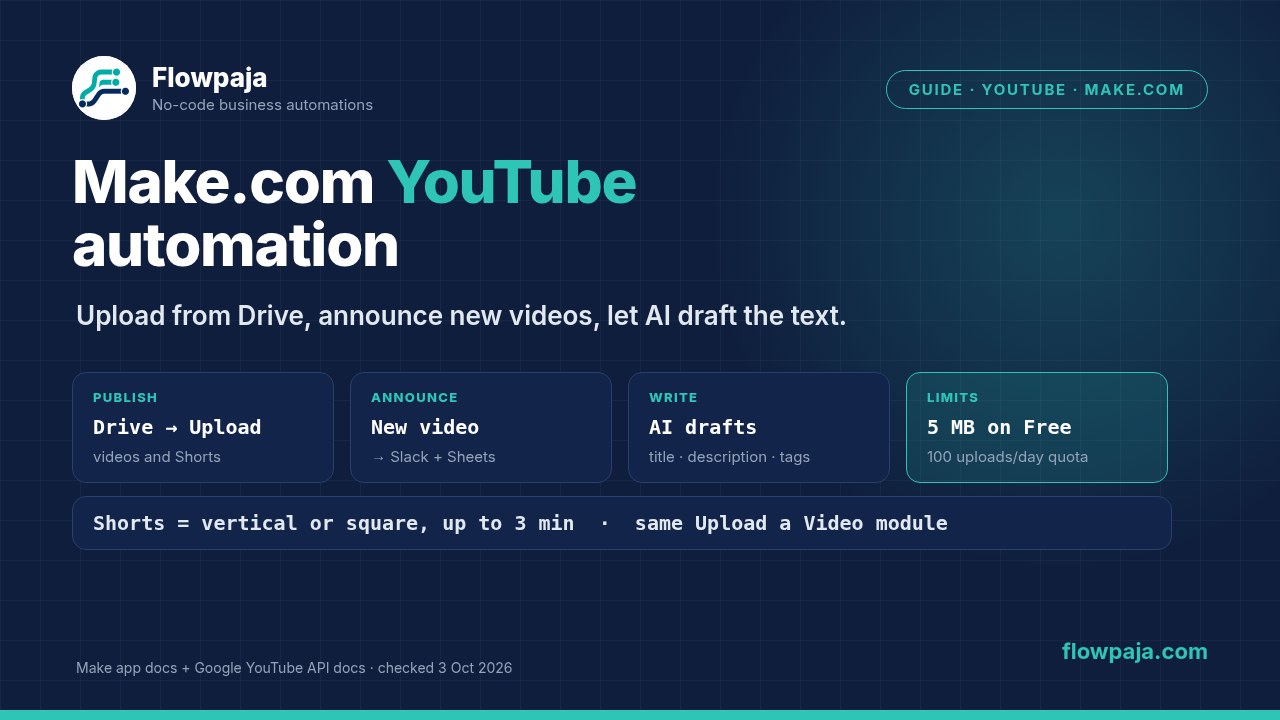
Guide · YouTube · Make.com

Make.com YouTube automation: upload from Google Drive, share new videos and add AI

Short answer: Make's YouTube app has 16 modules. The 4 triggers watch a channel, a playlist, a search or new comments. The actions upload a video, update its details, set a thumbnail, manage playlists and reply to comments. Three flows cover most needs:

  • Announce: post each new video to Slack and log it in Google Sheets.
  • Publish: upload videos and Shorts that you drop into a Google Drive folder.
  • Write: let AI draft the title and description first.

Two limits decide what's realistic. Make's max file size is 5 MB on the Free plan, so uploading videos needs a paid plan. And YouTube's API allows 100 uploads and 100 searches a day per Google project by default.

By Flowpaja · Published · Facts checked

This guide contains an affiliate link, marked “affiliate link”.

Make.com YouTube automation: a Google Drive folder feeds Upload a Video, Watch Videos in a Channel posts new videos to Slack and Google Sheets, and AI drafts the title and description
Three YouTube flows in Make: publish from Drive, announce new videos, and let AI draft the text.
Checked on 3 October 2026: module names come from Make's YouTube app docs (apps.make.com, updated 2 October 2026) and Make's YouTube integration page. Plan limits come from Make's pricing page, as seen from a US connection. Quota numbers come from Google's YouTube Data API docs (quota page updated 15 September 2026). We haven't published a YouTube template, so the module and credit counts below are derived from Make's credit rule, not measured. Check the real numbers in your scenario's History. We earn affiliate commissions from Make.

What Make's YouTube app can do

TypeModulesTypical use
Triggers (scheduled)Watch Videos in a Channel · Watch Videos in a Playlist · Watch Videos by Search · Watch New CommentsAnnounce or log new videos; monitor a topic; collect comments
VideosUpload a Video · Update a Video Details · Set a Video Thumbnail · Delete a VideoPublish from cloud storage; fix titles, descriptions and thumbnails in bulk
PlaylistsCreate a Playlist · Update a Playlist · Add a Video to the Playlist · Delete a PlaylistFile each new upload into the right playlist
ChannelUpdate a Channel Banner · Update a Channel DetailsSeasonal banner changes
CommentsReply to a CommentReply after a person has approved the text
OtherMake an API CallAny YouTube Data API request the connection's permissions allow

Module list: Make's YouTube app docs (updated 2 October 2026) and integration page, both checked 3 October 2026. Make's integration page lists all four triggers as non-instant, so they check on your schedule rather than firing the moment a video appears.

What's missing:

  • There's no transcript or captions module. See the AI section for workarounds.
  • There's no analytics module.
  • Nothing turns a long video into Shorts. Make moves and labels files; it doesn't edit video.

What you need:

  • A Make account. The announce flow and AI drafts work on the Free plan. Uploading video files needs a paid plan because of the file size limit (see Plan check). If you don't have an account yet, create a free Make account (affiliate link).
  • The Google account that owns or manages your YouTube channel.
  • For the recipes, a Google Sheet, and Slack or another chat tool.

Affiliate disclosure: the link marked "affiliate link" includes our partner code. If you sign up or later buy a paid plan through it, Flowpaja may earn a commission at no extra cost to you. More on the tools we use: best tools for Make automation.

Connect YouTube: built-in connection or your own Google project

Built-in (simplest): add any YouTube module, then:

  1. Click Create a connection and accept YouTube's Terms and Google's Privacy Policy.
  2. Click Sign in with Google and grant the permissions.
  3. If you manage several channels, pick the right Google account or brand account when Google asks.

Your own Google Cloud project: Make's docs describe this under the connection's advanced settings. It needs these steps:

  1. Enable YouTube Data API v3.
  2. Set up the consent screen in Google Auth Platform: audience External; authorised domains make.com and integromat.com; scopes youtube and youtube.upload.
  3. Create a Web application client with the redirect URI https://www.make.com/oauth/cb/youtube.
  4. Paste the Client ID and Client Secret into Make.

Three things to know before you choose your own project:

  • Weekly sign-ins in Testing. While the project's publishing status is Testing, you have to reauthorise the connection every week. Publishing the app stops that. Make says unverified apps currently connect, but it can't guarantee Google will keep allowing it (Make's YouTube app docs).
  • Uploads can be locked to private. Google's videos.insert reference says videos uploaded from unverified API projects created after 28 July 2020 are restricted to private viewing until the project passes an audit. For uploads, the built-in connection is the easier route. We haven't tested whether Make's own connection has any restriction like this, so check your first upload's visibility.
  • Your own quota. Your project gets its own daily quota (next section). With the built-in connection, requests go through Make's Google project, and Make doesn't publish how much quota that has.

Connection errors with Google apps, such as expired or revoked access, are covered in Make Google connection errors.

YouTube Data API quota: what it means for Make

Google's quota page (updated 15 September 2026) gives each project three daily allowances by default: 100 uploads (videos.insert), 100 searches (search.list), and 10,000 units for everything else. Quotas reset at midnight Pacific Time. Uploads and searches have their own buckets: each videos.insert or search.list call costs 1 of its 100 a day, and Google's Getting started page says the same (a video upload costs 1 unit). The automatic summary box at the top of the same quota page still says videos.insert costs 1,600 points, the old figure many guides repeat. The page's own text and cost table, and the videos.insert reference, give the 100-a-day bucket.

RequestQuota costLikely Make module
videos.insert1 of 100 uploads per dayUpload a Video
search.list1 of 100 searches per day, per page of resultsWatch Videos by Search
videos.update50 unitsUpdate a Video Details
thumbnails.set50 unitsSet a Video Thumbnail
playlistItems.insert50 unitsAdd a Video to the Playlist
comments.insert50 unitsReply to a Comment
Most list requests1 unitReading videos, playlists and comments

Costs: Google's YouTube Data API quota calculator, checked 3 October 2026. Make doesn't document which API request each module sends; the right-hand column is our mapping by name. Every request costs quota, even an invalid one.

In practice: a small channel won't get near 10,000 units. The search bucket is the one to watch. On your own project, a Watch Videos by Search trigger checking every 15 minutes makes about 96 searches a day, and each extra page of results counts too. That's already close to the limit; check hourly or daily instead. When a project runs out, YouTube returns a quota error until the reset.

Recipe 1: announce every new video in Slack and log it in Sheets

Modules (3):

  1. YouTube › Watch Videos in a Channel: pick your channel. When Make asks where to start, choose to start from now on, so your old videos aren't all posted.
  2. Google Sheets › Add a Row: date, title, video ID and link to a "Videos" sheet. Build the link as https://www.youtube.com/watch?v= plus the video ID.
  3. Slack › Send a Message: "New video: title + link" to your team or community channel.

Schedule: once or twice a day is plenty for most channels. Check in a test run which fields the trigger outputs for your channel (ID, title, description, thumbnails, publish time) before you map them.

Credits (derived, not measured): by Make's credit rule, a scheduled trigger uses 1 credit per check even when nothing is new, and each module that runs uses 1 more. A daily check with 8 new videos in a month is about 30 + 8 × 2 = 46 credits a month. Checking every 15 minutes is about 2,880 checks a month, which alone is more than the Free plan's 1,000 credits. Our credits guide explains the rule.

Variations:

  • Post to Discord with an embed instead of Slack: see the Discord guide.
  • Post to Facebook or Instagram: see the Instagram and Facebook guide.
  • Add a filter on the title (for example, only videos containing "Tutorial").
  • Use Watch Videos in a Playlist to announce only one series.

Recipe 2: upload videos and Shorts from a Google Drive folder

Modules (4–5):

  1. Google Drive › Watch Files in a Folder: a folder such as "Ready for YouTube". Add a filter so only video files pass, for example by file name ending in .mp4 or .mov.
  2. Optional: Google Sheets › Search Rows in a content calendar. Look up the row whose file name matches, to get the title, description, tags and playlist. Without it, use the file name as the title.
  3. Google Drive › Download a File, which gives you the file data.
  4. YouTube › Upload a Video: map the file from step 3, and set the metadata the module offers, such as title, description and privacy. Upload as private or unlisted first and publish after a human check. Google's API also supports scheduled publishing and a made-for-kids declaration (status.publishAt, status.selfDeclaredMadeForKids). Check whether your module shows those fields.
  5. Google Sheets › Update a Row (or Add a Row): write back the new video ID and link, plus a "Uploaded" status so nothing is uploaded twice.

Credits (derived): 1 per folder check, plus 3–4 per video (download, upload, the Sheet update, and the optional search). Ten videos a month with a daily check is about 30 + 10 × 4 = 70 credits.

Where it breaks:

  • File size. Download a File and Upload a Video handle the whole file, so Make's per-plan max file size applies:
    • Free: 5 MB
    • Core: 100 MB
    • Pro: 250 MB
    • Teams: 500 MB
    • Enterprise: 1,000 MB
    A bigger file stops with MaxFileSizeExceededError (see timeouts and limits). YouTube itself accepts up to 256 GB, so the limit is Make's, not YouTube's.
  • Data transfer. Large files also count toward your plan's monthly data transfer (Free: 512 MB; paid: 5 GB per 10,000 credits).
  • Run time. A large upload has to finish within the scenario's maximum run time (40 minutes on paid plans).

Shorts: there's no separate Shorts module. YouTube's Help Center says videos uploaded on or after 15 October 2024 that are square or vertical and up to three minutes long are categorised as Shorts. So export Shorts as vertical clips of 3 minutes or less, and the same Upload a Video module publishes them as Shorts. Short vertical clips are usually small enough for the Core or Pro file limit. To keep Shorts and long videos apart, use two Drive folders, or a "type" column in the calendar sheet.

Want an Iterator to upload a batch? Keep in mind each video then runs the whole chain. Iterator vs Aggregator explains how that multiplies credits.

Recipe 3: AI titles, descriptions and video summaries

Draft the text before upload. In the upload flow, put an AI module between the calendar sheet and Upload a Video. For example, use Google Gemini AI › Simple Text Prompt, which needs no API key and is billed in Make credits. Free plans get one model. Feed it your notes or script from the sheet and ask for a title, a description and 5 tags, as JSON. Google's limits are 100 characters for a title, 5,000 bytes for a description and 500 characters for all tags together, with no < or > in the title or description. Then parse it with JSON › Parse JSON (our webhook JSON guide shows how).

Keep the draft private or unlisted until a person has read it. AI gets facts and names wrong. Claude and Gemini in Make compares the four ways to connect and what each costs. ChatGPT and OpenAI in Make covers the OpenAI route.

Fix existing videos. Use Watch Videos in a Channel, or a list from a sheet, then the AI module, then Update a Video Details. Each update costs 50 quota units, which a normal channel can afford. Review the text in a sheet before you send the update.

Summaries and transcripts are where people get stuck:

  • No captions module. You could try Google's captions.download through Make an API Call, but Google says it needs the youtube.force-ssl or youtubepartner scope plus edit rights to the video, and each call costs 200 quota units. Make's docs list only the youtube and youtube.upload scopes for a connection with your own Google project, so expect a permission error. We haven't tested it.
  • Gemini can read public YouTube videos by URL. Google's Gemini API docs (updated 23 September 2026) list YouTube URLs as a video input. The feature is in preview, works for public videos only, and the free tier is capped at 8 hours of YouTube video a day. In Make, this would mean sending the URL through the Gemini AI app's Make an API Call module. We haven't tested that in Make, so treat it as an experiment.
  • Your own uploads: you already have the file in Drive. The Gemini AI app (with your own key) has an Upload a file module and a Generate a response module, so the model can work from the file itself. Make's file size limit applies here too.

A summary can then go to a Google Doc, a newsletter draft or Slack. For a weekly digest, collect the week's videos with an aggregator first, so you send one AI request instead of one per video.

Bonus: new-comment alerts

Watch New Comments, then a filter (for example, the text contains "?" or "price"), then Slack › Send a Message with the comment and a link. You see the questions that need an answer without opening YouTube Studio.

Automatic replies with Reply to a Comment are possible, but write or approve the text yourself. An AI reply that's wrong is public under your name.

Common YouTube automation problems

SymptomLikely causeFix
New video posted hours laterTriggers are scheduled, not instantRun more often (costs credits), or accept a delay
Old videos posted all at once on the first runThe trigger started from the beginningChoose where to start (from now) when you set up the trigger
MaxFileSizeExceededError on Download or UploadThe file is bigger than your plan's max file sizeExport smaller files (Shorts), compress, or use a higher plan
Uploaded video stuck on privateYour own unverified Google project, or the privacy field set to privateUse the built-in connection, or get your project audited; check the privacy setting
Asked to sign in again every weekYour own Google project is in Testing statusPublish the app in Google Auth Platform
Quota error from YouTubeA daily bucket is used up: searches, uploads or unitsCheck less often; wait for the reset at midnight PT; request more quota for your own project
Video wasn't categorised as a ShortNot vertical or square, or longer than 3 minutesRe-export as vertical, up to 3 minutes
Same video uploaded twiceThe file was copied or re-saved in the watched folderWrite a status back to the calendar sheet, filter on it, and move uploaded files out of the folder
Wrong channelThe connection used another Google or brand accountCreate a new connection and pick the channel's account

More error messages and their fixes: Make error cheat sheet. If a scenario turned itself off after errors, see scenario stopped or disabled.

Plan check

  • Free plan: the YouTube, Google Sheets, Google Drive and Slack apps, the announce flow, comment alerts and AI drafts with the Gemini Simple Text Prompt. The limits are 1,000 credits a month, checks no more often than every 15 minutes, 2 active scenarios, and a 5 MB max file size. That's why uploads from Drive realistically need a paid plan.
  • Paid plans: the max file size rises to 100 MB (Core), 250 MB (Pro), 500 MB (Teams) and 1,000 MB (Enterprise), the minimum interval drops to 1 minute, and runs can last up to 40 minutes.
  • Not needed: the Make Code app (not on Free) or custom functions (Enterprise).

Make pricing page, as seen from a US connection, 3 October 2026. Plans change; check the current page before you buy.

Sources checked (3 October 2026)

  • Make: YouTube app docs (connection, own Google Cloud project, publishing status, scopes, module list; updated 2 Oct 2026); YouTube integration page (16 modules, trigger types); Google Drive, Google Sheets and Slack integration pages (module names); Google Drive app docs (updated 2 Oct 2026)
  • Make pricing page: credit rule, credits per plan, max file size, data transfer, run time, minimum interval, active scenarios, as seen from a US connection
  • Google: YouTube Data API Getting started (updated 14 Sep 2026); quota calculator (15 Sep 2026); videos.insert (14 Sep 2026: 256 GB max, private-only for unverified projects); captions.download scopes (15 Sep 2026); videos resource (title, description and tag limits); Gemini API video understanding (YouTube URLs, preview; 23 Sep 2026)
  • YouTube Help: Understand three-minute YouTube Shorts

FAQ

Can Make.com upload videos to YouTube?
Yes. The YouTube app's Upload a Video module uploads a file and can set metadata such as the title, description and privacy. A common flow is Google Drive Watch Files in a Folder, then Download a File, then Upload a Video. Make's max file size applies: 5 MB on Free, 100 MB on Core, 250 MB on Pro, 500 MB on Teams and 1,000 MB on Enterprise.
Can Make upload YouTube Shorts?
Yes, with the same Upload a Video module. There's no separate Shorts setting. YouTube categorises videos uploaded since 15 October 2024 as Shorts when they're square or vertical and up to three minutes long. Export your clips that way and keep them under your plan's max file size.
Is the YouTube trigger in Make instant?
No. Make's integration page lists Watch Videos in a Channel, Watch Videos in a Playlist, Watch Videos by Search and Watch New Comments as non-instant triggers. They check on your schedule, and each check uses 1 credit even when nothing is new.
How much YouTube API quota does Make use?
Google's default per project is 100 uploads, 100 searches and 10,000 units a day for other requests, reset at midnight Pacific Time. Updates, thumbnails, playlist adds and comment replies cost 50 units each, and most reads cost 1. With your own Google project, the search bucket runs out first if Watch Videos by Search checks often. Make doesn't publish the quota behind its built-in connection.
Why are my uploaded videos private?
Check the privacy field in Upload a Video first. If you connected with your own Google Cloud project, Google restricts uploads from unverified API projects created after 28 July 2020 to private viewing until the project passes an audit. The built-in connection avoids your own project; check your first upload's visibility.
Why does my YouTube connection in Make expire every week?
That happens when you use your own Google Cloud project and it's still in Testing status. Make's docs say you then have to reauthorize every week. Publish the app in Google Auth Platform, or use Make's built-in YouTube connection.
Can Make get a YouTube video's transcript?
Not with a dedicated module: the YouTube app has no captions module. Google's captions download needs scopes that Make's documented connection doesn't list. For summaries, Gemini's API can read public YouTube videos by URL (preview), or you can give Gemini the video file from your own Drive. Test either route before relying on it.
Does YouTube automation in Make work on the Free plan?
Partly. Announcing new videos in Slack or Sheets, comment alerts and AI drafts work on Free, within its 1,000 credits a month and 15-minute minimum interval. Uploading videos from Drive needs a paid plan in practice, because Free's max file size is 5 MB.

YouTube scenario not doing what it should?

Send us the scenario blueprint and a screenshot of the error or the History. We'll find why uploads fail, videos come out private, or the trigger misses videos, and fix it. It's fully async: no logins and no calls.

Automating the rest of the business too? The Make Starter Bundle has three ready-made templates: a lead router to HubSpot and Slack, Gmail invoice reminders, and quote follow-ups.

← All guides · All templates

Make, YouTube, Google, Google Drive, Google Sheets, Gemini, Slack, Discord and OpenAI are trademarks of their owners. Flowpaja is independent and not affiliated with or endorsed by them. Limits, plans and prices change; check Make's current pricing page and Help Center.