 Flowpaja
What you need
- Access to Credentials → Connections in Make. No account yet? Create a free Make account (affiliate link).
- The Google account the connection uses (password and 2-step verification)
- With your own OAuth client: access to its Google Cloud project
- On Google Workspace: possibly your admin
Ad disclosure: links marked "affiliate link" are ads. If you sign up or buy through them, Flowpaja may earn a commission at no extra cost to you.
Step 1: Read the exact error
In the scenario's History, open the failed run and click the Google module with the error:
invalid_grant, "Token has been expired or revoked", or HTTP 401 → step 2- It fails again about a week after every reconnect → step 3
- 403 "Request had insufficient authentication scopes" → step 4
- "… API has not been used in project … or it is disabled" → step 4
admin_policy_enforced, or "Access blocked" when you sign in → step 5 (or step 3 if the message says the app "has not completed the Google verification process")- 404 "Requested entity was not found", or 403 "The caller does not have permission" on a file → steps 6 and 7
Was the scenario also switched off? It hit Errors before deactivation (3 by default), or it starts with an instant trigger, which Make deactivates after one error. See why a Make scenario stopped running.
Step 2: Revoked or expired connection
Google's documented reasons why a stored authorization (refresh token) stops working:
- Make's access was removed on the Google Account's linked apps page,
- it wasn't used for six months,
- the password changed and the connection has Gmail scopes,
- the account passed 100 live tokens for the same OAuth client (the oldest stops working without warning),
- time-limited access ran out,
- a Workspace admin restricted the service (
admin_policy_enforced, step 5).
Gmail adds one rule: on personal @gmail.com accounts, Google limits Make's Gmail access to six months. Make shows a reminder with the expiry date. Reauthorize before then.
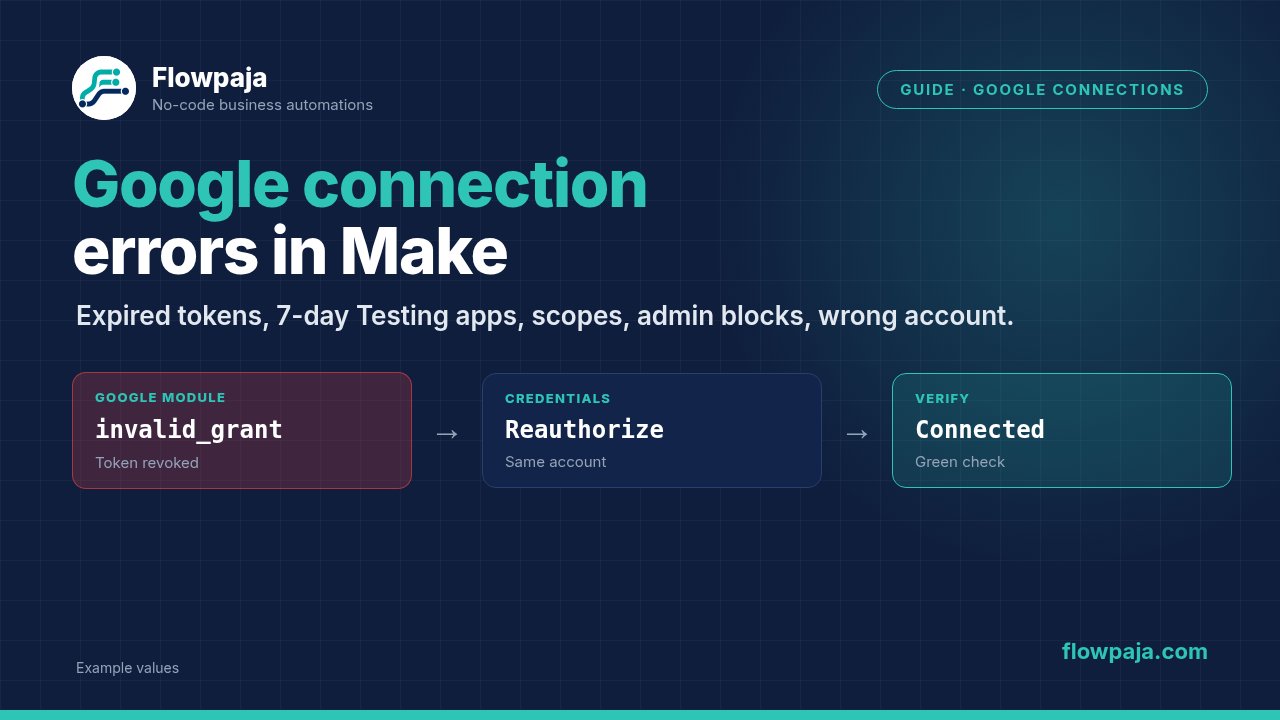
Fix: reauthorize, don't rebuild
- In Make's left sidebar, click Credentials and switch to Connections.
- Find the Google connection.
- Click Reauthorize, sign in with the same Google account and approve the access.
- Click Verify. A green check mark means the connection works.
If it keeps failing, create a new connection and select it in the modules. Switch deactivated scenarios back on. If Store incomplete executions was enabled, retry the failed runs under Incomplete executions.
Step 3: Your own OAuth app is in "Testing" status
This only applies if you entered your own Client ID and Client Secret in the connection's advanced settings. Google's rules: an External app in Testing status only works for the test users you listed (up to 100), and their authorizations expire 7 days after consent. Make's docs confirm you'd reauthorize every week.
Fix:
- In Google Cloud console, open Google Auth Platform → Audience.
- Click Publish app, so the status changes to In production.
- Reauthorize the connection in Make (step 2).
An unverified app shows Google's "unverified app" warning at sign-in, because Gmail and Drive scopes are sensitive or restricted. Make's docs say connecting to an unverified app currently works, but can't promise Google will always allow it. Internal apps (Workspace organizations only) aren't affected by the 7-day rule. If you don't need your own client, Make's default connection avoids all of this.
Step 4: Missing scopes or a disabled API
A 403 about scopes means the token lacks a permission the module needs. Typical causes:
- A permission checkbox was left unticked on Google's consent screen.
- Your own OAuth client lacks the scope. For Sheets, Make's docs list the
spreadsheetsanddrivescopes. - A Gmail Make an API Call module calls an endpoint outside the default scopes. Add the scope in the connection's Additional Scopes field.
Fix: reauthorize and approve every requested permission. The permissions icon in Connections shows what was granted. With your own client, add the scope under Data Access in Google Auth Platform, then reauthorize.
"API has not been used in project … or it is disabled" means your own Cloud project is missing an API. Enable it under APIs & Services → Library: Google Sheets API and Google Drive API for Sheets, Gmail API for Gmail.
Step 5: A Google Workspace admin blocks the app
In a Workspace organization, an admin decides which third-party apps can use Google data. Signs: "Access blocked" or admin_policy_enforced at sign-in, or a connection that works for some users only.
Fix (needs the admin): in the Google Admin console, Security → Access and data control → API controls → Manage App Access, the admin sets Make (or your OAuth client ID) to Trusted, or to a level that allows the needed services. Then reauthorize.
Step 6: The wrong Google account is connected
With a personal account connected to a work sheet (or vice versa), the module can't find the file (404).
Fix: check the email address in the connection. To switch accounts, don't reauthorize the old connection: Make's help says to create a new connection and select it in the modules. Or share the file with the connected account. Name connections clearly, e.g. "Google Sheets – [email protected]".
Step 7: Files in shared drives or "Shared with me"
Files in a shared drive, or shared with you by someone else, aren't in your My Drive. In the Google Sheets module, use the Drive field to pick where the file lives. Still missing? Set Search Method to Enter manually (where offered) and paste the spreadsheet ID from the file's URL. The connected account needs edit access for modules that write, such as Add a Row.
Connection fine but the module finds nothing? See Search Rows returns nothing and Watch New Rows not picking up new rows. Imported someone else's scenario? Importing a blueprint explains what to reconnect and reselect.
Common errors and fixes
For non-Google errors, see 10 common Make scenario errors.
| Error | Likely cause | Fix |
|---|---|---|
invalid_grant / "Token has been expired or revoked" | Access removed, password change (Gmail), unused for 6 months | Reauthorize the connection |
| Fails every 7 days | Own OAuth client in Testing status | Publish the app, then reauthorize |
| 403 insufficient authentication scopes | Permission not granted, or scope missing from your client | Reauthorize and approve all; add the scope |
| "API has not been used in project … or it is disabled" | API not enabled in your Cloud project | Enable the Sheets, Drive or Gmail API |
"Access blocked" / admin_policy_enforced | Workspace admin restriction | Admin trusts the app, then reauthorize |
| 404 "Requested entity was not found" / "The caller does not have permission" | Wrong account, file ID, or file not shared | Check the account; share or reselect the file |
Connection fixed? Next, try sending a Gmail email for each new row.