 Flowpaja
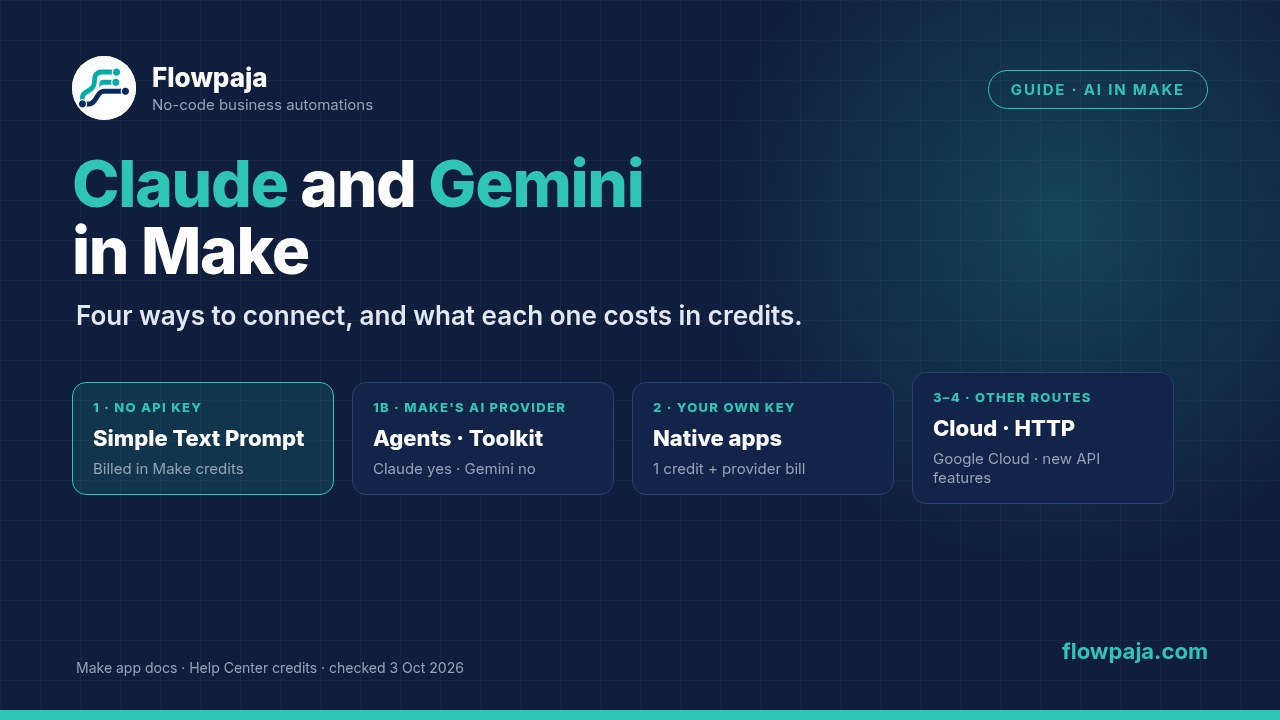
The four ways at a glance
| Route | API key? | Plans | How you pay | Best for |
|---|---|---|---|---|
| 1. No key: Simple Text Prompt (Claude or Gemini app) | No | All plans; Free and trials get one model per app | Make credits, based on tokens | Trying it out, and short text jobs inside a scenario |
| 1b. No key: Make's AI Provider in AI Agents and AI Toolkit | No | All plans | Make credits: operations plus tokens | Agents, categorizing, extracting and summarizing. Claude: yes. Gemini: not in the list. |
| 2. Your own key: Anthropic Claude app or Google Gemini AI app | Yes (Anthropic, or Google AI Studio plus a Google Cloud project) | The app docs state no plan limit for keyed modules | 1 credit per operation, plus the provider's token bill | Steady volume, all models, and files, images, video and embeddings |
| 3. Google Cloud: Gemini Enterprise Agent Platform app | Google sign-in to a Cloud project with billing on | The app docs state no plan limit | 1 credit per operation, plus Google Cloud billing | Businesses already on Google Cloud |
| 4. Direct API: the app's Make an API Call, or the HTTP module | Yes | Any plan | 1 credit per call, plus the provider's token bill | New API features that don't have a module yet |
Sources: help.make.com/credits (updated 2 Oct 2026); apps.make.com docs for Anthropic Claude, Google Gemini AI and Gemini Enterprise Agent Platform (all updated 2 Oct 2026); Make AI Toolkit; Make AI Agent (New) app docs.
Is Gemini part of Make's AI Provider?
Not as of 3 October 2026. Make's credits page lists the models behind Make's AI Provider: Make's own Small, Medium and Large tiers, OpenAI models and Anthropic Claude models. Gemini isn't on that list. Make says its AI Provider is the no-account option in Make AI Agents and the Make AI Toolkit.
The confusion comes from the Simple Text Prompt module. The Google Gemini AI app has one that needs "no setup", just like the Claude app. Make calls this an automatic AI provider connection, not its AI Provider. You don't need a Google account for it, and you pay Make in credits based on tokens. So:
- Gemini with no key: yes, in the Google Gemini AI app's Simple Text Prompt module.
- Gemini in Make AI Agents: only with your own Gemini connection, on a paid plan. Make's agent docs list Gemini among the providers that accept input files. The credits page names Gemini as a custom AI provider connection.
- Gemini in the Make AI Toolkit: the Toolkit docs only give OpenAI and Anthropic Claude as examples of custom connections. Check the connection list in your account.
- Claude with no key: in both places, the Claude app's Simple Text Prompt and Make's AI Provider.
Way 1: no API key (Simple Text Prompt and Make's AI Provider)
If you don't have a Make account yet, create a free Make account (affiliate link). The Free plan includes 1,000 credits a month (Make pricing page, 3 October 2026).
Affiliate disclosure: links marked "affiliate link" include our partner code. If you sign up or later buy a paid plan through them, Flowpaja may earn a commission at no extra cost to you. Anthropic and Google links on this page are plain links. More on the tools page.
Simple Text Prompt (Claude or Gemini app)
- Add Anthropic Claude › Simple Text Prompt or Google Gemini AI › Simple text prompt, pick a model and write your prompt. There's no connection step.
- Free plans and trials: each app allows only one model in this module. The dated box below names them. Other models need a paid plan.
- Cost: credits depend on input tokens (your prompt) and output tokens (the reply). After each run, the module's output shows the tokens used. Rates differ a lot between models; the box below has examples.
- Limits: Make describes it as picking a model and entering a prompt, and it returns text. For files, images or structured output, use the full app with your own key (Way 2).
Make's AI Provider in AI Agents and the AI Toolkit
- Make AI Toolkit: ready-made modules such as Categorize text, Extract information from text, Summarize text, Translate text, Analyze sentiment and Chunk text. All plans can use Make's AI Provider here, and Make's Toolkit docs give the Free plan a weekly limit of 200,000 input tokens. Paid plans can switch to their own OpenAI or Anthropic connection, which costs 1 credit per run.
- Make AI Agent (New) (in open beta, so Make says features and pricing may change): pick Make's AI Provider (all plans) or, on a paid plan, another provider. With a supported Claude model you can set prompt caching, which Make says reduces credit use and response time. You can also add a fallback connection in case the main one fails. How agents work: Make AI Agents explained.
Way 2: your own API key
Anthropic Claude app
- Connection: create an API key in your Anthropic Console, then paste it into Create a connection in any Anthropic Claude module.
- Modules: Create a Prompt takes a structured list of messages. There are also Files (upload, list, get, download, delete), Skills and Skill Versions, and Make an API Call. Make's docs say Download a File only works for files that Claude generated.
- Watch out: Make's docs say Anthropic may decline requests that break its safety policies, and "regular charges still apply to declined runs".
Google Gemini AI app
- Connection: you need a Google Cloud project, then an API key from Google AI Studio (Get API key › Create API key). Paste the key into the connection.
- Modules: Generate a response, Upload a file, Extract structured data, Generate an image, Generate a video, Generate speech from text, Generate embeddings, Generate music, File Search stores, and Make an API call. Make's integrations page also lists Run a deep research agent.
- Who maintains it: Make's integrations page says the app is verified by Make and maintained by its partner Synergetic GmbH. The Anthropic Claude app is maintained by Make.
Cost with your own key: 1 credit per module run, whatever the length of the prompt. Anthropic or Google bills the tokens on your own account, so check their pricing pages. This becomes the cheaper route once your prompts are long or frequent, but only you can do that maths with your provider's current prices.
Way 3: Google Cloud (Gemini Enterprise Agent Platform)
This app's docs URL still says google-vertex-ai. It's for businesses that already run Google Cloud. You need a Cloud project with the Agent Platform API and billing enabled, then you sign in with Google. You can optionally use your own OAuth client, and if that client stays in "Testing" status, Make's docs say you'll have to reauthorize every week. Modules: Create a Chat Prompt (Gemini), which accepts image, audio and video inputs, Generate an Image or Video, image captions and answers, and Make an API Call. If you don't already use Google Cloud, Way 1 or 2 is simpler.
Way 4: call the API directly
Use this when Anthropic or Google ships a feature before Make has a module for it. First choice: the app's own Make an API Call module, which reuses your saved connection. Second choice: the HTTP module with the API key in a header, which you set up yourself following the provider's API docs.
PDFs and images: try the modules first. Gemini's Upload a file exists "so it can be used in the completions", and Claude has Upload a File. Make AI Agent (New) accepts JPG, PNG, GIF and PDF input files with Make's AI Provider, OpenAI, Anthropic Claude or Gemini, on a model that accepts files. Check in a test run that the file actually reaches the prompt before you build on it.
What a prompt costs in credits
With Simple Text Prompt or Make's AI Provider, Make converts tokens to credits using a rate for each model: input tokens per credit and output tokens per credit. Output is always the expensive part. In rough terms:
credits ≈ input tokens ÷ input rate + output tokens ÷ output rate
Make's credits page says automatic connections are billed on "tokens, operations, and other usage-based factors", and Make AI Agents add 1 credit per operation on top of tokens. We haven't confirmed how Make rounds each run, so read the token and credit figures from your own test run. Make says that in English 1 token is about 4 characters and 100 tokens is about a paragraph. A short follow-up email is roughly 300 output tokens, plus around 600 for the prompt and the quote details. The dated box has the numbers for real models. Background on credits: Make credits explained.
Worked example: a Claude-written quote follow-up that you approve first
Our free quote follow-up template reads your Quotes sheet once a day and creates one Gmail draft for each quote that's a week old with no reply. It never sends anything. To have Claude write the text:
- Import the template and test it as its guide describes.
- Between the Google Sheets search and Gmail › Create a Draft, add Anthropic Claude › Simple Text Prompt. On Free, use the one model it allows.
- Prompt:
Write a short, friendly follow-up email (under 120 words) to {{Client Name}} about our quote for {{Project}}, sent on {{Sent Date}}. Plain text, no subject line, sign off as "Ana".(Map the fields from your sheet.) - In Create a Draft, map the AI module's response text into Content. Check the field name in the module's output after a test run.
- Keep it a draft. The Gmail draft is your approval step: read it, edit it, send it.
Cost: the template's own modules, plus the AI module's token credits for each draft. Prefer OpenAI? The same pattern is in Make + ChatGPT (OpenAI). For the multi-step version with three follow-ups, see automated quote follow-ups.
Which route should you pick?
| If you… | Use |
|---|---|
| Want to try Claude or Gemini today on the Free plan | Simple Text Prompt in either app |
| Need categorizing, extracting or summarizing without writing prompts | Make AI Toolkit with Make's AI Provider (Claude or OpenAI models) |
| Build an agent that picks tools by itself | Make AI Agent (New): Make's AI Provider, or your own Claude or Gemini connection on a paid plan |
| Run long or frequent prompts | Your own key (Way 2), and compare your provider's token prices with the credit rates |
| Need images, video, speech, embeddings or structured extraction from Gemini | The Google Gemini AI app with your own key |
| Already pay for Google Cloud | Gemini Enterprise Agent Platform |
| Want Claude or ChatGPT to run your scenarios, the other way round | The Make MCP server |
Claude or Gemini for a given job? Test both on 10 of your real inputs and compare the quality, and the credits shown in the output. Rankings change with every model release.
Make it reliable
- Ask for structure, not prose, when the next module needs fields. Use Gemini's Extract structured data, the Toolkit's Extract information from text, or the agent's Data structure response format.
- Keep a human approval step (a draft, a Slack message to approve, a sheet row marked "check") before anything goes to a customer.
- Add error handlers to AI modules and turn on Store incomplete executions. See Make error handlers explained.
- In agents: set a fallback connection, and use prompt caching with supported Claude models.
- Feed the scenario from a form or app with a webhook: Make webhook tutorial. More app guides: Make integrations.
Models and credit rates as of 3 October 2026
These change often. Re-check the linked docs before you rely on a number.
- Only model on Free plans and trials (Simple Text Prompt): Claude Haiku 4.5 in the Anthropic Claude app, and Gemini 2.5 Flash in the Google Gemini AI app (Claude app docs, Gemini app docs, both updated 2 Oct 2026).
- Claude models in the Anthropic Claude app: Opus 5.5, Fable 5.1, Opus 5, Fable 5, Sonnet 5.5, Sonnet 5, Opus 4.8, Opus 4.7, Sonnet 4.6, Opus 4.6, Sonnet 4.5, Haiku 4.5 and Opus 4.5.
- Claude models in Make's AI Provider: Fable 5, Sonnet 5, Opus 5, Opus 4.8, Opus 4.7, Sonnet 4.6, Opus 4.6, Opus 4.5, Haiku 4.5 and Sonnet 4.5. Make's tiers: Small and Medium are GPT-5 nano with minimal or low reasoning, and Large is GPT-5 mini (help.make.com/credits).
- Gemini models in the Simple text prompt: Gemini 3.8 Flash, 3.7 Flash, 3.6 Flash, 3.5 Flash, 3.1 Pro Preview, 3 Flash Preview, 2.5 Pro and 2.5 Flash.
- Make's docs note that, under Anthropic's terms for the Fable model, data may be stored for 30 days.
| Model (no-key route) | Input tokens per credit | Output tokens per credit | Example: 600 in + 300 out |
|---|---|---|---|
| Gemini 2.5 Flash | 3,013 | 362 | ≈ 1.0 credit |
| Gemini 3.8 Flash | 1,205 | 241 | ≈ 1.7 credits |
| Claude Haiku 4.5 | 904 | 181 | ≈ 2.3 credits |
| Claude Sonnet 5.5 (Claude app) | 452 | 90 | ≈ 4.7 credits |
| Claude Sonnet 4.6 | 301 | 60 | ≈ 7.0 credits |
| Claude Opus 5.5 (Claude app) | 226 | 45 | ≈ 9.3 credits |
Token credits only, before any rounding or per-operation credit, from the rate tables in Make's app docs and credits page (3 October 2026). With your own API key, the same module run is 1 credit, and the provider bills the tokens.
Sources checked (3 October 2026)
- Make Help Center: Credits (updated 2 Oct 2026), Credit usage for AI agents (updated 8 Sep 2026), Make AI Agent (New) app (updated 1 Oct 2026), Introduction to Make AI Agent (New), Create your first AI agent
- Make app docs: Anthropic Claude, Google Gemini AI, Gemini Enterprise Agent Platform, Make AI Toolkit (all updated 2 Oct 2026); module lists on Anthropic Claude and Google Gemini AI
- Make: pricing (AI Agents and AI Toolkit: "Make's AI Provider (all plans) or your own LLM key")