 Flowpaja
Reads your quotes list
Once a day it reads the Quotes tab: Quote ID, Client Name, Client Email, Project, Sent Date, Replied, Draft Created.
Keep your sent quotes in a Google Sheet. Once a day, this template finds quotes that are a week old with no reply marked and puts one follow-up draft in your Gmail Drafts folder. It never sends email and never writes a second draft for the same quote. You decide whether to send it.
Free download. No sign-up needed. You’ll need your own Make, Google Sheets and Gmail accounts. The free version works on its own and stays free.
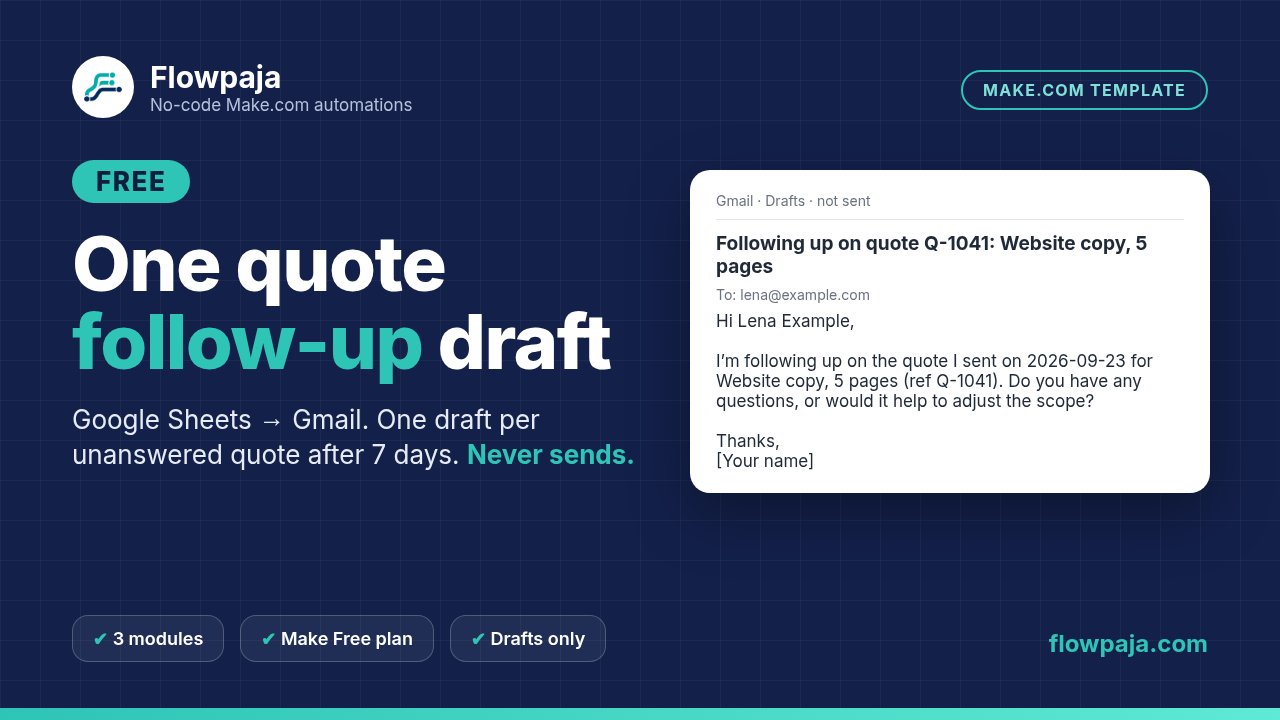
One small Make scenario with 3 modules. It runs in your own Make account with your own Google connections. Nothing runs through Flowpaja.
Once a day it reads the Quotes tab: Quote ID, Client Name, Client Email, Project, Sent Date, Replied, Draft Created.
Only when Replied is not ticked, Draft Created is empty, there is an email and Sent Date is 7 to 13 days ago.
It writes today’s date into Draft Created, so the next run skips that quote.
One zip (v1.0, 2 Oct 2026). Tested in Make with Run once on fictional data: 3 drafts for exactly the 3 due quotes (7 credits), 6 other rows skipped, and a second run made no new drafts.
Flowpaja_Quote_FollowUp_Draft_FREE_blueprint.jsonThe Make scenario. No connections, IDs or tokens inside. You connect your own Google and Gmail accounts.SETUP_GUIDE.pdf2 pages: setup in 7 steps, what to expect from the test, limits and fixes for common problems.Quote_FollowUp_Draft_EXAMPLE_sheet.xlsxThe quotes sheet with 6 fictional quotes. Sample dates are formulas, so the test works on any day.Quotes_tab.csvThe same rows as CSV, plus a README.txt.You need a Make.com account (the Free plan works) and a Google account with Sheets and Gmail. No Make account yet? Create a free Make account (affiliate).
Google Sheets › Blank spreadsheet › File › Import › upload the example .xlsx. Sent Date shown as yyyy-mm-dd, Replied as checkboxes.
In Make: Create a new scenario › ⋯ menu › Import Blueprint. Pick your sheet in modules 1 and 3.
In module 2, create a new Gmail connection from the draft module and edit the subject and text.
Click Run once: 2 drafts with the example rows, nothing sent. Then schedule it daily at about 09:00.
A free, deliberately simple template.
Quote Follow-Up Assistant ($19) prepares drafts on day 3, 7 and 14 (you choose the days and texts), with a Status column (Open, Replied, Won, Closed, Paused), one draft at a time, a note per quote and error handling. It never sends by itself either.
Need more than one? Get all 3 paid templates for $39 (opens Gumroad in a new tab) (Lead Router, Polite Invoice Reminder and Quote Follow-Up Assistant).
More free templates: Overdue Invoice Digest and Google Form responses to Slack.
New to Make? Create a free Make account (affiliate link: Flowpaja may earn a commission if you later buy a paid plan, at no extra cost to you). Questions: [email protected].
Make, Google, Gmail and Google Sheets are trademarks of their owners. Flowpaja is independent and not affiliated with or endorsed by them.