 Flowpaja
Credits used to be called operations
Make switched its billing unit from operations to credits on 27 August 2025, converting operations to credits 1:1. Prices didn't change. Operations still exist as a term: an operation is one module run, and credits are what those runs cost.
- Non-AI modules: 1 operation = 1 credit. If an old tutorial says "this scenario uses 4 operations per run", that's 4 credits.
- Third-party AI apps with your own connection (OpenAI, Anthropic Claude, Gemini and so on): 1 credit per operation, and you pay the AI provider for tokens.
- Make's built-in AI (Make AI Agents and Make AI Toolkit with Make's AI Provider, Make AI Web Search, Make AI Content Extractor, the "Simple Text Prompt" modules): credits depend on tokens and other usage, so one run can cost more than 1 credit. A few Make AI Content Extractor modules have a fixed cost of 2 or 10 credits per operation. Modules like these carry a tag in the module picker.
What uses credits
| What happens | Credits |
|---|---|
| A module processes one bundle (e.g. Add a Row for one row) | 1 |
| A polling trigger checks for new data, even if it finds nothing | 1 per check |
| An instant trigger or custom webhook starts a run | 1 per run |
| A module after an Iterator | 1 per item |
| The Iterator itself | 1 per array it splits |
| A search or list module (e.g. Search Rows) | 1 each time it runs, however many rows it returns. But every returned row becomes a bundle, and the modules after it run once per row |
| Aggregators (Array, Text, Numeric) | 1 per aggregated result |
| Tools modules such as Set variable, Set variables, Sleep, Repeater | 1 each time they run (they're modules too) |
| AI modules on Make's AI Provider or an automatic AI connection | Varies (tokens, file size, pages or run time) |
| A retry of a failed run (Retry handler, automatic retry of an incomplete execution) | The failed module, and the modules after it, use credits again |
What doesn't use credits
- Routers. Make's pricing FAQ lists the Router module as not counted. The modules on each route still count, once for every route a bundle goes down.
- Error handlers (Skip, Retry, Resume, Rollback, Commit; formerly Ignore and Break). Make's pricing FAQ lists them as not counted. Ordinary modules on an error route, such as a logging row or an alert, do count.
- Filters. A filter is a condition on the line between two modules, not a module, so it doesn't run as an operation.
- Functions inside a mapping (
formatDate,if,map,join…). They're part of the module's single run.
Not sure? Run the scenario once and click the bubble above a module. It shows operations, and you can switch on credits next to the scenario name.
How the schedule interval changes usage
A polling trigger uses a credit on every check. Checks per month (30-day month):
checks per month ≈ (60 ÷ interval in minutes) × 24 × 30| Interval | Checks per month (≈) |
|---|---|
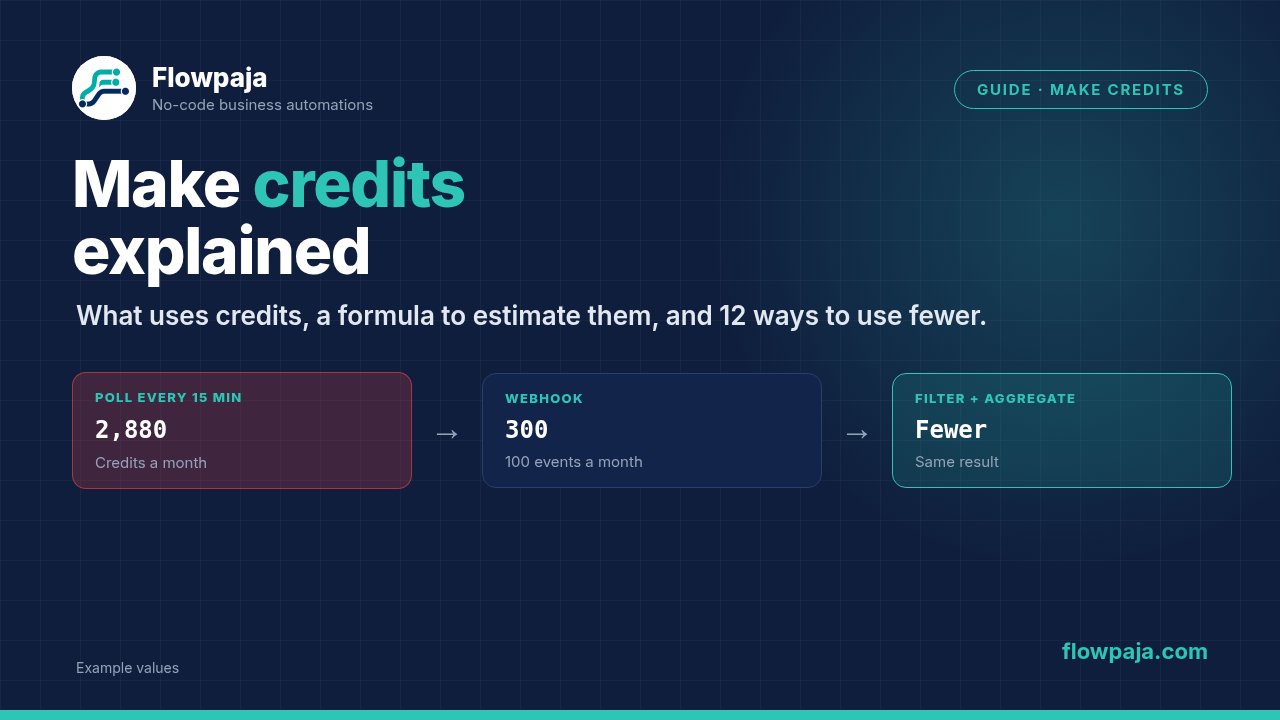
| Every 15 min | 4 × 24 × 30 = 2,880 |
| Every hour | 24 × 30 = 720 |
| Twice a day | 2 × 30 = 60 |
| Once a day | 30 |
Make's own Help Center uses the same numbers (hourly = 720 credits a month, daily = 30, for the trigger alone). On a quiet scenario, almost all of these checks find nothing. That's the most common silent credit drain. The Free plan's shortest interval is 15 minutes; paid plans go down to 1 minute.
When you run out
- Warnings first: Make notifies you at 75% and again at 90% of your credits.
- At zero: modules fail with OperationsLimitExceededError and your scenarios stop. Make's Help Center treats it as a fatal error that switches scheduling off right away, whatever the "Errors before deactivation" setting. Incoming webhook requests wait in the webhook queue (up to your queue limit), and polling triggers pick up from their last successful run once scenarios run again.
- Your options: buy extra credits (in units of 1,000), turn on credits auto-purchasing (Make buys 10,000 at a time, up to your plan's monthly credit amount per cycle), or upgrade. Extra credits cost 25% more than the credits in your plan, whether bought by hand or automatically.
- Afterwards: open your scenario list and switch back on any scenario that's still off. See why a Make scenario stopped running and the Make error cheat sheet.
The data transfer quota
Credits come with a data transfer allowance: 5 GB per 10,000 monthly credits on paid plans (512 MB on Free). Large files and big API responses use it up. When it runs out, modules fail with DataSizeLimitExceededError, which is also fatal. Auto-purchasing can buy extra credits for data transfer even while you still have credits left, and extra credits add data transfer. The Credit usage table (below) shows data transferred per run.
Do unused credits roll over?
No. Make's pricing FAQ says credits expire at the end of the term:
- Monthly plans: your credits reset each billing month, and unused ones are gone.
- Annual Pro and Teams plans: you get the whole year's credits as one pool, which expires after 12 months. Core stays monthly even when billed annually.
- Extra credits expire at the end of the billing cycle (on annual Core, at the monthly reset).
- Plan changes: if you downgrade, unused credits move to the new plan for its first cycle. If you upgrade, they're turned into a discount on the new plan.
How to estimate your credits
The formula
Monthly credits ≈ trigger credits + work credits

trigger credits:
  polling trigger: checks per month (table above)
  instant trigger: number of events per month

work credits:
  events per month × modules that run once per event
  + events per month × items per event × modules that run once per item
Count only the modules that actually run. Modules after a filter that stops the bundle don't count. Then compare the estimate with your plan's monthly credits on make.com/pricing, and leave room for retries and test runs.
Example 1: form → Google Sheets → Slack (100 responses a month)
Version A: form responses land in a sheet. The scenario uses Google Sheets: Watch New Rows every 15 minutes, then Slack: Send a message (formerly Create a Message).
Trigger checks:  2,880 (every 15 min; 1 credit per check, however many rows it finds)
Work:            100 responses × 1 Slack message = 100
Total ≈          2,880 + 100 = 2,980 credits/month
Version B: the form tool sends each response to a Make custom webhook (many form tools, such as Typeform, can send webhooks). The scenario uses Webhook → Add a Row → Slack.
Trigger:         100 requests × 1 = 100
Work:            100 × (1 Add a Row + 1 Slack) = 200
Total ≈          100 + 200 = 300 credits/month
Same result in the sheet and in Slack. Version B uses about a tenth of the credits, because it never checks when nothing happened. Setup: receive webhook data in Google Sheets.
Example 2: daily overdue invoice digest
A schedule runs once a day: Search Rows (invoices), a filter (unpaid and overdue), Text aggregator (build the list), then Gmail: Send an Email to you.
Days with overdue invoices:   1 search + 1 aggregator + 1 email = 3 credits
Days with none:               1–2 credits (the search, and the aggregator if it
                              runs on an empty result; a filter stops the email)

Worst case (overdue every day):   30 × 3 = 90 credits/month
Best case (never overdue):        30 × 1–2 = 30–60 credits/month
The aggregator means 1 email a day, not 1 email per invoice. With 10 overdue invoices, a per-invoice design costs 1 search + 10 emails = 11 credits a day instead of 3. Step by step: daily overdue invoice email from Google Sheets.
Example 3: Shopify orders to Sheets (200 orders a month, 3 products per order on average)
Version A: Shopify: Watch Orders (polling) every 15 minutes. Then Slack once per order (before the iterator), an Iterator over the line items, and Add a Row per product.
Trigger checks:  2,880
Per order:       1 Slack + 1 iterator + 3 rows (one per product) = 5
Work:            200 × 5 = 1,000
Total ≈          2,880 + 1,000 = 3,880 credits/month
Version B: check hourly, and write one row per order with the products joined into one cell (join(map(...))), plus Slack.
Trigger checks:  720
Per order:       1 row + 1 Slack = 2
Work:            200 × 2 = 400
Total ≈          720 + 400 = 1,120 credits/month
Version C: the Version B design with an instant trigger (Shopify: Watch Events, which uses a Shopify webhook).
Trigger:         200
Work:            200 × 2 = 400
Total ≈          600 credits/month
Whether one row per order is good enough depends on whether you need a row per product. That's a business choice, not a technical one. Details: Shopify orders to Google Sheets.
12 ways to use fewer credits
1. Use instant triggers instead of polling
- Change: if the app has an instant trigger (marked INSTANT in Make) or can send a webhook, use that, or a Make custom webhook, instead of a "Watch …" polling trigger.
- Why it saves: you pay per event, not per check.
- Example: in Example 1, 2,980 → 300 credits a month. If the webhook seems to receive nothing, see webhook not receiving data. Setting one up for the first time? Follow the Make webhook tutorial, and see Make.com for beginners for the basics.
2. Lengthen the schedule interval
- Change: ask "how fast does this really need to happen?" and set the interval to match.
- Why it saves: checks per month drop in proportion.
- Example: invoice reminders don't need 15-minute checks. Once a day = 30 checks instead of 2,880.
3. Filter right after the trigger
- Change: put a filter directly after the trigger, before any lookups or writes.
- Why it saves: the modules after a failing filter don't run, and the filter itself costs nothing.
- Example: a webhook receives test pings and spam. With three modules after the trigger, a filter "email exists" right after the trigger stops each junk request at 1 credit (the trigger) instead of 4.
4. Limit what searches return
- Change: set the Limit to what you need, and put the conditions inside the search module rather than in a filter afterwards.
- Why it saves: every returned row becomes a bundle, and every module after the search runs once per row.
- Example: you need only the first match, but the search returns 50 rows, so the Update module runs 50 times. Set the limit to 1 and it runs once.
5. Aggregate instead of acting per item
- Change: collect items with an aggregator (Text or Array aggregator) and send one email, message or row.
- Why it saves: 1 module run instead of N.
- Example: a daily digest of 10 overdue invoices costs 3 credits as one email, or 11 as ten emails. More: iterator vs aggregator.
6. Put shared steps before the router
- Change: if the same module (a lookup, a "get customer", a log row) sits on several routes, move it before the router so it runs once.
- Why it saves: the router itself is free, but a bundle that passes several routes runs each route's modules. A module copied onto three routes can run three times for one bundle.
- What doesn't save: merging two routes whose filters exclude each other (e.g. "amount ≥ 1000" and "amount < 1000") into one module with
if()makes the scenario tidier, but each bundle already ran only one route, so the credits stay the same.
7. Look up once per run, not once per item
- Change: if you look up a value for each item inside an iterator, load the lookup data once per run instead: one Search Rows plus an Array aggregator, then pick values with
map()in the mapping. - Why it saves: 2 credits per run instead of 1 per item.
- Example: checking 30 order IDs against a sheet with a search per ID costs 30 credits. One search plus one aggregator costs 2. (A data store lookup per item is quicker to build, but it still costs 1 credit per item.)
8. Replace Set variable modules with inline formulas, or one Set variables module
- Change: put the formula straight into the mapping where you use it, or combine several Set variable modules into one Set variables module (formerly "Set multiple variables").
- Why it saves: each Set variable module run is an operation. Make's docs say one Set variables module sets many variables "within a single operation".
- Example: three Set variable modules per bundle × 100 bundles = 300 credits. One Set variables module = 100. Inline formulas = 0.
9. Avoid Sleep and Repeater loops for "waiting"
- Change: don't build polling loops inside a scenario (Repeater → Sleep → check status → …). Use a webhook callback, a separate scheduled scenario, or a longer interval instead.
- Why it saves: the Repeater sends every repeat through the modules after it, and Sleep is a module run too. A filter after the status check doesn't stop the remaining repeats. Long loops also run into the scenario's maximum run time.
- Example: a Repeater set to 20 repeats with Sleep + HTTP check costs 1 + 20 + 20 = 41 credits per run, even when the answer arrives on the second repeat.
10. Retry only errors that can fix themselves
- Change: use Retry only for temporary errors (429, 5xx, timeouts), with a limited number of attempts. For errors that won't fix themselves (400, 401, 403, 404, Slack
channel_not_found), log them and use Skip, or let the run fail visibly so you fix the cause. - Why it saves: each retry runs the failed module, and the modules after it, again. Retrying a permanent error burns credits for nothing.
- Example: a Slack
channel_not_foundwith a Retry handler set to 3 attempts can cost up to 3 extra credits per message. See Make error handling and the Make error cheat sheet.
11. Switch off scenarios you don't need
- Change: switch off test copies, seasonal scenarios and old versions, especially polling ones.
- Why it saves: a polling scenario uses credits on every check, even if nobody needs its results.
- Example: a forgotten test copy checking every 15 minutes uses about 2,880 credits a month doing nothing.
12. Check usage per scenario every month
- Change: in Make, go to Org → My Plan → Credit usage. It lists every scenario run with the credits used and data transferred. The Scenarios list also shows credits used per scenario.
- Why it saves: you fix the scenario that actually uses the credits, not the one you suspect.
- Example: the top scenario is a 15-minute poll that finds something 3 times a week. Switch it to an instant trigger or a daily check.
Credits audit in 10 minutes
- Open Org → My Plan → Credit usage (or the Scenarios list) and write down your 3 most expensive scenarios.
- For each, check whether the trigger is polling or instant, and its interval.
- Ask: could it run less often, or be instant (webhook)?
- Is there a filter right after the trigger?
- Is there an Iterator? Count the modules after it. Could an aggregator or
join(map())replace per-item modules? - Are there searches or lookups inside a loop? Move them before the loop.
- Do search limits match what you need?
- Are the same modules copied onto several router routes? Move them before the router.
- Are there several Set variable modules that could be one, or inline formulas?
- Do Retry handlers sit only on temporary errors, with limited attempts?
- Switch off test copies and scenarios nobody needs.
- Note this month's total and compare it next month.
When upgrading is honestly worth it
Upgrade when, after the audit above:
- you still reach your monthly credits regularly with scenarios you actually need. Extra credits cost 25% more than plan credits, so if you buy them most months, a higher tier is usually cheaper. Make's own release notes recommend the same.
- you need what the Free plan doesn't have: more than 2 active scenarios, or an interval shorter than 15 minutes (paid plans: unlimited active scenarios, 1-minute interval, per make.com/pricing on 2 October 2026).
- the scenarios are business-critical (orders, invoices, leads), and running out would stop them. That costs more than the plan difference.
- or the time you spend squeezing credits is worth more to you than the price difference.
Don't upgrade to cover a design problem. A polling trigger every minute, or a retry loop on a permanent error, will grow into any plan.
Fixing errors also saves credits: see common Make scenario errors.
No Make account yet? Create a free Make account (affiliate link).
Ad disclosure: links marked "affiliate link" are ads. If you sign up or buy through them, Flowpaja may earn a commission at no extra cost to you. Credit rules, limits and plan features were checked against Make's Help Center and pricing page in October 2026. Make changes them from time to time, so check make.com/pricing before you plan around a number.