 Flowpaja
Short answer
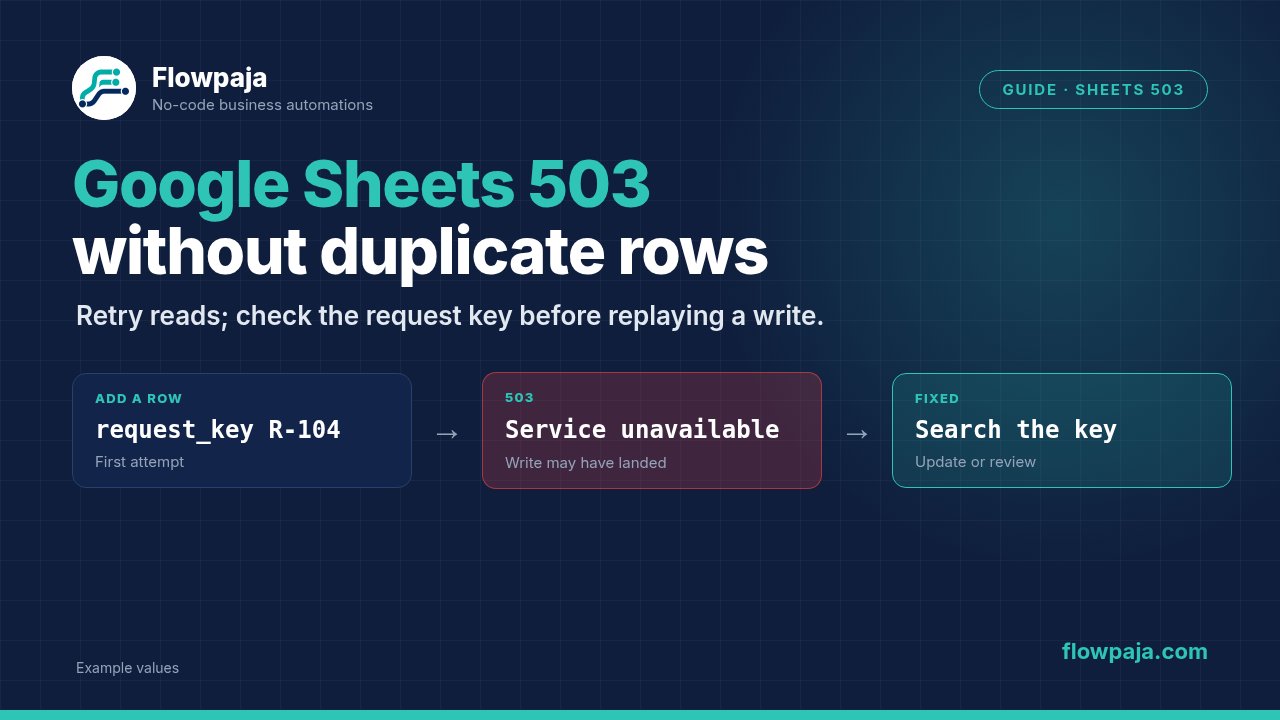
A Google Sheets 503 means the service could not complete the request, sometimes because the spreadsheet or request is too complex. Retry a read with a bounded delay. Before repeating a write, inspect the destination using the same request key: the first attempt may already have changed it. Preserve uncertain writes for reconciliation instead of appending another row blindly.
What the error means
Make can show a ConnectionError with Google Sheets reporting:
503
The service is currently unavailable
The status does not prove your connection expired or your spreadsheet disappeared. Google's troubleshooting guidance identifies temporary service availability and request or spreadsheet complexity as possible causes. The scenario's execution history determines which request failed and how much work preceded it.
Separate read operations, such as Search Rows, from side effects, such as Add a Row. Repeating a read generally does not create a business record. Repeating an append after an ambiguous server response can create another record even when the first append actually succeeded.
This guide uses a reconciliation design for a small controlled queue. It does not turn a spreadsheet into a transactional database. A Sheets search followed by an insert has a race window, and concurrent workers can both decide a request is new.
60-second checks
- Identify the failing module and whether it reads, overwrites a known row, or appends a new row. Record the execution time and request key.
- For a write, inspect the destination before pressing Run once again. Search for the stable key and compare the intended values.
- Check whether several scenarios target the same spreadsheet concurrently. Count every request to that file, including logging and lookup calls.
- Test a small bounded read against a simple disposable spreadsheet. Compare it with the complex production workbook without modifying production.
- Check Google service status and Make execution history. Do not assume an outage when only one large workbook repeatedly fails.
If earlier modules sent email or messages, include those outcomes in the reconciliation. A spreadsheet error near the end of a run does not make earlier external actions disappear.
Fix it step by step
1. Reduce the request before increasing retries
Use Search Rows with a narrow unique-key filter and a small result limit. With Get Range Values, request only the needed rows and columns. Avoid reading an entire large workbook merely to discover one target.
Google recommends reducing complexity, limiting requested ranges and avoiding excessive concurrent requests to a spreadsheet. Its guidance includes keeping requests to a spreadsheet around one per second. Treat that as operational guidance for reducing contention, not a guarantee that every request below that pace will succeed.
Review heavy formulas and chained dependencies in a copy. A spreadsheet that recalculates many linked formulas for every write may need a simpler intake sheet. Move reporting complexity away from the write destination when that fits the process.
2. Give the work a stable identity
Create a disposable queue with request_key, status, destination_row, expected_value, and last_error. Use a separate target sheet with request_key, email, and result. For the sample, use key P11-G503-01 and email devon@example.invalid.
The request key must survive retries. Generating a new key on every run makes the same work appear new. Reserve that identity before the business write, then track whether the write is pending, applied or uncertain.
For a spreadsheet-backed queue, run one worker sequentially and prevent another scenario from modifying the same reservations. If you need concurrent workers with strict exactly-once creation, use a storage system with a documented atomic uniqueness mechanism. A visual Router cannot provide that guarantee.
3. Reconcile the destination
Add Google Sheets → Search Rows before the target write. Filter by the stable request key and keep the result count visible. Route Total number of bundles equal to zero to the new-work path; greater than zero goes to inspection. More than one matching row should be held for duplicate cleanup rather than updating every match.
Search Rows produces one empty bundle when there are no matches. Do not add an aggregator just to make the not-found path run. The explicit count condition is the relevant routing signal.
If the destination contains the request key and expected values, record the work as applied without appending again. If it contains the key but conflicting values, hold it for review. If no destination row exists and the prior outcome is still uncertain, wait and recheck before deciding the write never happened.
4. Prefer a known-row update where possible
When the business process can preallocate its target row, use Update a Row with the row number from a successful lookup. Map only the intended business fields. Confirm the target's request key before applying the update, because sheet row positions can move.
Overwriting the same fixed fields with the same values is easier to reconcile than appending a fresh row. It still does not protect against another actor changing the row between lookup and update. For collaborative sheets, preserve a conflict check and avoid claiming atomic compare-and-set behavior.
An Add a Row operation is sometimes required. In that case, keep the stable key in the new row, serialize creation, and always inspect the destination after an ambiguous failure before another append.
5. Preserve the uncertain-write state
Attach an error handler to the write. Capture the request key, intended values, failed module and error. Do not mark the queue complete merely because the error route completed successfully.
For a 503 read, Retry with an attempt limit and delay can be appropriate. For an append whose outcome is unknown, preserve the incomplete execution for reconciliation before automatically retrying the append. Automatic retries must not be enabled until the replayed operation is demonstrably safe.
The queue itself can be unavailable during a Sheets incident. If writing the error log fails, keep the execution unresolved and inspect it later. A second failing sheet write cannot be your only evidence channel.
Fictional before and after
Before: P11-G503-01 reaches Add a Row, receives a 503, and a full replay appends another row with the same email.
After: the worker searches for P11-G503-01. One existing row contains the expected result, so reconciliation records the completed write and does not append. A conflicting result remains held instead of being overwritten without review.
Prevent it next time
Filter invalid input before the Sheets lookup. Keep the target small, request bounded ranges and consolidate necessary updates where the API supports it. Avoid adding a Sheets log action for every tiny diagnostic step during an outage.
Use Retry for transient reads and only for writes whose replay contract is safe. Skip means accepting that this item's business action did not complete; use it only with an explicit durable failure state. Resume can supply substitute output, but a fake row identifier or success flag can cause downstream messages to lie about the result.
Commit and Rollback do not reverse arbitrary Google Sheets, email or chat actions. Keep each side effect's checkpoint. An instant-trigger scenario can deactivate on its first unhandled error, so monitoring must also cover scenario state, not just normal success counts.
What it costs in credits
Assume one trigger, one queue lookup, one reservation update, one destination lookup, one destination update and one completion update, each charged at one standard credit: 1 + 1 + 1 + 1 + 1 + 1 = 6 credits for the illustrative happy path.
One retried destination read adds one execution. A reconciliation lookup plus one queue update adds 1 + 1 = 2. A replay of the whole path can cost six more executions and is unsafe if it repeats already completed side effects.
Routers and filters do not add standard action credits, but each downstream module runs for every bundle that reaches it. Actual billing depends on module behavior and plan; inspect execution history. A fifteen-minute charged poll alone produces 4 × 24 × 30 = 2,880 monthly checks, exceeding Free's 1,000 credits.
Test it safely
Use a disposable queue and target sheet. Test a new key, the same key again, a conflicting stored result and two destination rows sharing one key. Keep customer-facing notifications disconnected.
Do not force an outage by sending heavy traffic. Simulate an uncertain outcome by applying the test write manually while leaving the queue status uncertain, then run reconciliation. It should recognize the existing expected result and create no additional row.
Pass means one intended destination record, explicit handling of conflicts and duplicates, bounded retries for reads, and no automatic append on an unresolved write. A live 503 recovery still needs observation in a real Make account; static scenario inspection cannot prove production availability.
Related errors
- Missing row number: use row mapping when an update lacks a target.
- Wrong directive: use Make error handlers for Retry, Skip and incomplete executions.
- Excessive consumption: use Make credits to inspect polling and bundle multiplication.
Keep uncertain writes separate from ordinary failures. Use the Make Error Cheat Sheet while testing request keys, known-row updates and the review path for uncertain writes.
No Make account yet? Create a free Make account (affiliate link). Flowpaja may earn a commission at no extra cost to you.