 Flowpaja
What you need
- A Make.com scenario with at least one module that can fail, such as HTTP – Make a request or Google Sheets
- Access to the scenario settings and the History tab
- A place to send alerts, such as Gmail or Slack
Step-by-step: add an error handler route and choose a handler
1. Know what happens with no handler
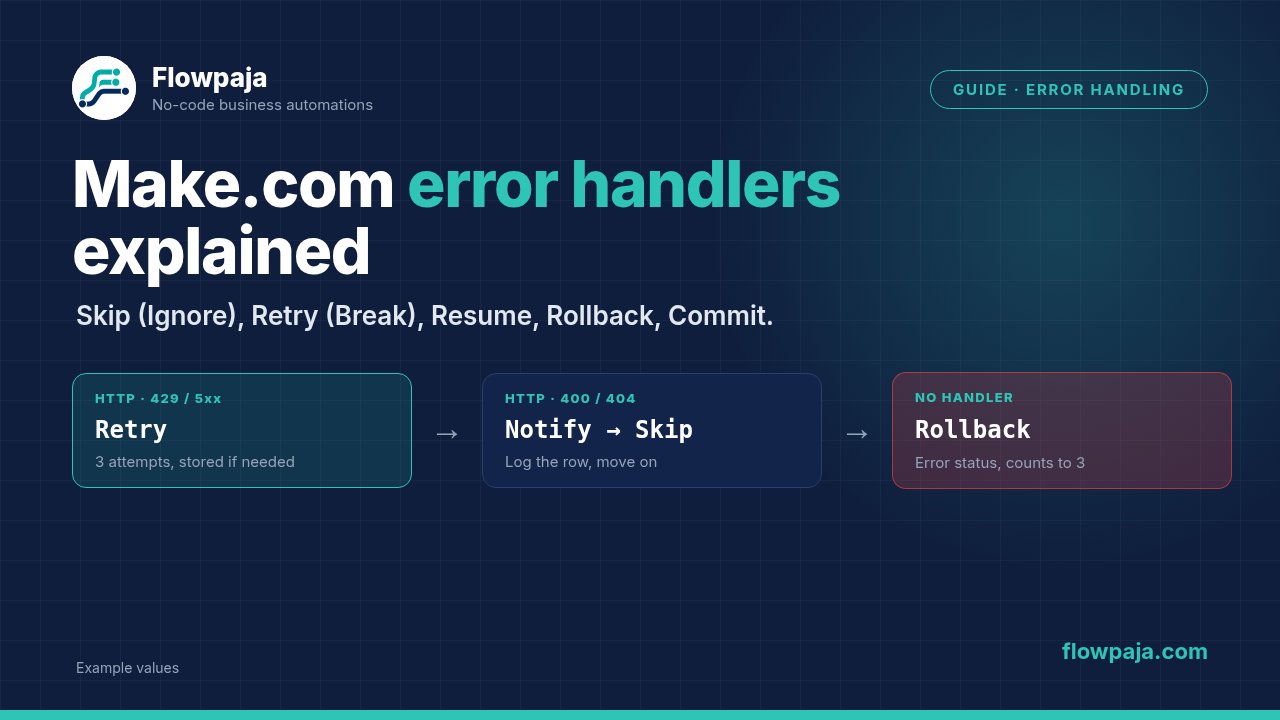
Without a handler, what happens depends on the Store incomplete executions setting. If it is off, Make applies Rollback: the run stops with an error status, and after 3 errors in a row by default (the Number of consecutive errors setting) Make switches the scenario off. A scenario that starts with an instant trigger is switched off after the first error. If the setting is on, Make stores the failed run as an incomplete execution and the run ends with a warning instead. Modules that support transactions, marked with an ACID tag such as Data store or MySQL modules, roll back their changes. Modules like Gmail, Google Sheets or HTTP do not, so whatever they already did stays done.
2. Add an error handler route
Right-click the module that can fail and choose Add error handler. A route appears, branching off the module. Anything you place on this route runs only when that module errors. The route doesn't have to end with an error handler: if nothing on it fails, Make skips the error, so a route with only a notification module behaves like Skip. You can add a filter to the route's first link, so that different errors go to different handlers.
3. Choose the error handler at the end of the route
Here is what each does in plain terms.
Skip (formerly Ignore) removes the failed bundle from the flow and carries on with the next one. The run ends with a success status, and nothing is stored. Use it when losing one item is acceptable, for example a bad row in a batch that you log elsewhere.
Resume replaces the failed module's output with values you supply, and the scenario continues after that module as if it had succeeded. Use it when a sensible default exists, such as "unknown" for a lookup that returned nothing. Be careful: those substitute values flow into everything after.
Retry (formerly Break) removes the failed bundle from the flow and saves it, with the remaining steps, as an incomplete execution, so it can be retried later, automatically or by hand. With Automatically complete execution switched on, you set the number of attempts and the interval between them. The other bundles carry on, and the run ends with a warning. Use it when the data matters and the error is probably temporary, like a rate limit or an outage. Retry requires Store incomplete executions to be enabled in the scenario settings, and Make flags the handler until you switch it on.
Rollback stops the run, marks it as an error and reverses changes in modules that support transactions. It counts toward the consecutive-errors limit. Use it only when you are writing to something transactional, such as a database where half an update would be worse than none.
Commit stops the run and commits the changes made by transactional modules so far. The remaining modules are not processed, and the run ends with a warning. It is the counterpart to Rollback, and it is rarely needed for scenarios built around Google Sheets and Gmail.
4. Build a practical example with HTTP – Make a request
Say the scenario reads rows from Google Sheets and sends each to an API.
- In the HTTP module, set Evaluate all states as errors (except for 2xx and 3xx) to Yes. That is the label in Make's documentation for the HTTP (legacy) modules; the newer HTTP app may word it differently. Otherwise a 429 or 500 response can pass as a success. With this on, the response body of a failed call is usually not available on the error route.
- Add an error handler route to the HTTP module.
- Add a filter on the route's first link for rate limits and server errors, for example status code 429 or 500 or above. Check the error output of a failed Run once for the exact field names.
- On that route, add the Retry error handler with 3 attempts and an interval of 10 minutes. The bundle is stored and retried.
- Add a second route for client errors (a 400 or 404 caused by a bad row). Send an email or Slack message with the row's details and the error text, mapping the error message from the failed module's error output in the mapping panel, and end with Skip, so one malformed row doesn't hold up the rest.
5. Add a Google Sheets example for logging
On the Skip route, before the error handler, add Google Sheets – Add a Row to a sheet called "Errors" with the time {{now}}, the scenario name, the failing record and the error message. A log sheet turns invisible failures into something you can read in the morning.
6. Understand how this connects to incomplete executions
When Retry stores a bundle, it appears in the scenario's Incomplete executions tab. From there you can open it, see the error, fix the cause and retry it, or delete it. With automatic retries set, Make tries again by itself. If Process data in order is enabled, Make postpones new runs until incomplete executions are resolved, so check the tab regularly. Make also doesn't store an incomplete execution when the error happens in the first module, unless that module has a Retry handler. Storage for incomplete executions is not unlimited, so look at the current limits for your plan.
7. Test the handler on purpose
Break something deliberately: use a wrong API key or an invalid URL, run once, and watch which route runs. A handler you have never triggered is a handler you do not know works.
Common errors and fixes
Retry (Break) does nothing useful. Store incomplete executions is off in the scenario settings, so there is nowhere for the bundle to go. Switch it on and test again.
Failures vanish without a trace. Skip (Ignore) was used with no logging or alert. Add a log row or a notification before the error handler, always.
Wrong data appears downstream after an error. Resume supplied a placeholder value, and later modules treated it as real. Use Resume only with values that are safe, or let the empty value flow into a filter that stops it.
Rollback "didn't undo" the email or the sheet row. Rollback only reverses transactional modules. Gmail, Google Sheets and plain HTTP calls are not covered. If you must avoid partial work, order the modules so the irreversible step happens last.
The handler never runs on HTTP 4xx or 5xx. The HTTP module is treating those responses as successful. Turn on the option to evaluate all non-success states as errors.
Retries create duplicates. Retry runs the stored execution again, and if the first attempt had partly succeeded on the other side, you get a second copy. Where the API supports it, send an idempotency key, or check for an existing record first.