 Flowpaja
The short answer
- Non-technical, a few simple automations, apps nobody else supports: Zapier. It connects to 9,000+ apps and is the quickest to learn. You pay more once your Zaps have several steps.
- Small business or freelancer with multi-step workflows on a budget: Make. Visual scenarios, routers, iterators and aggregators, 3,000+ apps, and the cheapest paid entry plan of the three (Core from $12 a month billed annually on the pricing page we saw).
- Developer, high volume, long workflows, or strict control over where data lives: n8n. One execution per workflow run regardless of steps, code nodes, and a free self-hosted Community edition if you run the server yourself.
Make vs Zapier vs n8n at a glance
Prices and limits as of 3 October 2026. Make and Zapier list prices in USD, n8n in EUR. "Annual" means the monthly price when billed yearly. Make's pricing page can differ by country: we saw these Make prices from a US connection, while Make's own Make vs Zapier post (last updated April 2026) quotes Core at $9 a month billed annually. Check the live page for your country.
| Make | Zapier | n8n | |
|---|---|---|---|
| Billing unit | Credits (most module actions = 1 credit) | Tasks (each successful action step) | Executions (one full workflow run) |
| Free option | Free plan: 1,000 credits/month, 2 active scenarios, 15-minute minimum interval | Free plan: 100 tasks/month, two-step Zaps, 15-minute polling, no webhooks | No free cloud plan shown on the pricing page: 14-day trial (1,000 executions). Community edition free if you self-host |
| Cheapest paid plan | Core: $12/mo annual, $16 monthly, for 10,000 credits | Professional: $19.99/mo annual, $29.99 monthly, for 750 tasks | Starter: €20/mo annual, €24 monthly, for 2,500 executions |
| Fastest schedule | 15 min (Free), 1 min (paid) | 15 min (Free), 2 min (Professional), 1 min (Team) | No plan minimum listed on the pricing page |
| Webhooks | All plans | Paid plans | All plans |
| Custom code | Make Code App on paid plans (2 credits per second of run time) | Code by Zapier (JavaScript or Python) | Code steps (JavaScript or Python) |
| Self-hosting | No (cloud only) | No (cloud only) | Yes |
| Cloud data location | AWS, EU or North America | AWS, United States | Frankfurt, Germany (EU) |
| MCP | MCP Server and MCP Client in all plans | Zapier MCP in all plans, 2 tasks per tool call | MCP Server Trigger and MCP Client nodes |
| AI agents | Make AI Agents (beta), all plans | Zapier Agents, billed in "activities" | AI Agent node |
| Apps / integrations | 3,000+ | 9,000+ | 1,500+ |
| Learning curve (our view) | Medium | Lowest | Highest |
Want to see how Make feels with a real scenario rather than a table? Try Make free (affiliate link), then import our free Webhook to Google Sheets template. It runs on the Free plan.
Affiliate disclosure: the link marked "affiliate link" includes our partner code. If you sign up or later buy a paid plan through it, Flowpaja may earn a commission at no extra cost to you. More on the tools page.
How each one charges you: credits vs tasks vs executions
All three sell a monthly allowance, but they count different things. That's why list prices alone tell you very little.
Make: credits per module action
- What counts: each module action uses credits: reading, searching, creating, updating or deleting data, and the built-in tools, aggregators and iterators. Most actions are 1 credit. Make's AI features on Make's AI Provider are billed by tokens, so they can cost more.
- What doesn't count: the Router module and error handler modules. Filters sit between modules, so they don't use credits either.
- Triggers count too. Make's help center defines an operation as a module run "to process data or check for new data", and a polling trigger uses one operation per check. Its scheduling guide gives the numbers: hourly checks are 720 credits a month, daily checks 30, for the trigger alone. Every 15 minutes is about 2,880 a month, even when nothing new arrives. Instant triggers (webhooks) only run when data arrives.
- Running out: scenarios stop until you add credits. You can buy extra credits in packs of 1,000 or 10,000 or turn on auto-purchase (Core, Pro and Teams). Unused credits expire at the end of the term.
Details and 12 ways to spend less: how Make credits work (and 12 ways to save).
Zapier: tasks per successful action step
- What counts: each successful action step is a task. Failed actions don't count. AI by Zapier steps cost 1, 3 or 5 tasks depending on the model tier, and a Zapier MCP tool call costs 2 tasks.
- What doesn't count: triggers, polling for new data, and Zapier's built-in tools: Formatter, Paths, Filter, Delay, Looping, Sub-Zaps, Digest, Storage, Tables and Forms.
- Running out: with pay-per-task switched on, Zaps keep running and extra tasks are billed at 1.25× your base task rate on annual plans or 2.5× on monthly plans, until usage reaches 3× your plan's tasks. With it off, Zaps pause until the next cycle. Task allowances reset monthly, even on annual plans.
n8n: executions per workflow run
- What counts: one execution is one run of the whole workflow, however many steps it has and however much data it processes.
- Schedules still add up: n8n's own pricing FAQ notes that a workflow scheduled every 5 minutes is about 8,600–8,900 executions a month.
- Self-hosted is free but not costless: the Community edition has no licence fee, but you pay for the server and spend time on updates, backups and security.
Worked example: one lead workflow at 300 leads a month
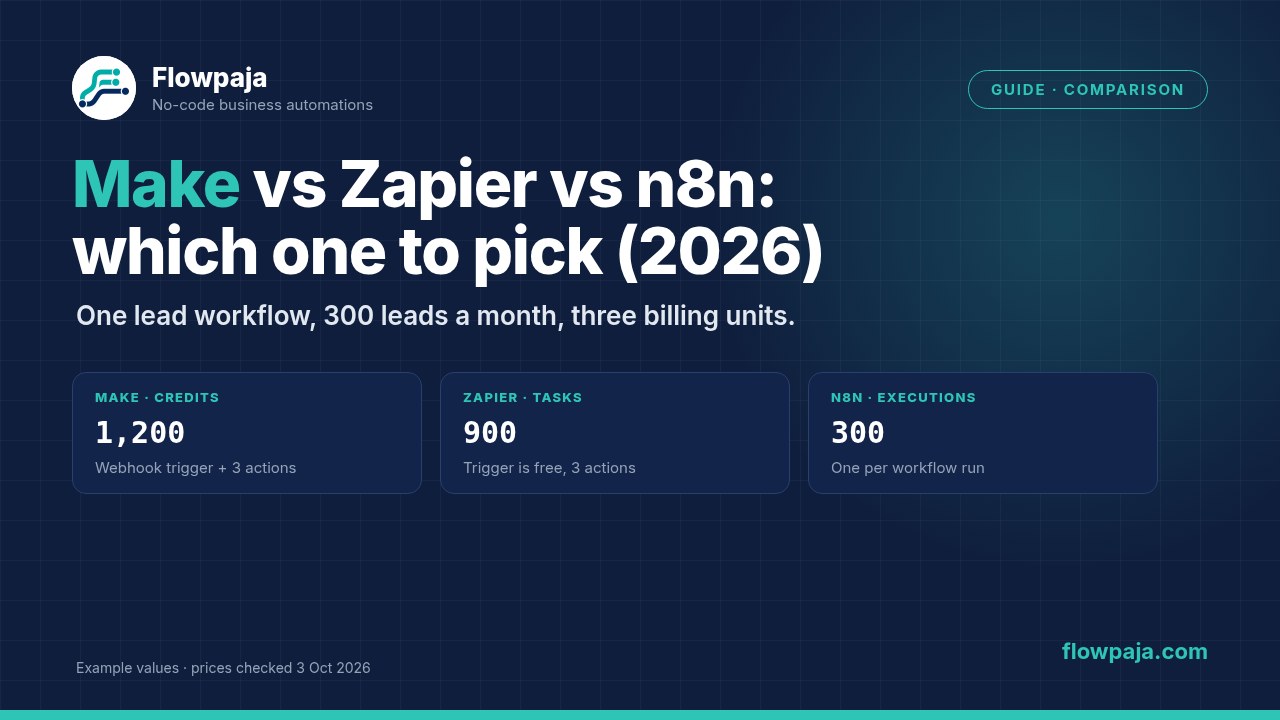
The workflow: a new form lead (the trigger), then 3 actions: add a Google Sheets row, send a Gmail email, post to Slack. 300 leads in a 30-day month, no AI steps, no retries. These are example inputs, not statistics.
| Platform | Usage per month | Cheapest plan that fits | Price (annual / monthly billing) |
|---|---|---|---|
| Make, instant trigger (webhook) | 4 credits × 300 = 1,200 credits | Core 10,000 credits (Free's 1,000 is too few) | $12 / $16 |
| Make, polling every 15 min | 2,880 checks + 3 × 300 = 3,780 credits | Core 10,000 credits | $12 / $16 |
| Zapier | 3 tasks × 300 = 900 tasks (trigger is free) | Professional 1,500 tasks, or Professional 750 plus pay-per-task for 150 tasks | $39 / $58.50 (1,500 tier) |
| n8n Cloud | 300 executions | Starter, 2,500 executions | €20 / €24 |
| n8n self-hosted | 300 executions | Community edition | €0 licence, plus your server and time |
Prices as of 3 October 2026, from make.com/en/pricing, zapier.com/pricing and n8n.io/pricing. Currencies as listed by each vendor.
What the example shows:
- At this size, Make is the cheapest hosted option, and it stays on the same plan even with a polling trigger. But polling triples the credits used: on the Free plan, a 15-minute poll alone (about 2,880 checks) would use far more than the 1,000 included credits. If your form app can send a webhook, use a webhook instead of polling.
- Zapier's Free plan can't run this workflow: it only allows two-step Zaps (one trigger, one action). On Professional, 900 tasks doesn't fit the 750 tier. Staying on 750 and paying per task for the extra 150 may cost less than jumping to 1,500. Zapier shows your exact pay-per-task rate in billing settings.
- n8n Cloud costs a little more than Make Core here, but it has the most headroom: 2,500 runs, whatever their length.
Entry price tables (as of 3 October 2026)
The first tiers of each vendor's self-serve plans, per month. Each vendor has more tiers above these, so check the live page for larger volumes. Make's prices are the ones its pricing page showed us from a US connection; your country may see different prices.
| Make (USD) | 10k credits | 20k credits | 40k credits | 80k credits |
|---|---|---|---|---|
| Free | $0 for 1,000 credits | |||
| Core (annual / monthly) | $12 / $16 | $21 / $28 | $38 / $51 | $72 / $97 |
| Pro | $21 / $28 | $38 / $51 | $69 / $94 | $118 / $161 |
| Teams | $38 / $51 | $69 / $94 | $129 / $175 | $225 / $305 |
| Zapier (USD) | 750 tasks | 1,500 tasks | 2,000 tasks | 5,000 tasks |
|---|---|---|---|---|
| Free | $0 for 100 tasks | |||
| Professional (annual / monthly) | $19.99 / $29.99 | $39 / $58.50 | $49 / $73.50 | $89 / $133.50 |
| Team | – | – | $69 / $103.50 | $119 / $178.50 |
| n8n (EUR) | Executions per month | Annual / monthly billing |
|---|---|---|
| Starter (cloud) | 2,500 | €20 / €24 |
| Pro (cloud) | 10,000 | €50 / €60 |
| Business (self-hosted only) | 40,000 | €667 / €800 |
| Community edition (self-hosted) | – | Free |
On annual Pro and Teams plans, Make's credits can be used across the 12 months; on Core and on monthly plans they expire each month. Zapier's annual billing is 33% off monthly; n8n's annual billing saves 17%; Make's pricing page says annual saves "15% or more".
We're writing a full Make vs Zapier pricing breakdown with three priced workflows (coming soon).
Make vs Zapier
Where Zapier wins
- App coverage. 9,000+ apps against Make's 3,000+. If a niche tool you rely on is only on Zapier, that settles it.
- Ease. A Zap is a straight list of steps, so it's quick to learn.
- Free steps and free triggers. Triggers, polling, Filter, Formatter, Paths and the other built-in tools don't use tasks. For a two-step Zap that runs rarely, that's hard to beat.
- Teams already trained on it. Switching costs time. If Zapier works and the bill is fine, staying is a reasonable choice.
Where Make wins
- Price per step. The cheapest paid tier is $12 a month for 10,000 credits against $19.99 for 750 tasks (both billed annually). Multi-step workflows are where the gap shows.
- Logic in one place. Routers, filters, iterators and aggregators let one scenario do what can take several Zaps. Routers and error handlers don't use credits.
- Webhooks on the Free plan. Zapier's webhooks need a paid plan.
- Visibility. The canvas and run history show every bundle that passed through every module, which makes debugging easier once you know where to look.
The catch: Make's polling triggers use a credit on every check. Pick instant triggers or longer intervals, and Make usually stays cheaper.
Make vs n8n
Hosted vs self-hosted: what you actually maintain
Make is cloud only: nothing to install, update or back up. n8n gives you a choice. n8n Cloud is hosted for you. Self-hosting (with Docker, npm or a cloud provider) means you also own the server, updates, backups, SSL, monitoring and security patches. n8n's own docs recommend n8n Cloud if you don't have technical expertise, and self-hosting if you have infrastructure and technical resources.
A licence detail many comparisons skip: the free Community edition is fair-code under n8n's Sustainable Use License, not an OSI open-source licence. It allows use for your own internal business purposes or for personal and non-commercial use. Files marked ".ee" need an n8n Enterprise licence. If you plan to resell n8n as a hosted service to clients, read the licence first.
Credits vs executions: when n8n gets cheaper
Make's cost grows with every step and every item. n8n's cost only grows with the number of runs. So the longer the workflow and the higher the volume, the better n8n looks:
| Example (instant trigger) | Make | Zapier | n8n Cloud |
|---|---|---|---|
| Trigger + 3 actions, 1,000 runs | 4,000 credits: Core 10k, $12 | 3,000 tasks: Professional 5,000, $89 | 1,000 executions: Starter, €20 |
| Trigger + 19 actions, 1,000 runs | 20,000 credits: Core 20k, $21 | 19,000 tasks: Professional 20,000, $189 | 1,000 executions: Starter, €20 |
| Trigger + 19 actions, 10,000 runs | 200,000 credits: Core 300k, $237 | 190,000 tasks: Professional 200,000, $769 | 10,000 executions: Pro, €50 |
Monthly prices when billed annually, as of 3 October 2026. Assumes every step is a billable action. On Zapier, any Filter, Formatter or Paths steps would be free, so real Zapier counts are often lower. On Make, modules after an iterator run once per item, which multiplies credits.
Code and AI agents
Both run JavaScript or Python: n8n in code steps on every plan, Make in the Code App on paid plans at 2 credits per second of run time. n8n also offers API control on its cloud plans and Git-based version control on Business and Enterprise, so it suits developers. Make keeps more of the work no-code. We go deeper on self-hosting chores and the maths in a separate Make vs n8n guide (coming soon).
Zapier vs n8n, briefly
These two sit at opposite ends: Zapier optimises for ease and app coverage, n8n for control and cost at volume.
- Pick Zapier for non-technical teams, quick two- or three-step automations and the widest app list.
- Pick n8n for long or high-volume workflows, custom code, or self-hosting.
- Cost: Zapier bills per action step and n8n per run, so the longer the workflow, the bigger n8n's price advantage.
AI agents and MCP in 2026
Make: AI Agents, AI Provider and MCP
Make AI Agents (beta) is on every plan, including Free, using Make's AI Provider, which bills tokens as credits. Connecting your own OpenAI or Anthropic account is a paid-plan feature: you then pay Make 1 credit per operation and the provider for tokens. Make's MCP page says the Make MCP Server (your scenarios as tools for AI assistants) and MCP Client (external MCP tools inside your scenarios) are included in all plans at no extra cost. You only pay credits for the scenarios that run. Setup steps are in our Make MCP server guide. See our Make AI Agents guide for a worked example.
Zapier MCP and n8n's MCP nodes
Zapier MCP is on all plans, and each tool call costs 2 tasks from your shared task pool. Zapier Agents is a separate product billed in "activities" (Agents Free 400 a month, Agents Pro 1,500 a month), not tasks. n8n has an AI Agent node, an MCP Server Trigger node (exposes n8n tools to MCP clients) and an MCP Client node (uses tools from external MCP servers). Its Starter plan lists "Agents, MCP and AI nodes".
Our take: all three can run agents and talk MCP now. Choose on the rest of the platform: hosted and visual (Make), widest app reach (Zapier), or code and self-hosting (n8n). For simple AI steps such as classifying or summarising, a normal scenario with one AI module is cheaper and more predictable than an agent. See Make + ChatGPT.
Free plans compared: what you can really build
- Make Free: 1,000 credits a month, 2 active scenarios, 15-minute minimum interval, 5 MB maximum file size, 5-minute maximum run time, no time limit. Webhooks, routers and filters included. Enough for one or two real low-volume workflows if you use instant triggers.
- Zapier Free: 100 tasks a month, two-step Zaps only, 15-minute polling, no webhooks, no Filter, Paths or Formatter. Good for trying one simple connection.
- n8n: no permanent free cloud plan on the pricing page, but a 14-day trial with 1,000 executions and no credit card. For free long-term use, self-host the Community edition.
Hosting, data location and self-hosting
- Make: hosted on AWS in the EU or North America (per its pricing page). No self-hosted version. Enterprise adds an on-prem agent for reaching local systems.
- Zapier: data stored on AWS in the United States, per Zapier's security page. No self-hosted version.
- n8n Cloud: data stored in the EU, on servers in Frankfurt, Germany.
- n8n self-hosted: data stays wherever you run it. Paid Business and Enterprise licence keys ping n8n's licence server daily with usage data, and telemetry is on by default (you can turn it off).
Which one should you pick?
- Solo freelancer: Make, if your workflows have more than two steps; Zapier, if you need one simple connection to an app Make doesn't support. Start on either free plan.
- Small business with one ops person: Make. Hosted, visual, and the run history makes problems findable. Core covers most small-business volumes.
- Agency or developer: n8n if you write code and want per-run pricing; Make if your clients need to understand and maintain what you build. Check n8n's licence terms before hosting it for clients.
- Strict EU data needs: self-hosted n8n gives full control; n8n Cloud stores data in Frankfurt; Make offers EU hosting on AWS. Zapier stores data in the US.
- Already on Zapier and paying a lot: list your most expensive Zaps, count their action steps, and price them in Make credits using the method above. If the saving is clear, move the biggest ones first.
Switching from Zapier to Make: what changes on day one
- There's no import button. Make's own advice is to start a new scenario for each Zap and recreate it. Make's blueprint import only accepts Make blueprint files (see import a blueprint), not Zapier exports.
- New words: Zaps become scenarios, steps become modules, Paths become routes, and Filters sit on the line between modules.
- Rethink, don't copy. Several Zaps on the same trigger often become one scenario with a router.
- Prefer instant triggers. A Zapier polling trigger is free; a Make polling trigger isn't.
- Run both for a week. Keep the Zap on, compare results, then switch it off.
New to Make? Start with Make.com for beginners, or begin from a ready scenario such as our free Form → Slack template.
Our bias, stated plainly
Flowpaja builds Make templates and fixes Make scenarios, and we earn a commission if you sign up for Make through our link. That's why we put the facts in tables with sources and dates. We'd send you to Zapier for apps only Zapier connects, for very simple two-step automations, or if your team already knows it. We'd send you to n8n if you're a developer, run long workflows at high volume, or need self-hosting.
Sources checked (3 October 2026)
- Make: pricing, credits, operations, scheduling and trigger credits, MCP, moving from Zapier
- Zapier: pricing, task usage rates, security and data storage
- n8n: pricing, choose Cloud or self-hosted, free trial, self-hosting, licence, MCP Server Trigger, MCP Client, AI Agent node
App counts are as stated by each vendor: Make's pricing page (3,000+), Zapier's pricing page (9,000+), and n8n's GitHub README (1,500+). The learning-curve ratings are our opinion from building automations, not a vendor claim.