
Guide · Telegram · Make.com

Make.com Telegram bot: send alerts, answer commands and reply with AI

Short answer: create a bot with @BotFather (/newbot), paste its token into Make's Telegram Bot app, and you can send messages from any scenario. To react to messages, use Watch Updates, the app's only trigger. It's instant: Telegram calls a Make webhook as soon as someone writes to the bot. Three builds cover most needs:

  • Alert: a form, order or webhook sends a message to you, a group or a channel.
  • Command bot: Watch Updates, then a Router that answers /start, /help and your own commands.
  • AI bot: Watch Updates, then an AI module, then a reply.

Two Telegram rules trip people up. A bot can't message anyone first: the person has to start a chat with it. And in groups, a bot in privacy mode only sees commands and replies meant for it.

By Flowpaja · Published · Facts checked

This guide contains an affiliate link, marked “affiliate link”.

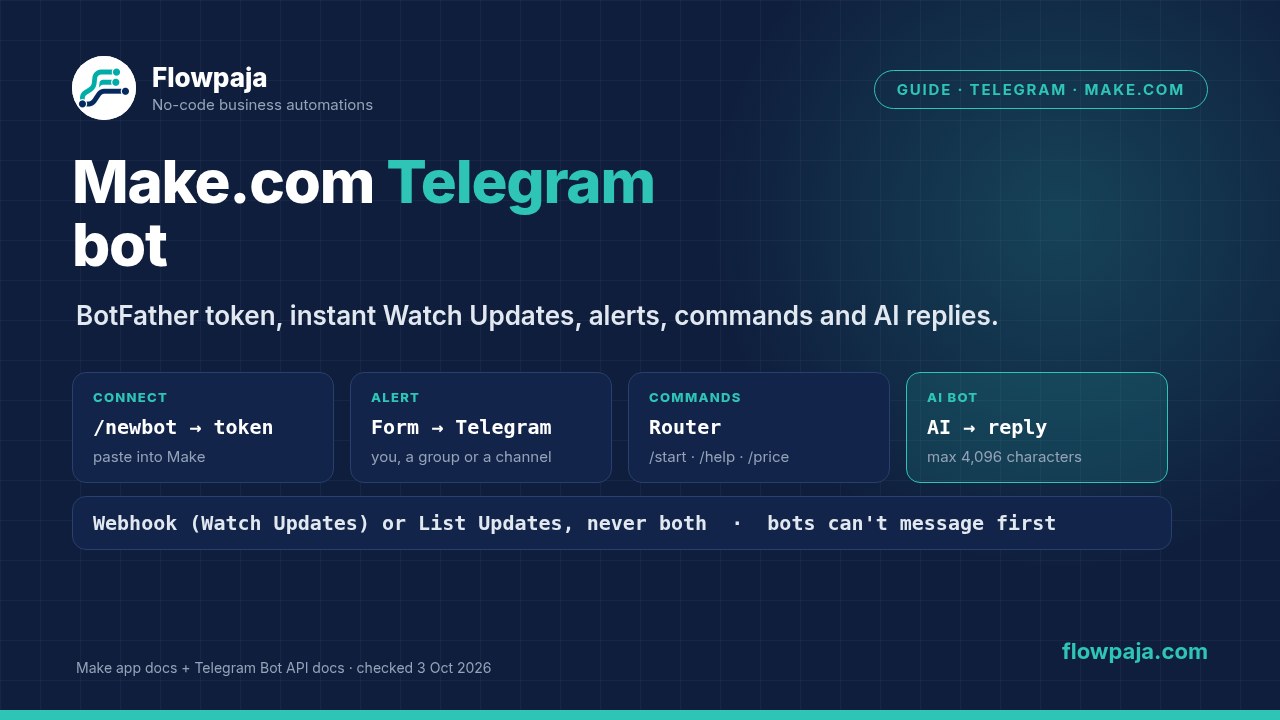
Make.com Telegram bot: a BotFather token connects the Telegram Bot app, Watch Updates triggers instantly, a Router answers commands, and alerts and AI replies go back to Telegram
One token, one instant trigger, and three ways to use them: alerts, commands and AI replies.
Checked on 3 October 2026: setup steps and module names come from Make's Telegram Bot app docs (apps.make.com, updated 2 October 2026) and Make's Telegram integration page. Telegram rules and limits come from Telegram's Bot API documentation and Bots FAQ on core.telegram.org. Plan limits come from Make's pricing page, as seen from a US connection. We haven't published a Telegram template, so the credit counts below are derived from Make's credit rule, not measured. Check the real numbers in your scenario's History. We earn affiliate commissions from Make.

Create the bot and connect it to Make

  1. Create the bot. In Telegram, open @BotFather, send /newbot and choose a name and a username. BotFather replies with the token. Telegram's docs say the token "can be used by anyone to control your bot", so treat it like a password. If it leaks, BotFather's /token command generates a new one.
  2. Connect it in Make. Add any Telegram Bot module, click Create a connection, paste the token into the Token field and click Save.
  3. For incoming messages, add Watch Updates and click Create a webhook. Make's docs: "When the selected change occurs in Telegram, Make will immediately be notified and start your scenario."
  4. Start a chat with your bot via the t.me/yourBotName link from BotFather and send it a message. Telegram: "Bots can't start conversations with users. A user must either add them to a group or send them a message first."

What you need: a Telegram account and a Make account. Everything here works on the Free plan. If you don't have an account yet, create a free Make account (affiliate link).

Affiliate disclosure: the link marked "affiliate link" includes our partner code. If you sign up or later buy a paid plan through it, Flowpaja may earn a commission at no extra cost to you. More on the tools we use: best tools for Make automation.

Webhook or List Updates, never both

Telegram offers two ways for a bot to receive messages. Its Bot API docs call them "two mutually exclusive ways of receiving updates for your bot - the getUpdates method on one hand and webhooks on the other". Make's app follows the same rule:

  • Watch Updates (instant) uses a webhook. Make's docs: "The Watch updates trigger cannot be combined with the Get Updates or Get Chats modules."
  • List Updates and List Chats poll Telegram instead. Make's docs say each "cannot be used with webhooks. To use this module, you must switch off and remove all your Telegram webhooks."

In practice, give each bot one scenario. Telegram's setWebhook registers one URL for a bot, and getWebhookInfo reports a single url. If two scenarios watch the same bot, expect only one of them to receive the messages. Put a Router in that one scenario instead (Recipe 2). Telegram keeps undelivered updates, but "they will not be kept longer than 24 hours".

What the Telegram Bot app can do

GroupModules
TriggerWatch Updates (instant, the only trigger)
MessagesSend a Text Message or a Reply · Edit a Text Message · Forward a Message · Delete a Message · Pin a Message · Unpin a Message
MediaSend a Photo · Send a Document/Image · Send a Video · Send an Audio File · Send a Voice Message · Send a Video Note · Send a Sticker · Send an Album (Media Group) · Send Media by URL or ID · Edit a Media Message · Edit a Message Caption · Download a File · Send an Invoice
Chats and membersList Updates · List Chats · Create, Edit and Revoke a Chat Invite Link · List Administrators in a Chat · Get the Number of Members in a Chat · Kick, Promote and Restrict a Chat Member
OtherAnswer an Inline Query · Make an API Call

32 modules on Make's Telegram integration page, checked 3 October 2026. Make labels the app verified and "supported and maintained by Make". Make's docs add that a message "can only be deleted if it was sent less than 48 hours ago".

Find the Chat ID

Every send module needs a Chat ID, which is one of the most searched questions. Use whichever of these fits:

  • Your own chat or a group: build Watch Updates, click Run once, and send the bot a message (in a group, send a command meant for it, such as /start@yourBotName, or reply to one of its messages: in privacy mode it doesn't see plain mentions or other chatter). The chat ID is in the trigger's output bundle. Make's docs describe the same method for private channels and groups.
  • A public channel: the ID is the channel's link name with @. Make's example: "If the public channel link is, for example, t.me/IMTtest, then @IMTtest is your Chat ID." Add the bot to the channel as an admin first.
  • A private channel: Make's docs suggest copying the number from the channel's URL in Telegram Web and adding the prefix -100.
  • A person's user ID: Make's docs suggest forwarding their message to @userinfobot. That person must still have started a chat with your bot before it can message them.

Recipe 1: Send alerts to yourself, a group or a channel

  1. Trigger: anything that starts a scenario, for example Google Forms › Watch Responses, a shop order, or Webhooks › Custom webhook for your own systems (see the webhook tutorial).
  2. Telegram Bot › Send a Text Message or a Reply: set the Chat ID and map the text, for example "New lead: name, email, budget".
  3. Optional formatting: set Parse mode to HTML for bold text and links. Telegram warns that "All <, > and & symbols that are not a part of a tag or an HTML entity must be replaced with the corresponding HTML entities". So if the mapped text can contain those characters (form answers, AI text), leave Parse mode empty or replace them first.

Derived credits: 1 for the trigger and 1 for the message, so 2 per alert. A polling trigger such as Watch Responses also costs 1 credit per check, even when nothing is new.

Limits to plan for: a message is "1-4096 characters after entities parsing", and media captions are 0-1024. Telegram's Bots FAQ: "In a group, bots are not be able to send more than 20 messages per minute." In a single chat, "avoid sending more than one message per second". For a burst of alerts, collect them into one message with an aggregator. The same pattern sends form answers to Slack in Google Forms to Slack.

Recipe 2: A command bot with a Router

  1. Telegram Bot › Watch Updates (instant).
  2. Router with one route per command. Put a filter on each route, for example "Text equals /start", "Text starts with /price" or "Text equals /help", and use a fallback route for everything else. The exact output field names (message text, chat ID, message ID) are in the trigger's bundle; check them in a test run.
  3. On each route, Send a Text Message or a Reply with the Chat ID mapped from the trigger. To answer as a reply, map the message ID into Original Message ID.
  4. Optional data: before the reply, look up a price or an order status in Google Sheets › Search Rows. Our guide on Search Rows returning nothing covers the empty case.
  5. Optional buttons: the send module takes Telegram's reply markup as JSON, for example {"keyboard":[["Yes","No"],["Maybe"]]} from Make's docs.

To show commands in Telegram's / menu, set them in @BotFather with /setcommands.

Derived credits: 2 per message (the trigger plus one reply); the Router and filters are free. Every update the bot receives costs at least the trigger's 1 credit, including messages that match no route. On the Free plan's 1,000 credits a month, that's up to about 500 handled messages. Make.com for beginners explains routers and filters.

Groups: Telegram says "By default, all bots added to groups run in Privacy Mode and only see relevant messages and commands". That means commands like /command@your_bot, replies to the bot, and similar. To let the bot see every message, turn privacy off with /setprivacy in BotFather, or make the bot an admin. Telegram notes the bot "will need to be re-added to the group for this change to take effect". Every extra message it sees also costs a credit.

Recipe 3: An AI reply bot

  1. Telegram Bot › Watch Updates.
  2. Filter: only private chats with text, so stickers, photos and group chatter don't use AI credits.
  3. AI module: for example, Google Gemini AI › Simple Text Prompt. It needs no API key and is billed in Make credits. In the prompt, ask for short, on-topic answers and include your FAQ text, then map the user's message. Claude and Gemini in Make and ChatGPT and OpenAI in Make compare the options.
  4. Send a Text Message or a Reply back to the same Chat ID. Leave Parse mode empty, because AI text often contains < or &. Keep the reply under 4,096 characters, for example with substring(text; 0; 4000).

Derived credits: 2 per message plus the AI module's credits, which depend on its usage. Each message is handled on its own: a single Simple Text Prompt doesn't remember earlier messages. For memory, you'd store the conversation in a data store or sheet and send it with each prompt, which costs more.

Be careful what it promises. AI answers can be wrong, and the bot speaks for you. For anything about prices, orders or refunds, let the bot hand over to a person: forward the message to your own chat with Forward a Message, or reply with your email address.

Common Telegram problems in Make

SymptomLikely causeFix
Bot can't message a personThey never started a chat with it (Telegram: bots can't start conversations)Ask them to open t.me/yourBotName and press Start
Bot ignores normal messages in a groupPrivacy modeUse commands or replies, or turn privacy off with /setprivacy and re-add the bot; or make it an admin
List Updates or List Chats returns nothing or errorsA webhook (Watch Updates) is active for the botUse one or the other; Make says to switch off and remove all Telegram webhooks first
One of two scenarios stopped receiving messagesBoth watch the same bot, and Telegram has one webhook URL per botUse one scenario with a Router
Chat error, or the message goes to the wrong placeWrong Chat ID, a missing -100 or @, or the bot isn't in the group or channelRead the ID from a Watch Updates bundle; add the bot (as admin for channels)
Error 429Too many messages too fastSlow down: one per second per chat, 20 per minute per group; combine alerts
Message rejected when Parse mode is HTMLUnescaped <, > or & in the textEscape them, or leave Parse mode empty
Message too longOver 4,096 characters (captions over 1,024)Shorten or split the text
File download failsTelegram: "The maximum file size to download is 20 MB"; Make's max file size is 5 MB on FreeSmaller files, or a paid Make plan for files between 5 and 20 MB
Can't delete an old messageSent more than 48 hours agoEdit it instead
Token leakedAnyone with it controls the botBotFather /token for a new one, then update the Make connection

The fixes come from Make's Telegram Bot docs and Telegram's Bot API, Bots FAQ and bot features pages. The chat-error row and the two-scenario row are our hedged reading; check them in a test.

If Watch Updates never fires, also go through webhook not receiving data. If the scenario switched itself off after an error, see scenario stopped or disabled.

Plan check

  • Free plan: the Telegram Bot app, the instant Watch Updates trigger, Router and filters, and AI replies with the Gemini Simple Text Prompt. The limits are 1,000 credits a month, polling triggers no more often than every 15 minutes (Watch Updates is instant, so this doesn't slow it down), 2 active scenarios, and a 5 MB max file size.
  • Paid plans: more credits and higher file limits (100 MB on Core, 250 MB on Pro, 500 MB on Teams, 1,000 MB on Enterprise). A busy bot needs a paid plan for the credits alone.
  • Telegram side: Telegram's FAQ says bots can message users "at no cost" within the limits above. Paid broadcasts in BotFather only matter for very large mailings.
  • Not needed: the Make Code app (not on Free) or custom functions (Enterprise).

Make pricing page, as seen from a US connection, 3 October 2026. Plans change; check the current page before you buy.

Sources checked (3 October 2026)

  • Make: Telegram Bot app docs (BotFather setup, Token field, Watch Updates webhook, List Updates and List Chats rules, chat ID methods, module details; updated 2 Oct 2026); Telegram integration page (32 modules, instant trigger, maintained by Make); Google Forms and Webhooks integration pages (module names)
  • Make pricing page: credit rule, credits per plan, max file size, minimum interval, active scenarios, as seen from a US connection
  • Telegram (core.telegram.org): Bot API (getUpdates vs webhooks, 24-hour retention, setWebhook, sendMessage 1-4096 characters, captions 0-1024, HTML parse mode, getFile 20 MB); Bots FAQ (limits, which messages a bot gets); bot features (privacy mode, BotFather /newbot, /token, /setcommands, /setprivacy); Bots introduction ("Bots can't start conversations with users"); Bot API changelog (latest entry 24 August 2026, Bot API 10.3)

FAQ

How do I connect a Telegram bot to Make.com?
Create the bot with @BotFather using /newbot, copy the token it sends, then add any Telegram Bot module in Make, click Create a connection and paste the token into the Token field. For incoming messages, add Watch Updates and click Create a webhook.
Is the Telegram Watch Updates trigger instant?
Yes. Watch Updates uses a webhook, so Telegram notifies Make as soon as the bot receives an update. It's the Telegram Bot app's only trigger.
How do I find the Telegram chat ID in Make?
Run Watch Updates once and send the bot a message; the chat ID is in the output bundle. For a public channel, use @ plus the channel's link name. For a private channel, Make's docs suggest taking the number from the Telegram Web URL and adding the prefix -100.
Why can't my Make Telegram bot message someone?
Telegram bots can't start conversations. The person has to open the bot's t.me link and send it a message first, or add it to a group.
Why does List Updates not work with my bot?
Telegram doesn't allow getUpdates and webhooks at the same time. Make's docs say List Updates and List Chats can't be used with webhooks, so switch off and remove the Watch Updates webhook first, or keep using Watch Updates instead.
Why doesn't my bot see messages in a Telegram group?
Bots in groups run in privacy mode by default and only see commands and replies meant for them. Turn it off with /setprivacy in BotFather and re-add the bot, or make the bot an admin.
How many credits does a Make Telegram bot use?
Derived from Make's credit rule: about 2 credits per handled message (Watch Updates plus one reply), more with lookups or AI. Every update the bot receives costs at least 1 credit for the trigger.

Telegram bot not answering?

Send us the scenario blueprint and a screenshot of the History or the error (never the bot token). We'll find why messages don't arrive, the bot stays silent in groups, or replies fail, and fix it. It's fully async: no logins and no calls.

Automating the rest of the business too? The Make Starter Bundle has three ready-made templates: a lead router to HubSpot and Slack, Gmail invoice reminders, and quote follow-ups.

← All guides · All templates

Make, Telegram, Google, Google Forms, Google Sheets, Gemini, Slack, WhatsApp, Discord and OpenAI are trademarks of their owners. Flowpaja is independent and not affiliated with or endorsed by them. Limits, plans and prices change; check Make's current pricing page and Telegram's Bot API docs.