 Flowpaja
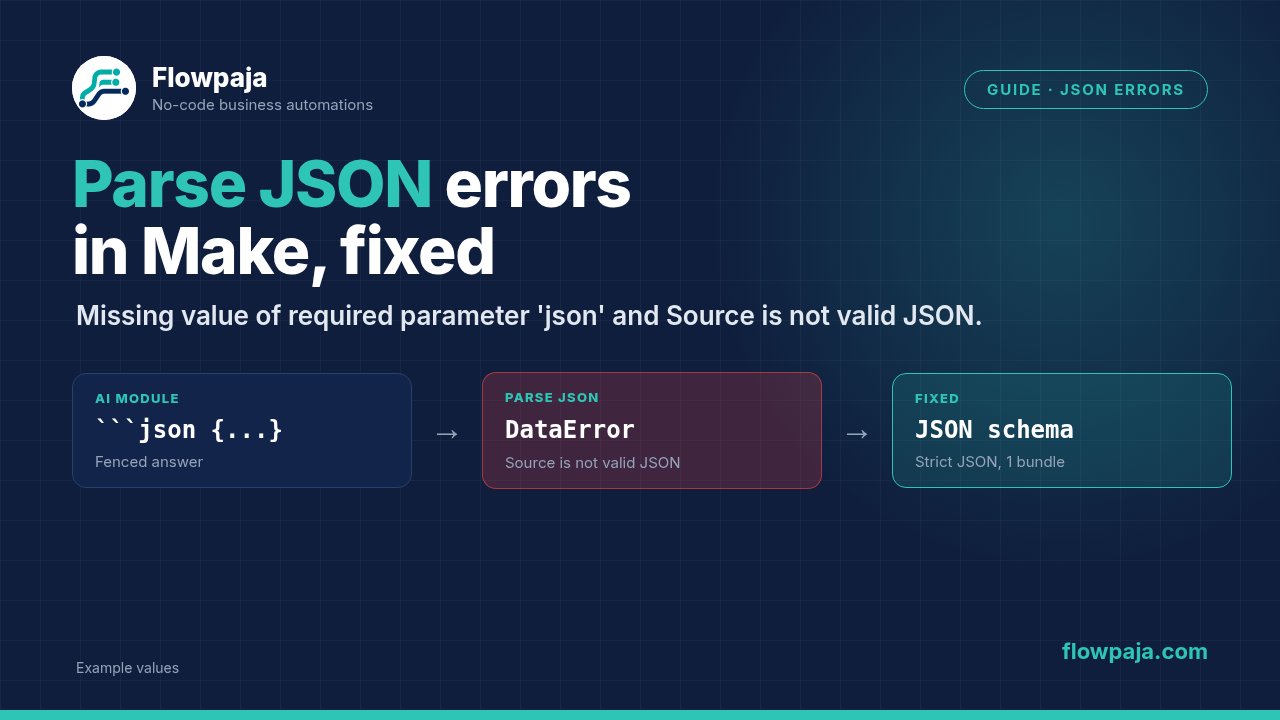
- BundleValidationError: Missing value of required parameter 'json' means the JSON string field was empty when the module ran. Most often you clicked Run this module only (mapped values from earlier modules are empty in that case), the module before it returned nothing, or you mapped a field that is empty in this bundle.
- DataError: Source is not valid JSON means something arrived, but it isn't strict JSON. The usual culprits are Markdown fences (
```json) from an AI module, curly quotes, text around the JSON, raw line breaks from a mapped value, or JSON that Make had already parsed for you.
Find out which one you have, then jump to the matching section below.
What you need
- The failed run open in History (or the scenario editor after a Run once)
- Access to the output bubble of the module before Parse JSON
- Five minutes and a scratch scenario for a clean test
Step 1: Read the error, not just the red module
Click the red Parse JSON module in the failed run and read the full message:
| Message | What it means | Go to |
|---|---|---|
BundleValidationError · Validation failed for 1 parameter(s). · Missing value of required parameter 'json'. | The JSON string field was empty | Step 2 |
DataError · Source is not valid JSON | The field had text, but the parser rejected it | Step 3 |
Then click the output bubble of the module before Parse JSON. The value you mapped into JSON string is the evidence. A label that looks right in the mapping panel tells you less than the actual value in the run.
Step 2: Fix "Missing value of required parameter 'json'"
Cause 1: you used "Run this module only"
This is the most common cause in Make Community threads. When you right-click Parse JSON and choose Run this module only, the earlier modules don't run, so everything you mapped from them is empty. Make then complains that the required json value is missing, even though the scenario works fine end to end.
Fix: click Run once at the bottom of the editor and run the whole scenario, or paste a sample JSON string into the dialog that appears when you run the module on its own.
Cause 2: the module before it returned nothing
Check the previous module's output bubble:
- An AI module returned an empty result. It may have stopped early because Max Output Tokens was too low. For reasoning models, that limit includes reasoning tokens, so a low value can leave no visible output at all.
- An HTTP request returned no body, for example a
204 No Contentstatus. - A Google Sheets Search Rows found nothing. It still passes on one empty bundle with Total number of bundles = 0, so the next modules run with empty values. If your JSON lives in a sheet cell, add a filter after Search Rows: Total number of bundles greater than 0. See Search Rows returns nothing.
Fix: add a filter right before Parse JSON with the condition JSON string value Exists. Empty bundles then stop quietly instead of failing the run. If an empty value means something went wrong upstream, fix that module instead.
Cause 3: the mapping points at the wrong item
You may have mapped a field from a module you later replaced, or a field that only exists in some bundles (an optional form answer, for example). An old mapping can stay in the field and simply return nothing.
Fix: open Parse JSON, delete the old pill and map the field again from the current module's output. Only then run the whole scenario again.
Should I use ifempty() with "{}"?
Only if an empty object really is a valid input for the rest of your scenario. Wrapping the field in ifempty() with an empty object as the fallback makes the error go away, but every module after it then runs with empty values. That can mean blank sheet rows or empty Slack messages. A filter that stops the bundle is usually the better choice.
Step 3: Fix "Source is not valid JSON"
Copy the exact value from the previous module's output and paste it into any JSON validator. Then compare it with these six causes.
Cause 1: Markdown fences from an AI module
AI models often wrap JSON like this:
```json
{"category": "billing"}
```
Best fix: ask the module for JSON instead of asking nicely in the prompt.
- In OpenAI Generate a response, set Output Format to JSON schema (or JSON object; Make's docs say your prompt must then contain the word "json").
- In OpenAI Generate a completion, set Response Format to JSON Object and tell the model to answer in JSON in a system or user message.
Fallback for models without a JSON mode: strip the fences before parsing.
{{trim(replace(replace(5.result; "```json"; emptystring); "```"; emptystring))}}Replace 5.result with the field from your own module. Paste the formula whole, braces included: the quotes are part of Make's copy-and-paste format, and without them the scenario fails validation and won't run. If you type it in the mapping panel instead, type the backticks without quotes around them: quotes you type there become part of the text. emptystring is Make's built-in empty value; typing "" instead inserts two quote characters. If the fence still isn't removed, look for a space before or after ```json.
Cause 2: curly quotes
JSON only accepts straight double quotes ". Curly quotes “ ” creep in when you paste JSON from Google Docs, Word or a chat window into a Make field. Retype the quotes inside Make, or build the JSON with Create JSON (cause 3).
Cause 3: a mapped value broke JSON you typed by hand
If you typed {"message": "{{1.message}}"} into a text field and the message contains a quote or a line break, the result is no longer valid JSON. A form answer like Please call "after lunch" is enough.
Fix: use JSON › Create JSON with a data structure. It escapes quotes and line breaks for you. Don't delete the punctuation from the person's answer to make the error go away.
Cause 4: it was already JSON, and Make had already parsed it
- A Custom webhook receiving
Content-Type: application/jsongives you separate fields straight away. - HTTP › Make a request with Parse response set to Yes gives you a parsed Data collection.
If you map that collection into Parse JSON, you're parsing something that is no longer a JSON string. Fix: remove Parse JSON and map the fields directly. See Make webhook JSON.
Cause 5: an HTML page instead of JSON
If the value starts with <!DOCTYPE html> or <html>, the API sent back an error or login page. In the HTTP module, set Return error if HTTP request fails to Yes. The run then stops at the HTTP module with the real 4xx or 5xx status instead of failing later at Parse JSON.
Cause 6: JavaScript-style "almost JSON"
These look harmless but aren't valid JSON:
{"email": "lead@example.com",}      <- trailing comma
{'email': 'lead@example.com'}       <- single quotes
{email: "lead@example.com"}         <- unquoted key
The valid version is {"email": "lead@example.com"}. Fix the producer (your script, your prompt or the sending app) rather than stacking replace() calls in Make.
Step 4: Test with a tiny sample in a scratch scenario
- Create a new scenario with only JSON › Parse JSON.
- Paste a minimal valid sample into JSON string, for example
{"email":"lead@example.com","name":"Test Lead"}. - Click Run once. Make builds the data structure from the sample.
- Now paste the real value from your failed run. If the sample works and the real value fails, the difference between the two is your bug.
Watch out: arrays multiply your credits
If the JSON string is an array ([ {...}, {...} ]), Parse JSON outputs one bundle per item, and every module after it runs once per item. Each of those runs costs a credit. Ten items going into Add a Row is ten operations. If you need them together (one email, one Slack message), add an Array aggregator after Parse JSON. See Iterator vs aggregator and Make credits explained.
Don't hide bad input with an error handler
- Retry (formerly Break) is for problems that fix themselves, such as a timeout. Retrying the same invalid string fails the same way every time.
- Skip (formerly Ignore) drops the bundle and lets the run look green. Use it only if losing that record is acceptable.
- Resume lets you substitute output. Don't use it to invent data that never arrived.
A scenario that starts with an instant trigger, such as a webhook, is switched off after the first unhandled error. Scheduled scenarios get the Errors before deactivation count (3 by default). A filter in front of Parse JSON plus a fixed producer beats any handler. See Make error handlers.
Common causes at a glance
| What you see | Likely cause | Fix |
|---|---|---|
| Missing value of required parameter 'json' only when testing one module | Run this module only | Run once on the whole scenario |
| Missing value… in real runs | Empty upstream output or empty Search Rows bundle | Filter: value Exists / Total number of bundles > 0 |
| Source is not valid JSON after an AI module | ```json fences or extra text | Output Format: JSON schema; or strip fences |
| Source is not valid JSON with pasted JSON | Curly quotes | Retype quotes; use Create JSON |
| Fails only for some form answers | Quote or line break in a mapped value | Build with Create JSON |
| Parse JSON after a webhook or HTTP module | Already parsed | Remove Parse JSON; map fields directly |
Value starts with <html> | API error page | Return error if HTTP request fails = Yes |
Start from a webhook that needs no Parse JSON
Free template: Webhook to Google Sheets, no duplicates. A Custom webhook receives JSON as separate fields, a filter stops incomplete requests, and Search Rows blocks repeats before Add a Row. It's tested in Make on fictional data and works on the Free plan.
Leads coming from a Google Form and going to HubSpot? Lead Router ($19) adds exact-email dedupe, hot-lead routing to Slack and error alerts.
No Make account yet? Create a free Make account (affiliate link). Flowpaja may earn a commission if you sign up through it, at no extra cost to you.