 Flowpaja
What you need
- A scenario that already receives leads, for example from Google Forms, Typeform, Tally or Webflow
- HubSpot, if you want the owner set in the CRM (any CRM with an owner field works the same way)
- The reps' Slack member IDs if you want to @mention them (Slack profile → ⋯ → Copy member ID)
The scenario at a glance
Trigger → filter: email exists → HubSpot › Search for Contacts (Email equal to) → Router:
- Existing contact → Update a Contact (owner untouched)
- New contact → Tools › Increment function → Router, one route per rep → Create a Contact with that rep as owner → Slack › Send a Message mentioning the rep
Step 1: Separate new leads from repeat leads
Rotate only new people. Otherwise a returning lead is handed to whichever rep is next in line, not the one who already talked to them.
Add HubSpot CRM › Search for Contacts with the filter Email equal to the cleaned form email (lower(trim(...))), limit 1. Then a router:
- Existing: contact ID exists → Update a Contact. Don't map the owner here.
- New: contact ID does not exist → continue to Step 2.
Check that the search module continues when nothing is found; if it offers an option to continue the route even when there are no results, turn it on. Full details, and what to do when HubSpot still answers "Contact already exists", are in Fix HubSpot "Contact already exists" (409) in Make.
Step 2: Add the counter
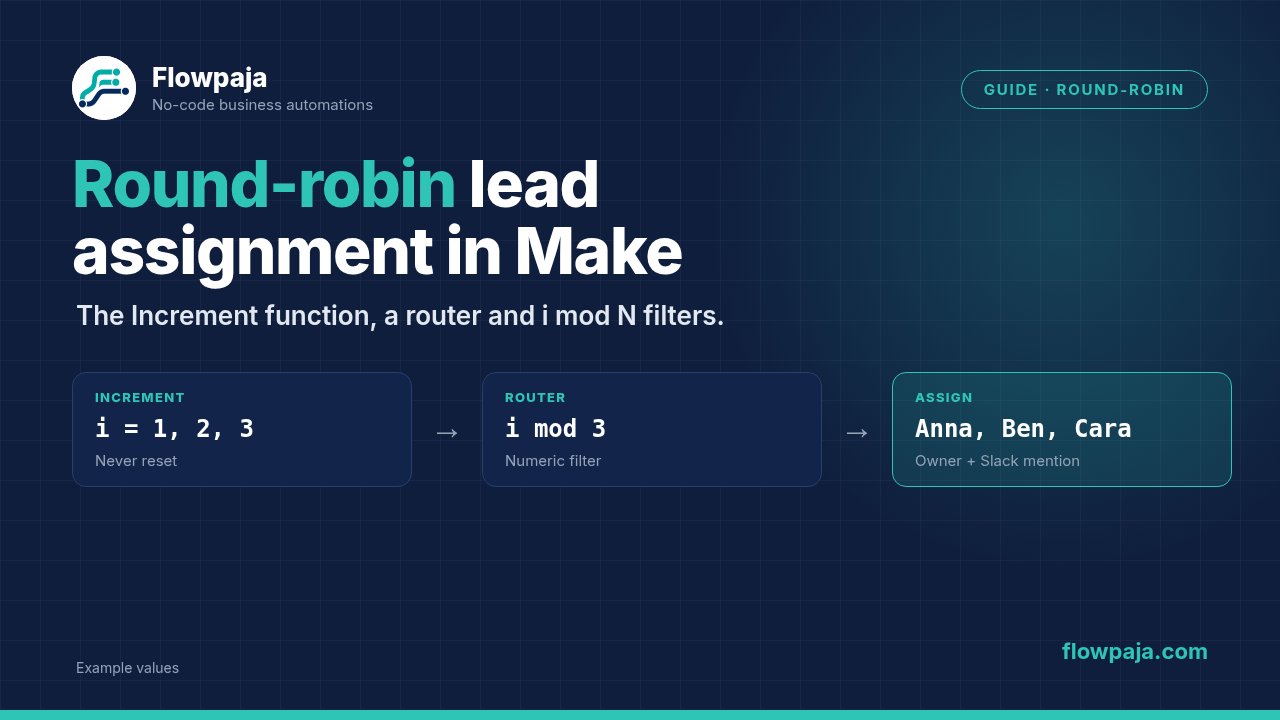
On the New route, add Tools › Increment function and set Reset a value to Never.
The module outputs i. The first new lead gets 1, the next 2, and so on, across all future runs. (Since 1 October 2026 the only other option is After one scenario run, which restarts at 1 every run: with one lead per run, every lead would go to the same rep.)
Step 3: One route per rep
Add a Router after the counter, with one route per rep. On each route, click the wrench to set a filter:
| Route | Condition | Operator | Value |
|---|---|---|---|
| Anna | {{5.i mod 3}} | Equal to (Numeric operators) | 1 |
| Ben | {{5.i mod 3}} | Equal to (Numeric) | 2 |
| Cara | {{5.i mod 3}} | Equal to (Numeric) | 0 |
5.i is the Increment function's output (your module number may differ; click it in the mapping panel). mod is in the Math functions tab and returns the remainder after dividing: 4 mod 3 = 1, so lead 4 goes back to Anna. For two reps use mod 2 with values 1 and 0; for four reps use mod 4 with 1, 2, 3 and 0.
Switch the operator from the default Text Equal to to the Numeric one. That's the setting Make's own example uses.
Step 4: Assign and notify
On each route add:
- HubSpot CRM › Create a Contact with the lead's fields and the Contact owner set to that rep (HubSpot's internal property name is
hubspot_owner_id). - Slack › Send a Message to your leads channel:
New lead for <@U0123ABCD>: {{name}}, {{company}}, {{email}}, whereU0123ABCDis the rep's member ID. Slack turns it into a mention.
Yes, that's the same two modules copied on each route. It keeps every route readable, and copies cost nothing extra because only one route runs per lead.
Step 5: Test with fictional leads
Click Run once and send four new test emails, then the first one again:
| Test | Expected |
|---|---|
| lead1@example.com | Anna |
| lead2@example.com | Ben |
| lead3@example.com | Cara |
| lead4@example.com | Anna |
| lead1@example.com again | Existing route: contact updated, owner still Anna, counter unchanged |
Test leads move the counter too. That's harmless: real leads simply continue the rotation from where the tests stopped.
Common problems
| Problem | Cause | Fix |
|---|---|---|
| Every lead goes to the same rep | Reset a value is After one scenario run, so the counter restarts at 1 each run | Set it to Never |
| Some leads go nowhere | A remainder has no route (for example mod 3 but routes only for 1 and 2) | One route per remainder, including 0 |
| Filter never matches | Text operator compares "1" as text | Use the Numeric Equal to |
| Returning leads change owner | The counter sits before the new/existing split | Move it onto the New route |
If your trigger is a webhook, turn on Process data in order in the scenario settings so leads are counted one at a time, in the order they arrived (webhook runs are parallel by default). With it on, a failed run stored as an incomplete execution holds the queue until you resolve it, so add an error handler with a Slack alert on the HubSpot modules.
Changing the team
- Add a rep: change every filter to
mod 4and add a fourth route with value 3 (the others stay 1, 2 and 0). The counter keeps counting, so the rotation stays even from the next lead on. - Someone's on holiday: point their route at a backup rep for that week. Don't delete the route, or their share of leads goes nowhere.
- Weighted rotation: give a rep two remainders, for example
mod 4with Anna on 1 and 3, Ben on 2 and Cara on 0. Anna gets half the leads.
If you need more than this, such as skipping reps marked "away" in a sheet, or one shared rotation used by two scenarios, store the position in a Data store instead: Get a Record for the current position, route on it, then Update a Record with the next position (turn on Insert missing record for the first run). The Free plan includes 1 MB of data storage, enough for one data store.
Credits
| Path | Credits |
|---|---|
| New lead: trigger, search, counter, create, Slack | 5 |
| Repeat lead: trigger, search, update | 3 |
Routers and filters are free. A scheduled trigger also uses 1 credit per check when nothing is new; see the Make credits calculator.
Templates
Lead Router ($19) does not assign owners or rotate leads. It sends Google Form leads to HubSpot with an exact-email check (create or update), posts $10k+ budgets to #sales-hot and the rest to #leads, and alerts #automation-alerts when a step fails. 30-day money-back guarantee.
No Make account yet? Create a free Make account (affiliate link). Flowpaja may earn a commission if you sign up through it, at no extra cost to you.