 Flowpaja
Some links on this page are affiliate links. If you sign up through them, Flowpaja may earn a commission at no extra cost to you.
This guide is about automation, not accounting advice. Agree tax treatment, account codes and numbering with whoever does your bookkeeping.
What you need
- A Make account. The free plan is enough to build and test. Sign up here if needed: Make (affiliate link)
- A QuickBooks Online or Xero subscription, and a user role that's allowed to connect apps. If the connect screen refuses, ask the account owner.
- A test company:
- Xero: the free Demo Company in your Xero account. It's full of sample data and can be reset at any time.
- QuickBooks: a separate trial company works well. Make's QuickBooks app talks to the live QuickBooks Online API, and its docs don't describe a sandbox option, so don't count on connecting an Intuit developer sandbox.
- Your accounting setup written down:
- which income account or item to use,
- which tax code/rate,
- whether prices are tax-inclusive or exclusive,
- and the currency per customer.
Honest limits:
- Mistakes in accounting systems are expensive to undo: credit notes, voided invoices, a confused accountant. Start with draft invoices where the app allows it.
- QuickBooks and Xero both have built-in invoice reminders and their own payment integrations (check what your plan includes). If a built-in feature does the job, use it and skip the scenario.
- Make's Xero app doesn't support Xero HQ.
Step 1: Connect the app
- In a scenario, click + and choose QuickBooks or Xero.
- Click Create a connection, sign in, and pick the company / organisation. With several companies, double-check you selected the test one, and name the connection clearly ("Xero – DEMO").
- The modules you'll use:
| Job | QuickBooks | Xero |
|---|---|---|
| Find a customer | Search for Customers | Search for Contacts |
| Create a customer | Create a Customer | Create a Contact |
| Create an invoice | Create an Invoice | Create an Invoice |
| Read one invoice | Get an Invoice | Get an Invoice |
| Find invoices | Search for Invoices | Search for Invoices |
| Record a payment | Create a Payment | Create a Payment |
| React to changes | New Event (instant) or Watch Payments | Watch Events (instant) or Watch Invoices |
| Anything else | Make an API Call | Make an API Call |
With Xero, adding a new module to an existing connection can ask you to extend permissions. Click Continue → Allow access.
Connections can expire. Make refreshes the tokens while scenarios run, but a connection left unused for a long time can lapse (Xero refresh tokens expire after 60 days without use), and anyone can revoke access from the accounting app. If a rarely used scenario fails with an auth error, reauthorize the connection under Connections. You don't need to rebuild anything.
Step 2: Find or create the customer
Invoices need a customer (QuickBooks) or a contact (Xero). Never create a new one blindly, or you'll end up with "Ana Example" three times.
- Search for Customers / Search for Contacts by email (more reliable than name), limit 1.
- Handle "not found" correctly. This is where most find-or-create scenarios break.
How "not found" works: most Make search modules output no bundles at all when nothing matches, so everything after them simply doesn't run, and a router after the search never sees the "not found" case. Google Sheets Search Rows is the exception: it outputs one empty bundle with Total number of bundles = 0 (see Search Rows returns nothing).
A pattern that works for zero-bundle searches:
- Search module (limit 1).
- Array aggregator with Source module set to the search module. It outputs one bundle even when the search found nothing, with an empty array.
- Router:
- Route "found": filter
length(Array)greater than 0, and use the ID from the array's first item. - Route "not found": filter
length(Array)equals 0 → Create a Customer / Create a Contact.
- Route "found": filter
Test both cases with Run once (an email that exists and one that doesn't) and look at what the search module actually outputs before you rely on the router. See Iterator vs aggregator if aggregators are new to you.
Routes don't join back together after a router, so the steps that follow (the invoice duplicate check, Create an Invoice and the sheet update) must exist on both routes. Build them once, then copy them to the other route. On the "found" route, map the ID from the array; on the "not found" route, map the ID from Create a Customer / Create a Contact.
Step 3: Create the invoice
Map at least:
- Customer/contact ID (from step 2)
- Line items: description, quantity, unit price, plus the item (QuickBooks) or account code (Xero)
- Tax: a tax code (QuickBooks) or tax rate (Xero). In Xero, also set whether line amounts are Tax Exclusive, Tax Inclusive or No Tax.
- Dates: invoice date and due date, e.g.
{{formatDate(addDays(now; 14); "YYYY-MM-DD")}} - Your own unique reference (see Duplicates): Xero's Reference field. In QuickBooks, use the Doc number (invoice number) or a memo field.
- Status:
- Xero: create a sales invoice as Draft, and approve it in Xero after a check.
- QuickBooks: invoices have no draft status. The invoice exists as soon as it's created, but it isn't emailed unless you send it (in QuickBooks or with Send an Invoice).
QuickBooks invoice numbers: the Custom transaction numbers setting (Account and Settings → Sales → Sales form content) is on by default. While it's on, an invoice created without a Doc number gets no number at all. Either map your own Doc number, or switch the setting off so QuickBooks numbers invoices automatically. Then you can't set numbers yourself anymore.
Several lines from a sheet? Combine them with an aggregator into the line-items array, rather than creating one invoice per line.
Worked example: invoices from a Google Sheet, with paid status synced back
Sheet "Invoices to create" (row 1 headers): Ref | Customer email | Customer name | Description | Qty | Unit price | Currency | Status | Invoice ID | Invoice number | Paid
Status values: Ready → Created → Paid.
Scenario 1: create invoices (daily, or hourly in busy weeks)
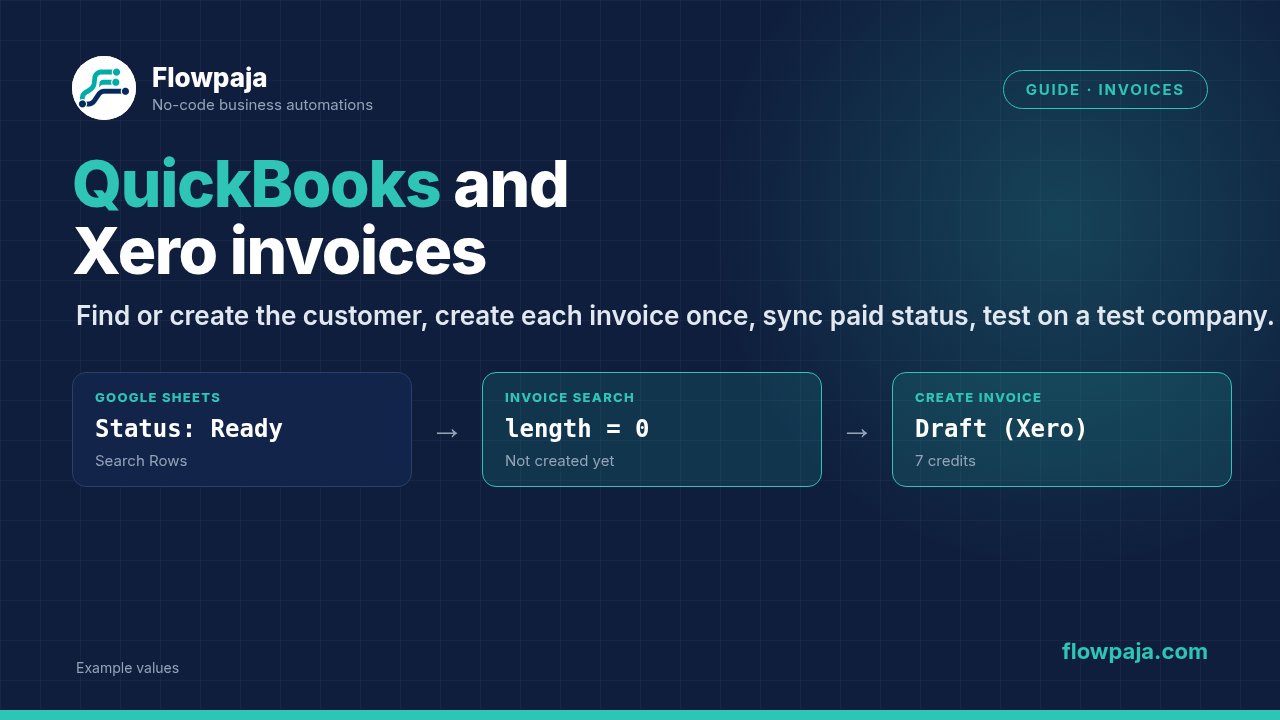
- Google Sheets → Search Rows:
StatusequalsReady, limit 10. - Filter:
Total number of bundlesgreater than 0. When nothing is ready, Search Rows outputs one empty bundle with total 0, and the run ends here. - Filter:
Ref,Customer emailandUnit priceexist. - Search for Customers / Contacts by email → Array aggregator → Router: found → use the ID; not found → Create a Customer / Contact (Step 2).
- Duplicate check: Search for Invoices by your reference (Xero: Reference; QuickBooks: Doc number, e.g. a query like
SELECT * FROM Invoice WHERE DocNumber = 'INV-1001') → Array aggregator → continue only iflength(Array)equals 0. - Create an Invoice (Draft in Xero), with your reference.
- Google Sheets → Update a Row:
Status=Created, plus theInvoice IDandInvoice numberfrom step 6.
Credits per run (1 credit per module action, aggregators included; filters and routers are free):
- Nothing ready: 1 (Search Rows).
- One invoice, existing customer: Search Rows 1 + customer search 1 + aggregator 1 + invoice search 1 + aggregator 1 + create invoice 1 + update row 1 = 7.
- One invoice, new customer: 8 (+1 to create the customer).
- A daily run that creates 3 invoices for existing customers: 1 + 3 × 6 = 19 credits.
Scenario 2: sync paid status back (daily)
- Google Sheets → Search Rows:
StatusequalsCreated. - Filter:
Total number of bundlesgreater than 0. - Get an Invoice by
Invoice ID. - Filter: paid. In QuickBooks,
Balanceequals 0 (compare as a number). In Xero,StatusequalsPAID(orAmountDueequals 0). - Update a Row:
Status=Paid,Paid= today.
Credits:
- Each daily run: 1 + (1 per open invoice checked).
- For 20 open invoices: 1 + 20 = 21 credits per run, plus 1 per invoice that turned paid.
- Ways to keep this down: check every other day, or react to changes instead. QuickBooks New Event sends Invoice and Payment events instantly (only the object ID and operation, so follow with Get an Invoice; Make's docs note these webhooks are usually a bit delayed). Xero Watch Events is instant too, and its webhook is attached automatically.
Variation: invoice from a Stripe payment
- Stripe → Watch Events (instant), e.g.
checkout.session.completed. - Find or create the customer by the Stripe email.
- Create the invoice with the Stripe payment ID as the reference.
- Create a Payment against the invoice, so it's marked paid. Ask your bookkeeper which account Stripe payments should go to (often a Stripe clearing account).
Stripe amounts are in the smallest currency unit (cents), so divide by 100 for most currencies, but not for zero-decimal currencies like JPY. Also check whether your accounting app's own Stripe integration already does this.
Overdue invoice reminders
Both apps have built-in reminders. Use them first: they use the app's own templates and stop automatically when an invoice is paid.
Use Make when you need something they don't do. For example:
- a Slack alert to your team for invoices 30+ days overdue,
- a digest email to yourself,
- or a reminder via another channel.
A daily scenario:
- Search for invoices that are unpaid with a due date before today.
- Aggregate them (the aggregator also handles the "nothing overdue" case: filter on
length(Array)greater than 0). - Post or send one summary.
Compare dates with date operators. Make filters can't compare text with "less than".
If you track invoices in a Google Sheet rather than in QuickBooks or Xero, the free Overdue Invoice Digest template does this with Sheets and Gmail: one daily email listing every overdue invoice.
Duplicates: the rule that matters most
Creating the same invoice twice is the most common and most annoying failure. Causes:
- the scenario runs twice (a manual "Run once" plus the schedule),
- a Retry after a timeout where the invoice was actually created,
- a row left as
Readyafter an error.
Protection:
- Write your own unique reference on every invoice (sheet
Ref, or the Stripe payment ID), and search for it before creating. - Update the sheet row right after creating the invoice.
- Add a Retry handler (formerly Break) only for temporary errors (429, 5xx). After a timeout, check whether the invoice exists before trying again.
- QuickBooks: if you set the invoice number yourself, keep Custom transaction numbers on and make sure numbers are unique.
Tax and currency gotchas
- Tax codes differ by country and edition. US QuickBooks handles sales tax differently from UK, EU and AU editions, and Xero tax rates are region-specific. Copy the exact codes from your test company.
- Inclusive vs exclusive amounts: if your sheet prices include VAT and the invoice treats them as exclusive, every total is wrong. Decide once, and set it explicitly.
- Multi-currency must be enabled in the accounting app. In QuickBooks, a customer's currency can't be changed once it's set. An invoice in a currency the organisation doesn't have enabled fails.
- Rounding: let the accounting app calculate tax. Don't send pre-calculated tax amounts unless you must.
- Number formats: send numbers like
1200.50. Values such as1 200,50 €from a sheet needparseNumber()first.
API limits
- Xero allows, per connected organisation: 60 calls a minute, 5,000 calls a day, and 5 calls at once. All your scenarios using the same organisation share these. Going over returns 429 with a Retry-After header. Xero also enforces volume thresholds on large GET requests, so Make warns that Search for Contacts and Search for Invoices can slow down or fail for organisations with a lot of data. Search narrowly (by email or reference), not broadly.
- QuickBooks throttles requests per company too and answers 429 when you go too fast.
- For both: process small batches (limit 10 rows per run), and add Retry with Store incomplete executions turned on.
Test company checklist
- Connect the test company and name the connection clearly ("Xero – DEMO").
- Run with 3 fictional rows: an existing customer, a new customer, and an invalid row (missing price).
- Check in the app: customer, line items, account/item, tax code, totals, currency, due date, reference.
- Run again with the same rows. There must be no second invoice.
- Mark one invoice paid in the test company and run the sync scenario.
- Only then switch the connection to the real company, and start with a small batch.
Common errors
| Error | Cause | Fix |
|---|---|---|
| New customer created every time | Router after a zero-bundle search; "found" route never used | Add an Array aggregator after the search and route on length(Array) |
| Nothing happens for new customers | Search found nothing, output no bundles, and the route stopped | Same fix: aggregator + router |
| Duplicate invoices | Scenario ran twice; retry after a timeout; row not updated | Unique reference + search before create; update the row right away |
| QuickBooks invoice has no number | Custom transaction numbers on, no Doc number mapped | Map a Doc number, or switch the setting off |
| Duplicate document number (QuickBooks) | Same invoice number used again | Keep your numbering unique, or let QuickBooks number invoices |
| Invalid account code / item | Code doesn't exist in this company | Copy codes from the target company; test and live companies differ |
| Invalid tax code / tax rate | Wrong code for the region or edition | Use the exact codes from the company's tax settings |
| Currency not enabled / mismatch | Multi-currency off, or the customer has another currency | Enable currencies; match the customer's currency |
| Xero permissions error | Connection lacks the scopes a new module needs | Click Continue → Allow access, or add the scopes in the connection's advanced settings |
| Auth / token expired | Connection unused for a long time, or revoked | Reauthorize the connection under Connections |
| 429 rate limit | Too many calls per minute (Xero: 60 per organisation) | Smaller batches; Retry with Store incomplete executions on |
| Scenario switched off | Repeated errors reached Errors before deactivation | Fix the cause in History; switch it back on |
For error types and which handler fits, see the Make error cheat sheet. To estimate and lower usage, see Make credits explained.
Related guides: Make + ChatGPT (OpenAI) · All Make integration guides