 Flowpaja
Import the blueprint
Create a new scenario, Import blueprint, pick the JSON. No connections or tokens are inside.
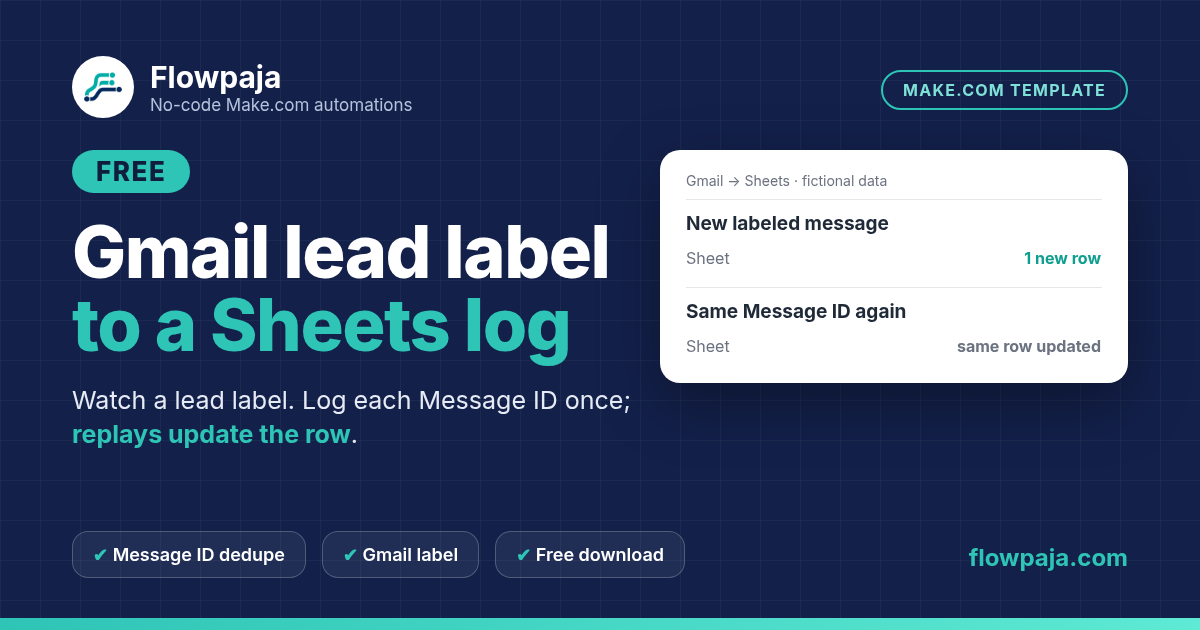
If incoming enquiries already arrive in Gmail, an automatic label can be the intake boundary. This scenario watches a chosen lead label and records the sender, subject, received date, Message ID and thread ID in a Sheets ledger.
This page contains an affiliate link, marked “affiliate link”.
Not yet run in a live Make account. Gmail watcher module version may need a remap after import. Connect your own Gmail and Sheets, apply the label automatically on arrival, and test with fictional messages first. Planning estimate: 20–35 minutes.
Runs in your own Make account with your own Gmail, Google Sheets connections. Nothing runs through Flowpaja.
An unseen Message ID appends a row. A replay of that same message updates its row. Two messages in the same thread remain separate records: the thread ID is stored for context and never used as the dedupe key.
The included key is Gmail's per-message identifier, which is stable within the connected mailbox. It is different from the RFC 822 Message-ID email header. The README explains this choice and why switching identifiers requires a fresh, tested ledger.
Use this for low-volume incoming lead mail with a Gmail filter that applies the chosen label when messages arrive. It is not a historical mailbox exporter or a reliable watcher for manually relabeling old emails. It sends no mail and does not infer whether an enquiry has been answered.
The download includes a connection-free Make blueprint, setup README, fictional CSV test data and test notes. Import into your own Make account, connect your own apps and run the checks before activation. Nothing runs through Flowpaja.
Short path from the README. Full steps and credits are in the download.
Create a new scenario, Import blueprint, pick the JSON. No connections or tokens are inside.
In Gmail, create the lead label and an automatic filter that applies it when messages arrive. Do not rely on manually relabeling old mail.
Pick the label in the watcher and your ledger sheet in Search Rows / Add a Row / Update a Row. Dedupe key is the Gmail Message ID.
Run once with a new labeled test message, then replay the same message. Confirm one row, then an update. Then enable on a 15-minute or longer schedule.
Planning estimates, not a timed live-account measurement.
Allow 20–35 minutes once your Gmail lead label, automatic filter and ledger sheet are ready. This is a planning estimate, not a timed live-account measurement. Plan for approximately four credits per logged message, plus scheduled Gmail checks. Actual credits depend on the route, bundle count and retries.
Make Free has 1,000 credits/month, two active scenarios, a 15-minute minimum scheduled interval and a five-minute run limit. The README includes a route-by-route estimate and scheduling guidance.
Use this template to log incoming lead messages. Choose Quote Follow-Up Free for its separate quote follow-up workflow, or Quote Reply Signal Free for the existing reply-signal use case.
When a logged enquiry becomes a tracked quote, review Quote Follow-Up. The inbox logger does not itself detect replies, draft chase emails or maintain quote status.
More free templates: Quote Reply Signal · One quote follow-up draft · Lead capture to Sheets + Slack.
Questions: flowpaja.fi@gmail.com.
Tools we use for our builds: our tools page.
Make, Google, Gmail and Google Sheets are trademarks of their owners. Flowpaja is independent and not affiliated with or endorsed by them. Flowpaja develops its templates with AI assistance.