
Guide · OAuth · Google · Make.com

Make.com OAuth redirect URLs: the integromat.com callbacks, your own Google client and HTTP OAuth 2.0

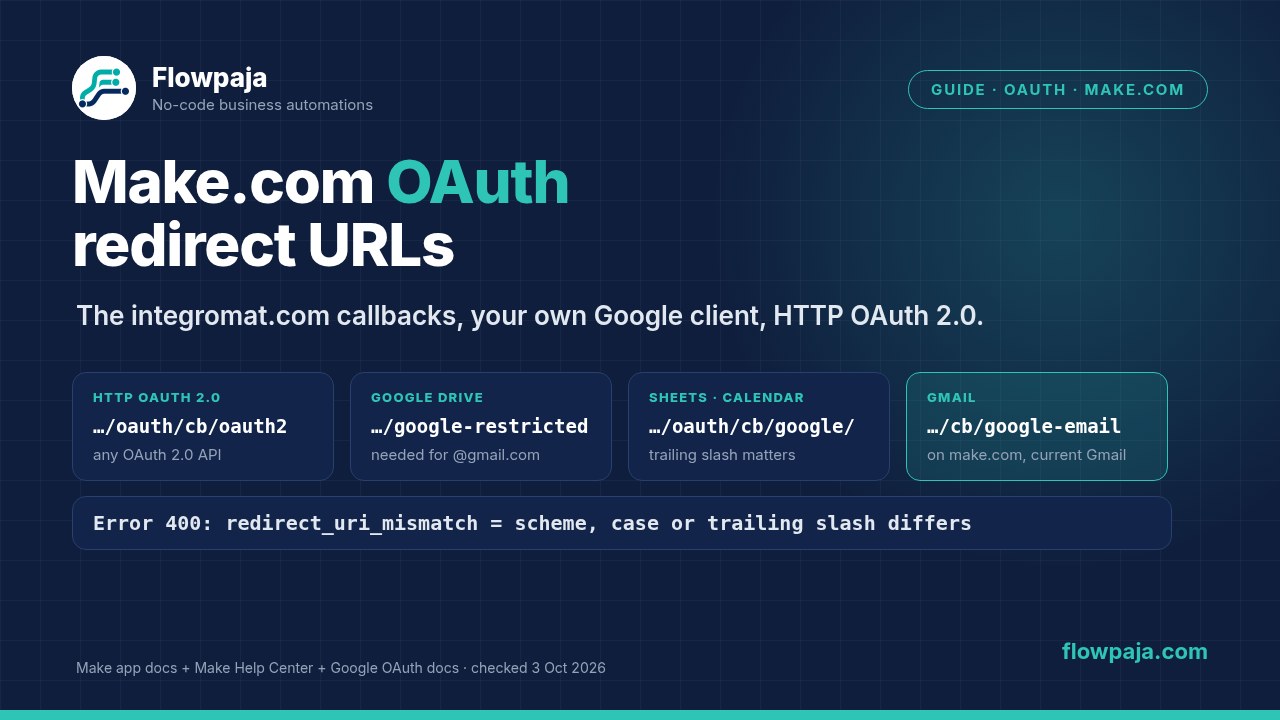
Short answer: when you create your own OAuth client for Make, the redirect URL (callback URL) depends on the app, and most of them still start with www.integromat.com/oauth/cb/, from before Integromat became Make. The ones people search for most:

  • HTTP › Make a request (OAuth 2.0): https://www.integromat.com/oauth/cb/oauth2
  • Google Drive: https://www.integromat.com/oauth/cb/google-restricted
  • Google Sheets, Calendar, Forms, Contacts: https://www.integromat.com/oauth/cb/google/
  • Gmail: https://www.make.com/oauth/cb/google-email

Google only accepts an exact match, including the trailing slash. Copy the address character for character from the table below or from the app's page in Make's docs. A wrong or missing one gives Error 400: redirect_uri_mismatch.

By Flowpaja · Published · Facts checked

This guide contains an affiliate link, marked “affiliate link”.

Make.com OAuth redirect URLs: integromat.com/oauth/cb/oauth2 for HTTP, google-restricted for Google Drive, google/ for Sheets and make.com/oauth/cb/google-email for Gmail, plus the redirect_uri_mismatch fix
The callback addresses Make documents, and where each one goes in Google Cloud.
Checked on 3 October 2026: every redirect URL on this page is copied from Make's own documentation: the app pages on apps.make.com (most updated 2 October 2026), Make's Help Center and Make's developer docs. Google rules and error texts come from Google's OAuth 2.0 documentation and Google Cloud Help, with their update dates in the sources list. We haven't tested every app ourselves. We earn affiliate commissions from Make.

Do you need your own OAuth client at all?

Usually not. For most apps you click Create a connection, sign in, and Make uses its own built-in OAuth client. In that case there's no redirect URL to enter anywhere. You need one only in these cases:

  • Google Drive with a personal account. Make's Google Drive docs say: "To connect an email ending in @gmail or @googlemail, you need to create a custom OAuth client in the Google Cloud Platform". For other domains it's optional.
  • The HTTP app with OAuth 2.0. HTTP › Make a request has no built-in client, so you always bring your own. That's how you call an API that Make has no module for.
  • You choose to. Many apps, including Gmail, Google Sheets, Dropbox, Shopify and Microsoft Teams, have an optional advanced setting (Advanced settings or Show advanced settings) for your own Client ID and Client Secret. Make's Help Center mentions "Google Workspace users who prefer to use a custom OAuth client". For Gmail and Sheets, Make's docs mark it as optional.
  • A custom app you build in Make's developer platform. Custom apps have their own callback URLs (see below).

What "google-restricted" means. Make's Help Center says: "To connect some restricted Google services, like Google Drive or Google Sheets, to Make, you need to create your own project in Google Cloud Platform and a custom OAuth client." Google classes the full Drive scope (auth/drive) and most Gmail scopes (gmail.readonly, gmail.compose, gmail.modify) as restricted. Restricted scopes "provide wide access to Google user data and require restricted scope OAuth App Verification" (Google's Gmail scopes page, updated 10 September 2026). Make's Drive connection, the older Gmail (legacy) app and Google Groups use the google-restricted callback. Make's error messages call it a "Google Restricted connection".

Affiliate disclosure: the link marked "affiliate link" includes our partner code. If you sign up or later buy a paid plan through it, Flowpaja may earn a commission at no extra cost to you. Don't have an account yet? Create a free Make account (affiliate link). More on the tools we use: best tools for Make automation.

Google apps: redirect URLs as Make documents them

Make appAuthorized redirect URI
Gmail (current version)https://www.make.com/oauth/cb/google-email
Gmail (legacy)https://www.integromat.com/oauth/cb/google-restricted
Google Drivehttps://www.integromat.com/oauth/cb/google-restricted
Google Groupshttps://www.integromat.com/oauth/cb/google-restricted/
Google Sheets, Google Calendar, Google Forms, Google Contacts, Google BigQueryhttps://www.integromat.com/oauth/cb/google/
Google Docs, Google Slides, Google Analyticshttps://www.integromat.com/oauth/cb/google (no trailing slash)
Google Analytics 4https://www.integromat.com/oauth/cb/google-analytics-4
Google Ads (Campaign Management, Customer Match, Lead Forms, Reports)https://www.integromat.com/oauth/cb/google-ads2/ (Conversions: no trailing slash)
Google Search Consolehttps://www.integromat.com/oauth/cb/google-serach-console (spelled this way in Make's docs)
Google Business Profile (My Business)Make's page lists two: https://www.make.com/oauth/cb/google-my-business2 for the Google Business Profile connection type (Advanced settings) and https://www.integromat.com/oauth/cb/google-custom for the Google Custom Client Credentials connection type. Not sure which you'll use? Add both
Google Merchant Centerhttps://www.integromat.com/oauth/cb/google-merchant
Google Tasks · Google Photos · Google Keep…/oauth/cb/google-tasks · …/google-photos · …/google-keep on https://www.integromat.com
Google Cloud Storage, Firestore, Text-to-Speechhttps://www.integromat.com/oauth/cb/google-custom
Google Vertex AIhttps://www.make.com/oauth/cb/google-vertex-ai
YouTubehttps://www.make.com/oauth/cb/youtube
HTTP › Make a request calling a Google APIhttps://www.integromat.com/oauth/cb/oauth2

Copied from each app's "Create your client credentials" section on apps.make.com and from Make's Help Center, 3 October 2026. Some addresses have a trailing slash and some don't. Copy each one exactly as shown. We found no regional (eu1, us1 and so on) versions on any of the Google app pages we checked.

Also in Google Cloud: under Branding › Authorized domains, Make's docs say to add make.com and integromat.com.

Other popular apps

The same idea applies when an app lets you use your own client. Make's docs list these addresses:

Make appRedirect or callback URL
SlackUser: https://www.integromat.com/oauth/cb/slack2 · Bot: https://www.integromat.com/oauth/cb/slack3
Microsoft Teamshttps://www.integromat.com/oauth/cb/azure
HubSpot CRMhttps://www.integromat.com/oauth/cb/hubspotcrm
Salesforcehttps://www.integromat.com/oauth/cb/salesforce/
Shopifyhttps://www.integromat.com/oauth/cb/shopify/
Facebook Pages, Instagram for Businesshttps://www.integromat.com/oauth/cb/facebook
LinkedIn · LinkedIn (OpenID Connect)https://www.integromat.com/oauth/cb/linkedin2 · https://www.make.com/oauth/cb/linkedin-openid
QuickBooksAdd both: https://www.make.com/oauth/cb/quickbooks2 and https://www.integromat.com/oauth/cb/quickbooks
Notionhttps://www.integromat.com/oauth/cb/notion2
Airtablehttps://www.integromat.com/oauth/cb/airtable3
Pipedrivehttps://www.integromat.com/oauth/cb/pipedrive-auth
Dropbox · Box · Zoomhttps://www.integromat.com/oauth/cb/dropbox/ · …/box2 · …/zoom2
Mailchimphttps://www.make.com/oauth/cb/mailchimp2

From each app's page on apps.make.com, checked 3 October 2026. Not listed here? Open the app's page on apps.make.com and look for "Redirect URI" or "callback".

Create your own Google OAuth client for Make

These are the steps from Make's Help Center article "Connect to Google services using a custom OAuth client" (updated 2 October 2026). The app pages repeat them with each app's API, scopes and redirect URL.

  1. Create a project in Google Cloud console. Make notes you need the serviceusage.services.enable permission.
  2. Enable the API under APIs & Services › Library, for example the Google Drive API, Gmail API or Google Sheets API.
  3. Configure the consent screen under APIs & Services › OAuth consent screen › Get Started. Set Audience to External for a personal account. Under Branding, add make.com and integromat.com as authorized domains.
  4. Choose the publishing status under Audience: click Publish app (In production), or stay in Testing and add your Gmail address as a test user. Make: "If you keep your project in the Testing status, you will be required to reauthorize your connection in Make every week."
  5. Add the scopes under Data Access › Add or remove scopes. For Google Sheets, Make lists …/auth/spreadsheets and …/auth/drive. For Gmail it lists gmail.modify, gmail.readonly, gmail.compose and gmail.send. Each app's page has its own list.
  6. Create the client under Clients › + Create client. Choose Application type Web application, and under Authorized redirect URIs click + Add URI and paste the app's address from the table above. Copy the Client ID and Client secret.
  7. Connect in Make. Add the Google module, click Create a connection, switch on Advanced settings, paste the Client ID and Client Secret, and click Sign in with Google.

"Needs verification" when you publish? Make's answer: "Currently, connecting to unverified apps works in Make, but we cannot guarantee that Google will allow connections to unverified apps for an indefinite period." Google lists "personal use" and "internal use within an organization" among the exceptions to restricted-scope verification (Google's restricted scope verification page, updated 19 August 2026). An unverified app shows Google's warning screen before sign-in, and Google caps such apps at "100 new users in total". That's fine for your own account, but not for a client you share widely.

Google lets you add more than one URI under Authorized redirect URIs. So in principle one client can serve several Make apps, for example google/ for Sheets and google-restricted for Drive, if it also has all their APIs and scopes. Make's docs describe one app at a time, so test each connection.

HTTP › Make a request with OAuth 2.0

Use this for any OAuth 2.0 API that Make has no app for, or for a Google API endpoint Make's modules don't cover. Make's docs (OAuth 2.0 authentication type, updated 22 December 2025) say to set the redirect URI in the other service's developer settings to https://www.integromat.com/oauth/cb/oauth2. Then:

  1. In HTTP › Make a request, set Authentication type to OAuth 2.0 and click Create a connection.
  2. Flow type: Authorization Code, which needs an Authorize URI and a Token URI, or Implicit, which needs only an Authorize URI. Both come from the service's API docs.
  3. Add the Scopes, Client ID and Client Secret.
  4. Under Advanced settings, pick the Scope separator, SPACE or COMMA. Make: "SPACE is the standard separator."

For Google APIs, Make's Help Center gives these values: Authorize URI https://accounts.google.com/o/oauth2/v2/auth, Token URI https://oauth2.googleapis.com/token, and Scope separator SPACE. Make warns: "Choosing the right scope separator is important, as the wrong one can prevent you from establishing the connection." To avoid having to keep refreshing the connection, add the Authorize parameters access_type = offline and prompt = consent. If Google says it hasn't verified the app, Make's article says to click Advanced, then "Go to integromat.com (unsafe)". The integromat.com name appears because of the redirect URL; it's Make's own domain.

Each HTTP request costs 1 credit, like any module run. Creating or reauthorizing a connection runs no module.

Custom apps: make.com/oauth/cb/app

If you're building your own app in Make's developer platform, a different set of callbacks applies. Make's developer docs say to use https://www.make.com/oauth/cb/app with the oauth.makeRedirectUri variable, or with oauth.localRedirectUri if you plan to request approval of your app. The old https://www.integromat.com/oauth/cb/app with oauth.redirectUri "is not suggested for new apps". For OAuth 1.0 custom apps the callback is https://www.integromat.com/oauth/cb/app-oauth1. Don't mix them up with oauth/cb/oauth2, which belongs to the HTTP app.

Errors while connecting, and the fixes

ErrorWhat the source saysFix
Error 400: redirect_uri_mismatchGoogle: the redirect URI "must exactly match one of the authorized redirect URIs"; "the http or https scheme, case, and trailing slash ('/') must all match". Make: Google may not "instantly recognize" a new redirect URI.Paste the app's exact address (table above), save, wait a while, then try again
Error 401: invalid_client ("The OAuth client was not found")Make: the credentials "are no longer valid or properly configured". Google: invalid_client also means "The OAuth client secret is incorrect"Re-copy the Client ID and secret; if the client is gone, create a new connection and swap it into your scenarios
deleted_clientGoogle: deleted manually "or automatically in the case of unused clients"; "Deleted clients can be restored within 30 days"Restore it in Google Cloud, or create a new client and connection
Error 403: access_deniedMake: the project is in Testing and the Google account isn't added as a test userAdd the account as a test user, or publish the app; then click Reauthorize
[403] Access Not ConfiguredMake: the API isn't enabled in your projectEnable it under APIs & Services › Library
Error 403: Insufficient PermissionMake: required scopes are missing from the projectAdd the app's scopes under Data Access, then Reauthorize
"It is not possible to use restricted scopes with customer @gmail.com accounts"Make: the required scopes weren't added to your Google appAdd the scopes and finish the consent screen setup, then connect again
"Failed to verify connection 'My Google Restricted connection'. Status Code Error: 400"Make: the connection "has expired and is no longer valid"; unpublished apps get "a 7-day authorization period"Publish the app (In production) or reauthorize every week
"100 Logins Limit Per Day Has Been Reached"Google: "a limit of 100 refresh tokens per Google Account per OAuth 2.0 client ID"; the oldest is invalidated "without warning"Make suggests creating another OAuth client
HTTP OAuth 2.0 connection won't saveMake: check that the API is enabled, the authorized domains, the test user or published status, the redirect URI, the Authorize and Token URIs, the scopes, the Client ID and Secret, and the scope separatorFor Google: SPACE separator, the two Google URIs above, and oauth/cb/oauth2 as the redirect

Make: "Connect to Google services using a custom OAuth client" (Common problems) and "Call Google APIs with OAuth 2.0 HTTP request" (Troubleshooting), both updated 2 October 2026. Google: OAuth 2.0 for web server apps (updated 14 September 2026) and Using OAuth 2.0 (updated 26 May 2026).

Connection worked, then broke? For expired or revoked tokens (invalid_grant), weekly expiry in Testing status, "Access blocked" from a Workspace admin and the six-month Gmail limit, see Make Google connection errors. If a scenario switched itself off after the error, see scenario stopped or disabled. More error texts: Make error cheat sheet.

Own-project connections in other guides: YouTube automation covers the YouTube app's own-project connection and its publishing status. X (Twitter) automation explains why an HTTP OAuth 2.0 connection may not connect to X.

Plan check

  • Every plan, including Free: creating connections, using your own OAuth client, and the HTTP app. Make's docs for these connections don't mention a plan requirement. Free still means 1,000 credits a month, checks no more often than every 15 minutes, and 2 active scenarios.
  • Credits: connections themselves cost nothing. Each module run costs 1 credit, including each HTTP request.
  • Google side: Make's setup steps for the Google Cloud project and OAuth client don't include any billing step. Some Google APIs, such as Vertex AI, are billed by Google separately.
  • Not needed: the Make Code app (not on Free) or custom functions (Enterprise).

Make pricing page, as seen from a US connection, 3 October 2026. Plans change; check the current page before you buy.

Sources checked (3 October 2026)

  • Make app docs (apps.make.com): the redirect URIs and scopes in each app's "Create your client credentials" section for 37 Google apps and the other apps listed; Google Drive (custom client for @gmail), Gmail and Gmail (legacy); "Create and configure a Google Cloud Platform project for Gmail" (most updated 2 Oct 2026); OAuth 2.0 authentication type (updated 22 Dec 2025)
  • Make Help Center: "Connect to Google services using a custom OAuth client" and "Call Google APIs with OAuth 2.0 HTTP request" (both updated 2 Oct 2026); "Connect to any web service using OAuth 2.0"
  • Make developer docs: OAuth 2.0 and OAuth 1.0 connections for custom apps (callback URLs and IML variables)
  • Google for Developers: OAuth 2.0 for web server applications (redirect_uri rules, error codes; updated 14 Sep 2026); Using OAuth 2.0 (Testing status, 7-day refresh tokens, 100-token limit; updated 26 May 2026); restricted scope verification (updated 19 Aug 2026); Gmail API scopes (10 Sep 2026); Drive API scopes (3 Sep 2026); Sheets API scopes (3 Sep 2026)
  • Google Cloud Help: Restricted scopes; Unverified apps (unverified app screen, 100 new user cap)
  • Make pricing page: credit rule and Free plan limits, as seen from a US connection

FAQ

What is Make's OAuth redirect URL?
It depends on the app. For HTTP › Make a request with OAuth 2.0 it's https://www.integromat.com/oauth/cb/oauth2. For Google Drive it's https://www.integromat.com/oauth/cb/google-restricted, for Google Sheets https://www.integromat.com/oauth/cb/google/ and for Gmail https://www.make.com/oauth/cb/google-email. Copy the exact address from the app's page in Make's docs.
Why do Make's redirect URLs still say integromat.com?
Make was called Integromat before it rebranded. Make's own documentation still lists integromat.com callback addresses for most apps, and tells you to add both make.com and integromat.com as authorized domains in Google Cloud.
What does google-restricted mean in the Make redirect URL?
It's the callback for Make's Google connection that covers restricted Google scopes, such as full Google Drive access. Google Drive, Gmail (legacy) and Google Groups use https://www.integromat.com/oauth/cb/google-restricted. Make's docs say personal @gmail.com accounts need their own OAuth client for Google Drive.
How do I fix Error 400: redirect_uri_mismatch in Make?
Add the app's exact redirect URL under Authorized redirect URIs in your Google OAuth client. Google says the scheme, case and trailing slash must all match. Save, wait a while (Make notes Google may not recognize a new URI instantly), then connect again.
Do I need my own Google OAuth client to use Make?
Usually not. Make's built-in connection works for most Google apps. You need your own client for Google Drive with a personal @gmail.com or @googlemail.com account, for HTTP › Make a request with OAuth 2.0, or if your organisation requires it.
Why does my custom Google connection expire every week?
Your Google Cloud project is in Testing status. Google issues refresh tokens that expire in 7 days for External apps in Testing. Publish the app under Google Auth Platform › Audience, then reauthorize the connection in Make.
Which redirect URL do Make custom apps use?
Make's developer docs recommend https://www.make.com/oauth/cb/app with the oauth.makeRedirectUri variable. The old https://www.integromat.com/oauth/cb/app is not suggested for new apps.

Connection still refusing to connect?

Send us the error text, a screenshot of your OAuth client settings (with the secret blanked out) and the scenario blueprint. We'll find the mismatch and tell you exactly what to change, or fix the scenario. It's fully async: no logins and no calls.

Automating the rest of the business too? The Make Starter Bundle has three ready-made templates: a lead router to HubSpot and Slack, Gmail invoice reminders, and quote follow-ups.

← All guides · All templates

Make, Integromat, Google, Gmail, Google Drive, Google Sheets, Google Cloud, YouTube, Slack, Microsoft Teams, HubSpot, Salesforce, Shopify and the other app names mentioned are trademarks of their owners. Flowpaja is independent and not affiliated with or endorsed by them. Redirect URLs, plans and Google rules change; check the app's page in Make's docs.