 Flowpaja
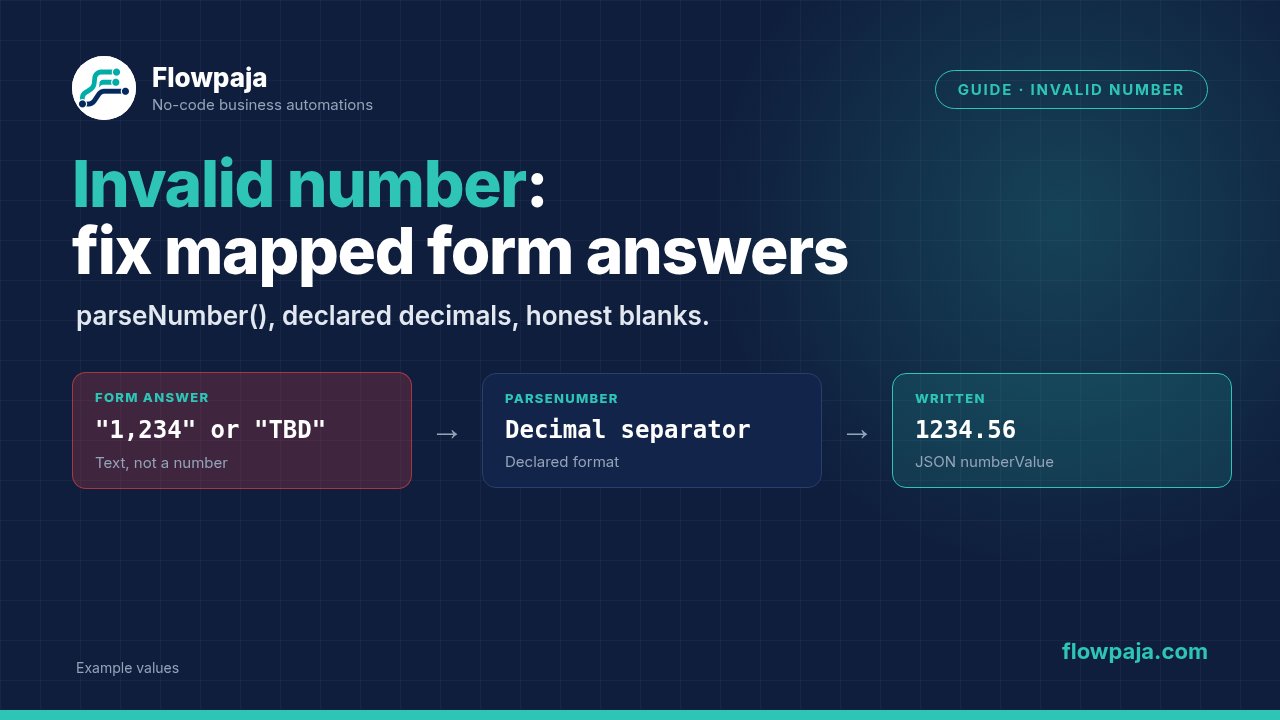
DataError: Invalid number in parameter
Value must be a number
Open the failed execution and inspect the parameter's actual input. A form answer can look numeric on the form while arriving as text, a formatted currency amount, an empty value or a whole answer object. Those need different corrections.
Keep the original answer beside the converted value during testing. If conversion changes 1,234 into the wrong magnitude, a green module badge does not make the result correct.
1. Find the parameter that expects a number
Start at the failing module, not at every form question. Note the parameter name and inspect the mapped value's type. Make's data type reference distinguishes Number, Text and Collection; validation fails when a value does not fit the expected type.
If the parameter is a budget, quantity or API numberValue, trace that one value back to the submission. If it is a row index or another identifier, map the correct identifier: do not convert an unrelated answer to compensate.
Select the scalar answer inside any question collection. A collection with a label and response is not the response number. A choice label such as 10k+ is a category, not an exact amount.
For diagnosis, Tools › Set variable can expose a converted value before a downstream write. Put that diagnostic after your input checks. If conversion itself fails, later modules cannot inspect an output that was never produced.
2. Declare the format before writing a formula
Decide what the form accepts:
| Input contract | Example answer | Intended numeric value |
|---|---|---|
| Dot decimal, no grouping | 1234.56 | 1234.56 |
| Comma decimal, no grouping | 1234,56 | 1234.56 |
| US-style grouping and decimal | 1,234.56 | 1234.56 |
| Dot grouping and comma decimal | 1.234,56 | 1234.56 |
| Space grouping and comma decimal | 1 234,56 | 1234.56 |
These are declared examples, not rules for guessing any visitor's locale. 1,234 could mean one thousand two hundred thirty-four or a decimal quantity. Ask for an unambiguous numeric field or apply the form's explicit contract.
Record currency separately. Removing $ or € does not convert one currency into another. Also decide whether negatives, decimals and zero are permitted. Successful parsing is only the first validation step.
3. Use parseNumber() for plain numeric text
Make documents parseNumber(number; decimal separator) in its math function reference. Use the separator that matches the incoming decimal format:
{{parseNumber("1234.56"; ".")}}
{{parseNumber("1234,56"; ",")}}
For mapped text, select the actual answer token in the mapping panel. The examples below use 1.amount as an illustrative text token, not a guaranteed field path from your form:
{{parseNumber(trim(1.amount); ".")}}Use this only for a dot-decimal contract without currency or grouping. If the trigger already supplies a Number, map that Number directly when appropriate.
Keep formatNumber() for display (email, Slack). A string showing 1,234.56 is not the same as a numeric value. Build the display value separately after the numeric write works.
4. Normalize known grouping and currency
For text you have validated as US-style grouping, remove grouping commas and parse the dot decimal:
{{parseNumber(replace(trim(1.amount); "/,/g"; ""); ".")}}For validated dot-grouped, comma-decimal text:
{{parseNumber(replace(trim(1.amount); "/[.]/g"; ""); ",")}}For validated ordinary-space grouping with a comma decimal:
{{parseNumber(replace(trim(1.amount); "/ /g"; ""); ",")}}The g flag replaces all matching grouping characters. trim() removes surrounding whitespace. Signatures and regex replacement are in Make's text and binary functions reference.
Do not combine these into a “remove every separator” formula. Removing the comma from 1234,56 changes the amount. Do not strip all non-digits either: that loses the decimal separator and can lose a negative sign.
For a form that explicitly permits a single dollar symbol with US-style amounts:
{{parseNumber(replace(trim(replace(1.amount; "$"; "")); "/,/g"; ""); ".")}}Test with $1,234.56 and $ 1,234.56. Do not apply it to mixed currencies, “approximately”, or arbitrarily placed symbols. Prefer collecting amount and currency in separate fields.
5. Handle empty values before conversion
Choose one policy and configure the route accordingly:
- Required amount: prevent the destination write when the answer is missing. Fix form validation or send the item to a review path.
- Optional amount: leave it missing per the destination's field behavior. Do not parse an empty string as an amount. Remember: Make update modules skip empty values by default; only the
erasekeyword clears a field. - Default zero: use zero only when the business rule genuinely means zero for an omitted answer.
For the third policy, with dot-decimal text and no currency or grouping:
{{parseNumber(ifempty(trim(1.amount); "0"); ".")}}Make's general functions reference defines ifempty() as an empty-value fallback. It is not an exception handler. A nonempty TBD still needs rejection or review.
Place the empty-value check before the module containing parseNumber(). A filter after a failing conversion is too late.
Common errors
Google Sheets accepts the value, but the next module fails
Google Sheets › Add a Row can store a visible amount in a cell without proving its type downstream. Inspect the bundle read from the sheet and the next module's input. Parse at the boundary that expects a number.
The budget is 10k+
That is a range label. Map it to a categorical option if that is what the destination expects. If an exact numeric budget is required, collect an exact amount. Do not silently convert “at least” into a precise promise.
Commas work for one form and fail for another
Compare their input contracts. A grouping comma is not a decimal comma. Keep separate normalization rules or change the forms to a shared unambiguous format.
A space-formatted amount still fails
Check the character between groups. An ordinary space, a nonbreaking space and a narrow space are different. The / /g expression above targets ordinary spaces only. Reproduce the exact submitted text, then constrain the form or normalize that specific separator.
Parsing succeeds but the API rejects the amount
Check serialization and field constraints. For a Google Sheets API numberValue, send a JSON number such as 1234.56, not the quoted string "1234.56" (ExtendedValue reference). For batchUpdate payloads, see Invalid requests 400.
Retry produces the same error
An unchanged invalid answer remains invalid. Fix the input or conversion before retrying. Make's error troubleshooting reference lists invalid input types and functions as DataError causes. Do not skip the write and then report the amount as saved.
Credits per run
With one non-AI trigger and one standard write, two executed operations give a two-credit planning estimate. Inline mapping functions add no separate module execution. Diagnostics, lookups and retries change the count. Compare with actual history. Make credits.
Testing steps
Use fictional amounts in a disposable destination. Record original text, declared format, resulting value and destination type for each case:
1234.56with the dot-decimal rule.1234,56with the comma-decimal rule.1,234.56and1,234,567.89with the US grouping rule.1.234,56with the dot-grouped, comma-decimal rule.$ 1,234.56only on the dollar-symbol route.- Blank, whitespace, zero and
TBDseparately: check empty policy and rejection. - A permitted negative and a value outside the destination's allowed range.
- A quotation mark or a whole answer collection: neither should quietly become a plausible number.
Inspect the final module's input, not just a formatted preview. Fail the test if a blank becomes an invented zero, a decimal changes magnitude or a currency label disappears without retaining its meaning.
Apply the same care to lead intake
For Google Forms leads going to HubSpot and Slack, see Flowpaja's Lead Router template ($19). Its product page documents a budget-option mapping limitation. It is a separate Google Forms workflow, not a universal free-text amount parser.
Routing Typeform answers by a high budget option into Slack? Use the free Typeform hot-lead alert template.
No Make account yet? Create a free Make account (affiliate link). Flowpaja may earn a commission if you sign up through it, at no extra cost to you.