 Flowpaja
What you need
- A paid Calendly plan. Make's Watch events module uses Calendly webhooks, which aren't included in Calendly's free plan.
- A Google Sheet with a Bookings tab and these headers: A Invitee URI, B Status, C Name, D Email, E Start, F Updated, G Cancel reason
- A Slack channel for booking alerts
- Test bookings with fictional names and @example.com emails
Why reschedules break simple booking automations
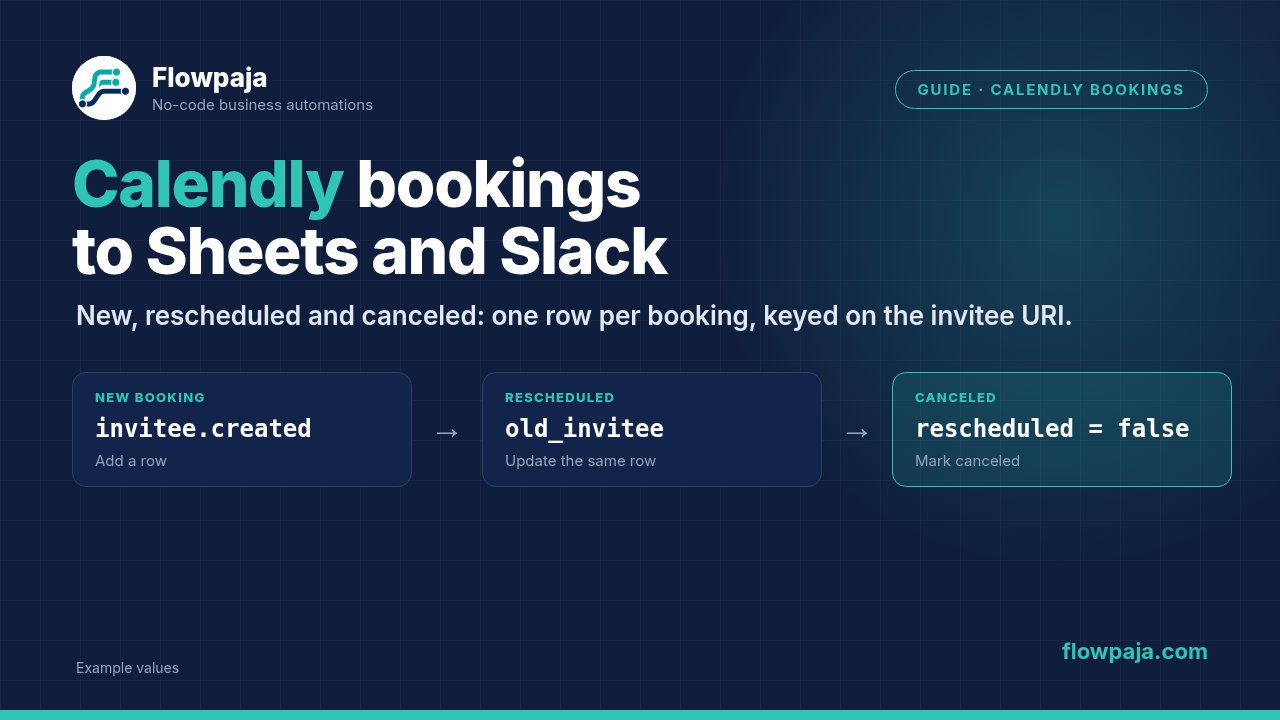
A first version usually has one trigger, invitee created → Add a Row → Slack. Then someone reschedules and two things happen:
| What Calendly sends | What the simple version does | What you want |
|---|---|---|
invitee.canceled for the old time, rescheduled = true | Nothing, or a "Canceled" alert if you added one | Nothing |
invitee.created for the new time, old_invitee = old URI | A second row and a "New booking" alert | Update the first row to the new time, post "Rescheduled" |
The two events can arrive in either order, so the scenario mustn't depend on which comes first. The design below doesn't.
Step 1: Watch both event types
Add Calendly › Watch events, click Create a webhook, connect Calendly, and select both the created and canceled events. Choose the organization or user to watch.
Click Run once and book a test meeting. The bundle contains the booking data Calendly sends. These are the fields this guide uses, with Calendly's names (Make's labels may differ slightly):
| Field | Example | Use |
|---|---|---|
event | invitee.created | Which route |
payload › uri | https://api.calendly.com/scheduled_events/…/invitees/… | Row key: one per booking per invitee |
payload › name, payload › email | Jamie Example, jamie@example.com | Columns C–D |
payload › scheduled_event › start_time | 2026-10-08T12:00:00.000000Z (UTC) | Column E |
payload › rescheduled | true / false | Tell a reschedule from a real cancellation |
payload › old_invitee | URI of the booking it replaces | Find the row to update |
payload › cancellation › reason | "Conflict" | Column G |
Key the sheet on the invitee URI, not the email. One person can have several bookings, and a returning invitee shouldn't overwrite their earlier meeting.
Step 2: Add the router
After the trigger, add a Router with three routes:
- New booking:
eventequal toinvitee.createdANDold_inviteedoes not exist - Rescheduled:
eventequal toinvitee.createdANDold_inviteeexists - Canceled:
eventequal toinvitee.canceledANDrescheduledequal to (Boolean)false
The canceled half of a reschedule (rescheduled = true) matches no route and stops there. That's intended: it costs 1 credit for the trigger and posts nothing.
Step 3: New booking route
- Google Sheets › Add a Row: A =
uri, B =Booked, C = name, D = email, E = the start time (see Step 6), F ={{now}}. - Slack › Send a Message:
New booking: {{name}}, {{start}}.
Step 4: Rescheduled route
- Google Sheets › Search Rows: column A equal to
old_invitee. - Router on Search Rows' Total number of bundles:
- > 0 → Update a Row with the found Row number: A = the new
uri, B =Rescheduled, E = the new start time, F ={{now}}. - = 0 → Add a Row with B =
Rescheduled. This happens for bookings made before the scenario existed.
- > 0 → Update a Row with the found Row number: A = the new
- Slack › Send a Message on each branch:
Rescheduled: {{name}}, now {{start}}.
Writing the new URI into column A matters: if the invitee reschedules again or cancels later, the next search finds this row.
Search Rows with no match still outputs one empty bundle with Total number of bundles = 0, so route on that number. More in Search Rows returns nothing.
Step 5: Canceled route
- Google Sheets › Search Rows: column A equal to
uri. - Filter: Total number of bundles > 0 → Update a Row: B =
Canceled, F ={{now}}, G = the cancellation reason. - Slack › Send a Message:
Canceled: {{name}}, {{start}}.
Step 6: Show the start time in your time zone
Calendly sends start_time in UTC. Format it before writing:
{{formatDate(payload.scheduled_event.start_time; "ddd D MMM YYYY, HH:mm"; "Europe/London")}}Replace Europe/London with your own time zone (click the field rather than typing the path). If the sheet turns the text into a different date or a number, see Google Sheets date errors in Make.
Step 7: Test all four cases
With fictional data:
| Test | Expected sheet | Expected Slack |
|---|---|---|
| Book a meeting | New row, Booked | New booking |
| Reschedule it | Same row, Rescheduled, new time, new URI in A | Rescheduled (once) |
| Reschedule it again | Same row, newer time | Rescheduled |
| Cancel it | Same row, Canceled, reason | Canceled |
Then add an error handler on each Google Sheets module (right-click → Add error handler): a Slack message to an alerts channel, then Skip. An instant-trigger scenario is switched off after its first unhandled error. On Calendly's side, a webhook that keeps failing is retried for up to 24 hours and then disabled.
Credits
| Event | Credits |
|---|---|
| New booking: trigger, Add a Row, Slack | 3 |
| Reschedule: canceled half (trigger only) + created half (trigger, search, update, Slack) | 1 + 4 = 5 |
| Cancellation: trigger, search, update, Slack | 4 |
| No bookings | 0 (instant trigger) |
60 bookings a month with 10 reschedules and 5 cancellations: 60 × 3 + 10 × 5 + 5 × 4 = 250 credits. Try your own numbers in the Make credits calculator.
Free template
Lead Capture → Google Sheets + Slack, with dedupe uses the same Search Rows → Total number of bundles → add or update pattern for form leads, tested in Make with fictional data. Free download.
No Make account yet? Create a free Make account (affiliate link). Flowpaja may earn a commission if you sign up through it, at no extra cost to you.