 Flowpaja
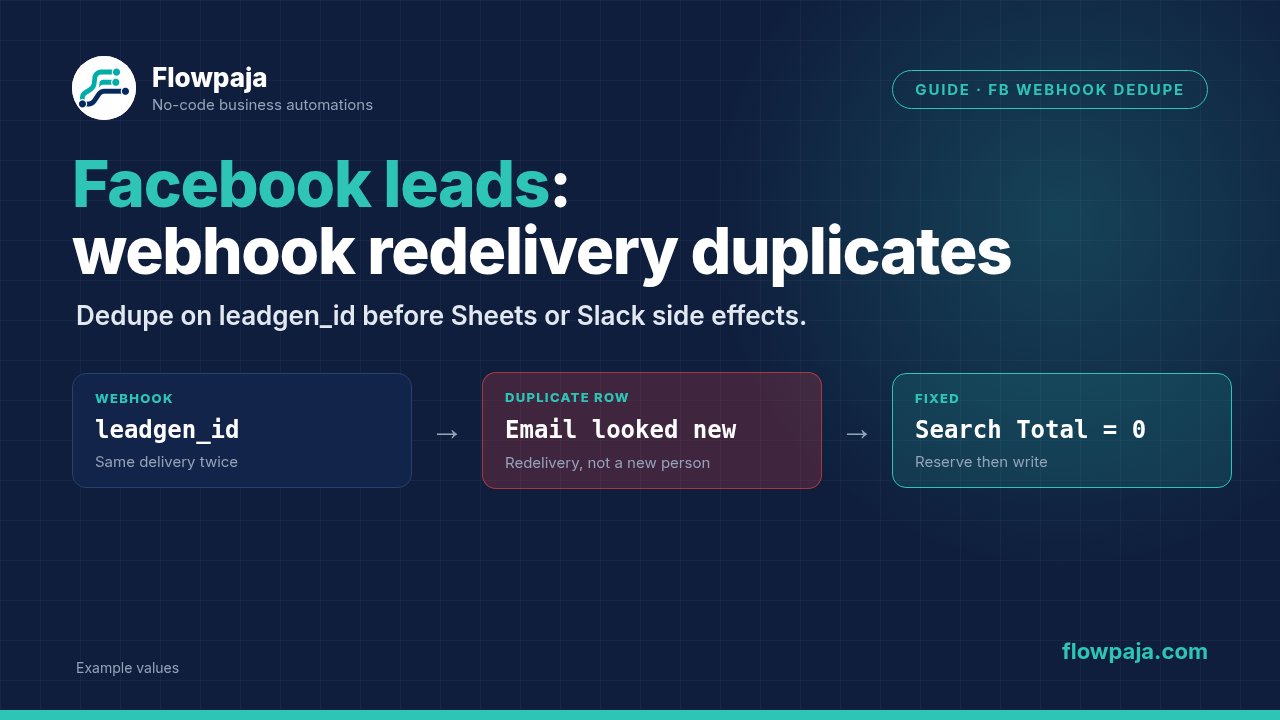
Two Make executions arrive for the same Facebook lead, and both create a CRM contact or send an owner alert. Moving the webhook or increasing its schedule interval does not give the lead a stable processing identity. The repair is to recognize the same lead before any one-time side effect.
A Make Community report about Facebook backfill documents duplicates after missed leads were delivered again. That report concerns a historical incident; it does not prove a current Meta outage. This guide covers repeated webhook delivery and recovery state. For spreadsheet-specific duplicate cleanup, use the existing Facebook Lead Ads to Sheets guide.
When this happens
Your intake may use Facebook Lead Ads > New Lead, Webhooks > Custom webhook, or another authorized receiver forwarding Meta notifications. A timeout, provider retry, backfill or manual replay can reach a scenario that already performed some or all downstream actions.
First compare underlying lead IDs. Two executions with different lead IDs can represent two legitimate submissions from the same email. Two executions with the same lead ID are the replay case. Also compare webhook endpoint registrations: duplicated subscriptions can deliver identical notifications through different paths.
Make's webhook queue, execution history and incomplete executions are different records. A Custom webhook is a receiver; do not label every repetition “Make redelivery” without locating the sender or retry mechanism.
Step 1: normalize a stable lead key
For the native Facebook connector, inspect New Lead output and select its stable lead ID. For a custom Meta payload, inspect the notification containing leadgen_id; the envelope may contain multiple entries or changes. Extract each lead notification deliberately instead of assuming the first object is the only lead.
Use Flow Control > Iterator only for arrays actually present in your captured payload. Carry page and form identifiers beside the lead ID. Add Tools > Set variable, name it lead_key, and construct a namespace such as facebook:PAGE_ID:LEAD_ID from real mapped values.
The canonical identifier should survive replay unchanged. Do not use Make's execution ID or the arrival timestamp: both can differ when the same lead is received again.
If your intermediary genuinely lacks the lead identifier, a fallback may combine form ID, normalized email and the original submission timestamp. This is weaker: distinct submissions can collide, and altered timestamps can evade deduplication. Record key_method=fallback and investigate the missing source ID. Never use an empty key or the current time as a fallback.
Step 2: define the Sheets ledger
Create a dedicated tab with headers lead_key, source_lead_id, form_id, status, received_at, crm_contact_id, alert_ts, completed_at, last_error and recovery_owner. Store identifiers as text. Use UTC timestamps consistently, while keeping the original source timestamp separate from arrival time.
Choose statuses with concrete meanings: received means the payload is durably recorded; crm_written means the intended contact write returned its identifier; completed means all required side effects have recorded checkpoints; failed requires repair; uncertain means a request may have succeeded without a reliable response.
This row is processing state, not just a list of seen IDs. Writing completed immediately on receipt would suppress the next delivery even if the CRM write never happened. Conversely, writing the row only after every side effect would leave the entire replay window unprotected.
Step 3: serialize the writer
Open Scenario settings and enable Process data in order. The current settings documentation says webhook executions otherwise run in parallel. This prevents two runs of this scenario from both searching for a key before either has written it.
Keep one writer for this ledger. The setting does not coordinate another scenario, a separate Make organization or manual scripts writing the same keys. For several producers, use a shared queue or a database with an enforced unique key and an atomic claim operation.
Ordered processing can pause new runs while an incomplete execution remains unresolved. Include that in your recovery procedure. A stalled queue is visible work to repair, not a reason to turn parallel processing back on while relying on a non-atomic Sheets search-and-add sequence.
Step 4: search before side effects
Add Google Sheets > Search Rows, selecting the ledger tab, headers enabled and the range containing all ledger columns. Set Filter to lead_key equals the normalized key. Use Limit 2 during setup so preexisting duplicate ledger rows are detectable rather than hidden by a limit of one.
Place a Router after the search. Configure the new-key route on Total number of bundles = 0 and the existing-key route on Total number of bundles > 0. This design requires one empty output bundle carrying count zero for the no-match case. Do not add an aggregator to manufacture a missing-row signal.
The official module page does not establish a universal no-match default, and current community reports differ. If your router receives nothing, stop and resolve that configuration before production.
If more than one matching row exists, route to review before destination writes. A duplicated ledger is an integrity error: proceeding with both result bundles can repeat the same side effect twice. Repair the ledger and preserve the row containing the trustworthy checkpoints.
Step 5: reserve new leads and classify existing rows
On the zero-match route, use Google Sheets > Add a Row. Map the normalized key, source identifiers, received timestamp and status=received. Preserve the returned row number for subsequent Update a Row modules.
On the existing route, inspect status. For completed, stop downstream work after recording receipt if required. For received, crm_written, failed or uncertain, send the item to the recovery process. Do not automatically rerun the entire workflow merely because it is unfinished.
For a native Facebook trigger, upstream acknowledgement is managed by that connector. For a custom receiver, Webhooks > Webhook response can return a successful acknowledgement after durable capture. Acknowledge a known completed replay without repeating its CRM action.
An early response transfers recovery responsibility to your durable workflow: the sender may consider delivery complete even if later work fails. On a failed ledger write, do not report durable capture. Keep the receiver short and separate lengthy processing when necessary. These acknowledgement choices must match the verified provider contract.
Step 6: checkpoint the CRM write and alert
Use your existing CRM's search-by-identity and create-or-update path. Write the returned contact identifier and status=crm_written to the reserved row before sending the owner alert. Lead delivery deduplication does not replace CRM identity handling: two separate lead IDs can still belong to one person.
If you use Slack, configure Slack > Send a Message. Include the lead key, contact link and intended owner. After a successful response, store the message timestamp or returned identifier in alert_ts, then mark completed only when every required checkpoint exists.
On recovery, a confirmed CRM identifier lets you skip an already completed contact creation. A confirmed Slack identifier lets you skip an already delivered alert. Empty update inputs can leave existing Sheets values unchanged; use the typed erase keyword only for an intentional clear, then verify the module's behavior.
Step 7: choose retries by failure class
Use Retry for transient failures when repeating the failed request is safe. Enable incomplete executions and choose bounded attempts. Retry preserves the failed bundle and remaining flow; it is not a blanket guarantee that the destination did nothing before the failure.
For a permanent validation or permission failure, write status=failed, preserve the error and alert the owner, then end that error route with Skip if your policy is to continue processing other leads. If writing the failure state fails too, retain the execution for repair rather than silently skipping unrecorded work.
Use uncertain for a timeout after a non-idempotent side effect. Reconcile the destination using the lead/contact identifier before rerunning. Search-and-write across separate systems cannot promise exactly-once delivery. The practical guarantee here is controlled replay with explicit checkpoints and visible ambiguity.
Common errors
Missing value of required parameter 'email' belongs to the destination mapping layer. Repeatedly retrying an empty email does not repair it. Return to the normalized source fields and required-input filter.
Unsupported get request is a Facebook retrieval error seen in community discussions. Inspect the lead identifier, permissions and provider response; it is not evidence that the payload is a duplicate. A successful receipt followed by failed detail retrieval should remain recoverable.
If Search Rows shows zero matches but the new branch never runs, inspect its empty output behavior. If every lead is skipped, check for an empty normalized key or a filter using the wrong column. If CRM contacts stay unique but alerts repeat, inspect the alert checkpoint separately.
Credits note
A completed replay should reach intake and one ledger lookup, then stop before CRM and alert modules. A fresh lead adds reservation, destination writes and checkpoint updates. Measure those executed steps; at 1,000 monthly credits, repeated deliveries are part of your budget even when deduplication works.
Avoid combining a native event trigger with a frequent polling fallback that writes the same downstream records independently. Backfill should use the same canonical key and recovery policy. An extra recovery scenario also uses an active scenario slot.
Testing steps
Capture a controlled lead, complete it, and replay the same source ID twice. Expect one completed ledger row, one intended contact effect and one owner alert. Then submit the same email under a new lead ID and verify your business policy distinguishes a new submission from redelivery.
Test a never-seen key to prove the zero-match route. Send two simultaneous copies and confirm ordered processing. Seed two matching ledger rows and expect review without writes.
Finally, fail before the CRM write, after the CRM write and after Slack succeeds but before its checkpoint. The last case must become uncertain and require reconciliation. Do not accept a test report that says merely “the scenario was green”; inspect destination counts and every ledger status.
No Make account yet? Create a free Make account (affiliate link). Flowpaja may earn a commission at no extra cost to you.