 Flowpaja
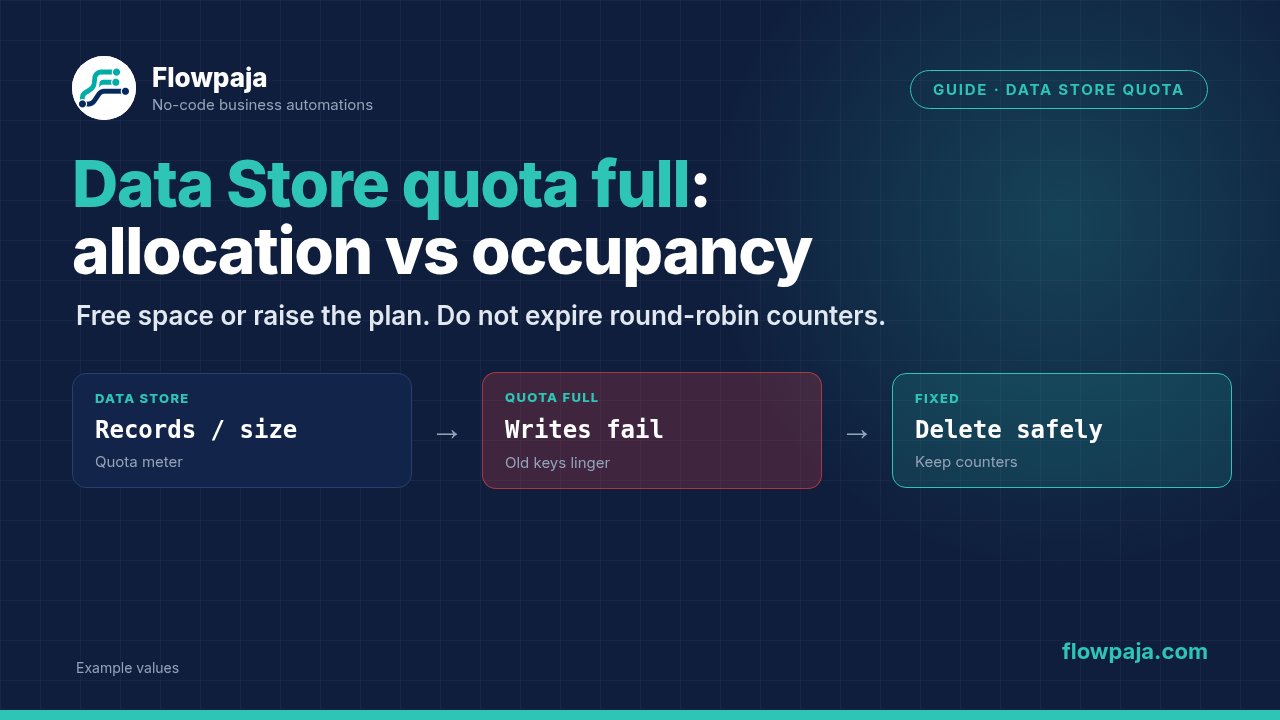
Make shows Not enough space in storage. when you create a Data Store, or an existing scenario can no longer write records. These may be different capacity problems. First distinguish organization allocation from the occupied space inside one store; deleting random records is not a reliable response to both.
A community report about creating another store describes capacity already allocated to the first store. Another Free-plan report confuses the allowance with a larger paid capacity. Use the current Make Data Store documentation and your organization's displayed allowance to diagnose your own case.
When this happens
Data Stores hold scenario state such as processed event keys, job checkpoints or routing counters. Large JSON payloads, image data and indefinitely retained events can fill a small store. Creating several stores can also exhaust allocated capacity even when the existing store contains few records.
At the 6 October 2026 documentation check, Free includes 1 MB of Data Store capacity. Paid monthly licensed credits determine capacity at one MB per 1,000 credits, and each store requires at least one MB. The documented organization maximum is 1,000 stores; that does not grant every organization enough capacity to create 1,000 stores.
For example, a 20,000-credit monthly license corresponds to 20 MB of allocation under the documented rule. Check Enterprise/annual entitlements in the account rather than treating an annual credit total as monthly capacity. Do not assume that any ad hoc purchase changes the licensed storage allowance.
Step 1: identify the failing action
Record whether the error occurs when creating a store, changing its size, adding a record or saving an incomplete execution. Data Store storage and incomplete-execution storage are separate allowances. A cleanup of Data Store keys cannot repair an incomplete-execution storage limit.
For a creation failure, inspect allocated sizes of all stores in the same organization. A store reserved at the entire allowance can leave no space for a second minimum-size store, even if only one small record exists inside it.
For a record-write failure, identify the selected store, allocated size, occupied usage and input record. Inspect recent growth: a binary/base64 field or newly added raw response object can dramatically change record size without increasing the record count proportionally.
Do not present a guessed “quota full” string as Make's universal error text.
Step 2: preserve state before freeing space
Pause or disable the relevant writers under your own operational procedure while taking a consistent export. Back up keys and their record fields, including status, destination IDs and timestamps. Record the schema and number of exported records.
Use the Data Store's available export function or Data Store > Search Records with a bounded, complete export procedure. Check that all records are included; a default module limit is not a full backup. If you use an external file or Sheets export, keep it in an approved location and verify it opens.
The official documentation describes copying to another Data Store as one backup option. Near an allocation limit, another store may be impossible. An external export avoids requiring more of the same scarce capacity. Do not assume a screenshot of the record count can restore processing state.
Do not run Delete All Records on a production dedupe store as a quick reset. Every previously processed event would become unseen, and unfinished checkpoints could disappear. A routing counter can also jump back to an unintended starting value.
Step 3: fix allocation when creation is blocked
Open Data stores, select the existing store and inspect its configured size. Compare the sum of allocations with the organization's available total. Make's out-of-space guidance is the reference for reallocating space.
If a large store has spare allocated capacity, reduce its allocation only within the interface's allowed constraints and after verifying its actual usage. Leave headroom for normal writes. Then create or enlarge the intended store using capacity genuinely available to allocate.
Deleting records lowers occupancy inside a store. It does not necessarily lower that store's reservation. Free's one-MB minimum and one-MB allowance mean you cannot fit two separate minimum-sized stores by deleting records from the first one.
This is an account operation, not a recommendation to buy a particular plan; the guide supplies the diagnosis and options.
Step 4: decide which records may expire
Classify your stored data. Completed transient cache entries may be disposable. Pending jobs, failed jobs awaiting repair, contact mappings, current routing counters and dedupe keys inside the accepted replay window are not equivalent to cache entries.
Add created_at, completed_at, expires_at and status where appropriate. Keep these as typed dates/status fields, with a documented retention rule. An expires_at value is application metadata; it does not establish an automatic native deletion service.
Choose retention from the source's replay/backfill behavior and your business requirements. If manual replay remains possible after a key is deleted, that replay will look new unless you retain an archive lookup. A sample 45-day retention period is only an example; it is not a verified safe window for every integration.
Preserve permanent state separately from transient records. Namespaced keys help distinguish dedupe:, job: and routing: records, but deleting every key with a prefix still requires knowing what each namespace contains and whether its records are complete.
Step 5: build a bounded cleanup worker
Create a scheduled scenario using Data Store > Search Records. Select the target store and Filter on status=completed and expires_at earlier than the current time. Use the actual typed date field, not a lexicographic comparison of differently formatted text dates.
Set Limit to a small initial batch, such as 20 records. The number is a test configuration, not a provider maximum. Map the current time or a documented cutoff consistently. If older records store text dates, migrate or validate them before allowing a cleanup filter to classify them.
Follow with an explicit safety filter confirming completed status, expiry and an allowed namespace. Map each returned Key into Data Store > Delete a Record. Search Records already outputs individual records; an Iterator is unnecessary unless your chosen output is actually an array wrapper.
Leave deletion disconnected for a preview run. Inspect every candidate key and a sample record. Compare the set with the export and your retention rule. Only enable deletion after the disposable test store demonstrates that pending, failed and permanent records cannot pass the filters.
If the search returns no candidates, the worker should stop cleanly. Do not continue an empty result into Delete a Record. An aggregator is not needed to create an artificial deletion candidate or a placeholder key.
Step 6: make cleanup repeatable
Deleting a record can race another writer updating it. Run cleanup during a controlled maintenance window, or use a state model that prevents writers from reviving expired completed keys. Process data in order affects one scenario's execution order, not a separate cleanup and writer running concurrently.
Record candidate count, successful deletion count and failures. After each batch, inspect occupied usage and confirm active processing still recognizes recent dedupe keys. Keep the verified backup until your normal recovery period has passed.
For a transient read/delete failure, Retry may retain work with incomplete executions enabled. Do not repeatedly retry a permanent missing-key or malformed-date case without understanding it. An already-deleted key can represent successful prior cleanup; reconcile it rather than claiming deletion failed automatically.
Avoid using Skip to hide every cleanup error. Log actionable failures first and preserve the key. A successful overall run with half its deletes skipped is not evidence that the capacity issue was solved.
Step 7: reduce future record growth
Store the smallest state needed to make the next decision. A dedupe row usually needs its key, state, timestamps and destination identifiers; it rarely needs the entire source payload indefinitely. Put files and large artifacts in an appropriate file store and retain references.
Measure average record size from actual data rather than assuming every key costs the same. Optional metadata, strings and nested structures can change storage use. A record-count threshold alone may miss a sudden large-payload problem.
Do not drop the checkpoint fields to save a few bytes if they are needed for recovery. Losing destination IDs can turn a recoverable timeout into an ambiguous duplicate. Reduce unneeded payload first, then tune retention based on a documented replay policy.
Step 8: migrate to a Sheets ledger when suitable
Sheets can be useful for a small inspectable event ledger. Export Data Store keys/statuses, import them as text with explicit headers and preserve destination identifiers. Check record counts and sample keys before switching the writer.
Configure Google Sheets > Search Rows to look up the canonical key. Route Total number of bundles = 0 to new work and > 0 to existing-state handling using one empty output bundle for no match.
Use one writer with Process data in order and avoid a prolonged dual-write period without reconciliation. Sheets search/add is not an atomic unique-key database; higher concurrency may need a database or queue instead. Migrating capacity should not weaken the deduplication contract silently.
Switch the writer only after seeded existing-key, empty-key and failed-state tests pass. Retain the source export and a rollback plan. A missing imported key must not be mistaken for a genuinely new event during cutover.
Common errors
Not enough space in storage. during creation usually requires inspecting the organization's allocations. The community also reports Not enough space in storage. Bad Request.; the extra text does not establish a different allowance.
A required Key validation failure after an empty search is a mapping/path problem, not proof that the store is still full. A date comparison that deletes nothing may have mismatched field types. Inspect candidate records before relaxing filters.
If usage quickly returns after cleanup, inspect writers for full payload storage or a too-short cleanup schedule. If every historical event starts processing again, check whether the dedupe namespace was removed or migration omitted its keys.
For routing state, use Flowpaja's existing round-robin lead-assignment guide. Do not rebuild or expire its current counter as though it were a disposable event record.
Credits note
A cleanup run uses a search and per-record deletes; an export or audit write adds work. Measure it against your monthly 1,000-credit Free allowance. A daily bounded cleanup can be more appropriate than frequent empty checks, depending on actual growth.
Cleanup and a production writer occupy scenario slots, so account for Free's two active-scenario limit. Large batches and sleeps must fit its execution limit. The existing credits guide covers the broader budget.
Testing steps
In a disposable store, seed one expired completed record, one future completed record, one expired pending job, one failed job and one permanent routing key. Preview should select only the first record; deletion should remove only that record.
Run cleanup twice and confirm the second run does not create errors or delete additional protected data. Test malformed expiry data, a controlled delete failure and an empty search.
For migration, seed an existing processed key and a new key in Sheets, then replay both. Confirm recent completed work stays deduped, unfinished work remains recoverable and imported counts match the export. No production keys were deleted for this package.
No Make account yet? Create a free Make account (affiliate link). Flowpaja may earn a commission at no extra cost to you.